How to Automate Detention Charge Review Before You Pay
Researched and written with AI assistance. Reviewed by the Laneproof team.
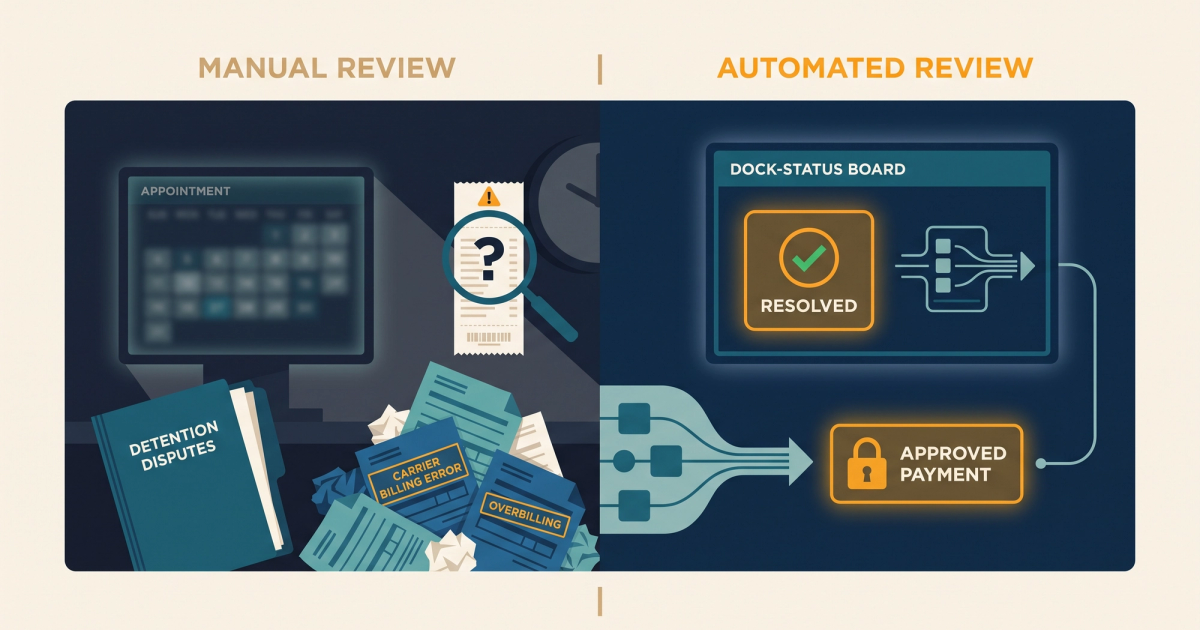
A carrier sends you a detention invoice for $300. You glance at it, check the load number, and approve it because you've got 40 more invoices to get through before lunch. That $300 was wrong. The rate con specified 2 hours of free time, and the driver was on-site for 1 hour and 44 minutes. Multiply that kind of error across 200 invoices a month, and you're bleeding money you never owed. To automate detention charge review is to catch those errors at the invoice stage, before payment, using timestamped documentation and rate con matching instead of gut checks and spreadsheets. According to a Tradlinx industry analysis, 94.5% of carriers include detention or accessorial fees in their pricing, yet fewer than 50% of those claims are actually paid. That gap exists because the review process on both sides is broken. This article walks you through exactly how to fix it.
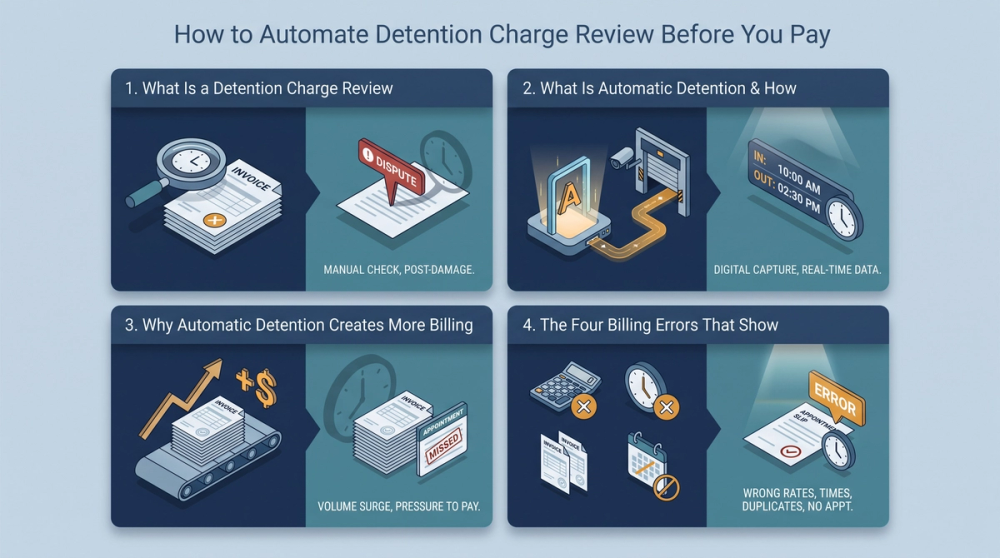
What Is a Detention Charge Review, and What Should It Actually Check?
A detention charge review is the process of validating every line item on a carrier's detention invoice against the original rate confirmation, timestamped proof of delivery (POD), bill of lading (BOL), and any appointment records before approving or disputing the charge. It is not a general audit of your freight spend. It is a specific, per-invoice checkpoint focused on one question: does the carrier's billed detention time match the documented dwell time minus the agreed free time?
Most brokers skip this step or do it inconsistently. The result is a mix of legitimate charges paid correctly, overbilled charges paid without challenge, and valid charges disputed too late to recover. A proper detention charge review should check five things on every invoice:
- Rate con detention clause: What free time was agreed to? What's the hourly or per-diem rate after free time expires?
- Detention clock start time: Does the carrier's billed start time match the facility arrival timestamp, or does it incorrectly begin before the free time window even starts?
- Detention clock stop time: Does the billed end time match the BOL or POD departure timestamp?
- Total billable hours: After subtracting free time from actual dwell time, does the math on the invoice add up?
- Duplicate or conflicting charges: Is the carrier also billing a TONU, layover, or other accessorial on the same load that conflicts with the detention charge?
When you run these checks manually on every invoice, you're spending real time on real money. As of 2026-04-01, average hourly earnings in truck transportation were $32.41/hr (BLS). If your billing coordinator spends 6 minutes reviewing each detention invoice and you process 200 carrier invoices a month, that's 20 hours of review time, or about $648 in labor cost, just on the initial check. And that's before disputes, follow-ups, or re-reviews.
What Is Automatic Detention and How Do Carriers Use It to Bill You?
Automatic detention is a billing mechanism where detention charges are triggered automatically based on elapsed time at a facility, typically calculated from a geofence check-in or ELD timestamp. The carrier's system starts the detention clock when the truck enters a defined radius around the pickup or delivery location and stops it when the truck departs. If total dwell time exceeds the free time threshold in the carrier's system, a detention charge is generated and added to the invoice without manual intervention by the driver or dispatcher.
Why Automatic Detention Creates More Billing Errors, Not Fewer
In theory, automatic detention removes human error from timekeeping. In practice, it introduces a different kind of error: configuration mismatches. The carrier's system may be set to a 1-hour free time default, while your rate con specifies 2 hours. The geofence radius might trigger the clock when the driver is still in a truck stop across the street from the facility. The system may not account for appointment-based detention clauses that only start the clock after a scheduled window, not upon arrival.
According to Project44's documentation on detention costs, detention charges accumulate based on time thresholds that vary by shipper, carrier, and facility, with no universal standard for when the clock starts or stops. That variability is exactly why automated review on the broker's side matters. The carrier's automation generates the charge. Your automation validates it.
This is a critical distinction. If a carrier uses automatic detention billing, their invoices will consistently reflect their system's settings, not your rate con's terms. Without a matching review process on your end, you'll pay whatever their system generates. For more detail on how carriers structure these charges, see how carriers overbill on detention and how to fight back.
The Four Billing Errors That Show Up Most Often on Carrier Detention Invoices
After reviewing thousands of carrier invoices, these are the four detention billing errors that account for the majority of overbilling. Each one is preventable with the right review process.
1. Free Time Mismatch Between Rate Con and Carrier Packet
The rate con says 2 hours free time. The carrier's internal system is set to 1 hour. The invoice bills detention starting at hour 1. This is the single most common detention billing error, and it's almost always unintentional. It happens because the carrier packet and the rate con were set up by different people, at different times, with different defaults.
Example: Your rate con specifies 2 hours free time at delivery. The carrier's packet defaults to 1 hour. The driver is on-site for 2.5 hours. The carrier bills 1.5 hours of detention at $75/hour ($112.50). You should only owe 0.5 hours ($37.50). That's a $75.00 overbill per load. On 12 similar loads per month, that's $900 in overpayments.
2. Detention Clock Starting at Arrival Instead of After Free Time
Some carrier systems start billing detention from the moment the truck arrives at the facility, rather than after the free time period expires. This is a math error baked into the invoice generation logic.
Example: Driver arrives at 10:00 AM. Free time is 2 hours. Loading completes at 1:30 PM. The carrier's invoice bills 3.5 hours of detention at $75/hour ($262.50). Correct detention time is 1.5 hours ($112.50). The 90-minute billing error adds $112.50 per load.
3. Detention Billed on Loads That Didn't Exceed Free Time
This is the error that a timestamped POD catches instantly. The driver's total dwell time was under the free time threshold, but a detention charge appears on the invoice anyway.
Example: Timestamped POD shows the driver arrived at 10:47 AM and departed at 2:31 PM. Total dwell time: 1 hour and 44 minutes. The rate con specifies 2 hours of free time. The carrier invoices $150 in detention. That charge is invalid. The driver never exceeded the free time window.
4. Double-Billing: Detention Plus TONU or Conflicting Accessorial
A carrier invoices both a TONU (truck ordered, not used) and a detention charge on the same load. Or they bill detention alongside a layover charge that covers the same time window. These double-bills are less common but higher-dollar, and they're easy to miss when you're reviewing invoices line by line in a spreadsheet.
An automated flag catches the conflicting charge types before payment is processed. No manual cross-referencing needed.
How an Automated Review Matches the Rate Con, Timestamps, and BOL Before You Approve Anything
Here's what an automated detention charge review workflow actually does, step by step. This isn't a feature list. It's the logic your review process needs to follow, whether you build it in-house or adopt a tool that does it for you.
Step 1: Ingest the Carrier Invoice and Parse Detention Line Items
The system reads the carrier invoice (PDF, EDI 210, or API payload) and isolates any line items coded as detention, waiting time, or delay charges. It extracts the billed hours, rate per hour, total amount, and any timestamps the carrier included.
Step 2: Pull the Matching Rate Con and Extract the Detention Clause
Using the load number or PRO number, the system pulls the original rate confirmation. It extracts the detention clause: free time in hours, hourly rate after free time, and any conditions (e.g., detention only applies after scheduled appointment window, not actual arrival). This is where the rate con detention clause becomes the source of truth.
Step 3: Match Against Timestamped POD and BOL Records
The system pulls the POD, BOL, and any facility check-in/check-out records. It compares the carrier's billed arrival and departure times against the documented timestamps. If there's a discrepancy, it flags the invoice. According to the FMCSA's study on driver detention time, commercial vehicle drivers experienced detention on approximately 1 in every 10 stops, for an average duration of 1.4 hours. That means roughly 10% of your loads could carry a detention line item that needs this kind of validation.
Step 4: Calculate Billable Detention and Compare to Invoice Amount
The system subtracts free time from total dwell time, multiplies the remainder by the agreed hourly rate, and compares that calculated amount to the carrier's invoiced amount. If they match (within a defined tolerance, usually $5 or less), the invoice is approved. If they don't match, the invoice is held for review with a clear variance report.
Step 5: Flag, Hold, or Auto-Approve
Clean invoices move to payment. Flagged invoices go to your billing coordinator with the specific discrepancy identified: wrong free time applied, clock started early, timestamps don't match, or duplicate charge detected. The coordinator reviews the flag, not the entire invoice. This is how a tool that automatically flags invoice discrepancies cuts review time from 6 minutes to under 60 seconds per flagged invoice.
According to Mastery's analysis of automated detention workflows, automation enables one-click approval of validated charges and automatic billing of confirmed detention, reducing the manual workload by orders of magnitude compared to spreadsheet-based review.
What Documentation You Actually Need to Dispute a Detention Charge and Win
Filing a detention dispute without documentation is a waste of time. Filing one with the right documents is usually a quick resolution. Here's what you need to have on hand before you push back on a carrier detention invoice.
- Signed rate confirmation with the detention clause highlighted, showing agreed free time and hourly rate.
- Timestamped POD showing actual arrival and departure times at the facility.
- BOL with facility stamps or digital check-in/check-out records confirming when loading or unloading actually started and ended.
- Appointment confirmation (email, shipper portal screenshot, or TMS record) showing the scheduled delivery or pickup window, if the detention clause is appointment-based.
- Carrier's invoice with the specific line items you're disputing, annotated with the variance (e.g., "Billed 3 hours, documented dwell time 1.5 hours after 2-hour free time = 0 billable hours").
The key principle: your dispute is only as strong as the timestamps you can produce. If your POD is a blurry photo with no time metadata, you're going to lose that argument. If it's a digitally timestamped document with GPS coordinates, the carrier has very little room to push back.
For a deeper breakdown of how detention disputes play out and what documentation gives you the strongest position, read who controls the detention clock and who pays.
Scenario: Appointment-Based Detention Clause Saves $56.25
A carrier invoices detention on a live unload where the shipper's appointment was delayed 45 minutes. The driver arrived at 8:15 AM for a 9:00 AM appointment. The shipper didn't open the dock until 9:45 AM. Loading completed at 10:30 AM. The carrier bills 2.25 hours of detention at $75/hour ($168.75).
But the rate con's detention clause specifies that detention begins after the scheduled appointment window, not upon arrival. The scheduled window was 9:00 AM to 9:30 AM. Detention should start at 9:30 AM. From 9:30 AM to 10:30 AM is 1 hour. With a standard 30-minute appointment buffer, billable detention is 30 minutes: $37.50. That rate con clause just saved you $131.25 compared to what the carrier billed. The key was that your review system flagged the appointment-based clause and compared it against the facility timestamps automatically.
How This Review Process Fits Into Your Existing TMS and Billing Workflow
You don't need to rip out your TMS to add a detention charge review layer. The review process sits between invoice receipt and payment approval. It reads data from your TMS (load details, rate cons, PODs) and outputs a clean/flagged status for each invoice before it hits your AP queue.
Where It Sits in the Invoice Lifecycle
Most SMB brokers follow this invoice flow: carrier submits invoice → billing coordinator opens it → coordinator checks it against the load in the TMS → coordinator approves or disputes → payment is scheduled. The automated review replaces the manual "check it against the load" step. It runs the five-point validation (rate con match, timestamp match, free time calculation, amount comparison, duplicate charge check) and delivers a verdict: approve, flag, or hold.
For brokers processing 200 carrier invoices per month, the math is straightforward. At 6 minutes per invoice for manual review of detention line items, you're spending 20 hours a month. Automated review cuts flagged invoice review to under 60 seconds each. If 10% of your invoices carry detention line items (consistent with the FMCSA's finding of detention on roughly 1 in 10 stops), that's 20 invoices flagged for human review at 1 minute each, plus 180 clean invoices auto-approved. Total review time drops from 20 hours to under 1 hour.
Integration Points That Matter
The review system needs read access to three data sources:
- Rate confirmations (from your TMS or document management system), including the detention clause, free time terms, and hourly rate.
- Timestamps (from PODs, BOLs, ELD data, or facility check-in systems) for arrival and departure verification.

- Carrier invoices (via EDI 210, email parsing, or API) with detention line items parsed and matched to load numbers.
If your TMS stores rate cons as PDFs, the review system needs OCR or structured data extraction. If your PODs are digital with embedded timestamps, integration is straightforward. The bottleneck is almost never the automation logic. It's the quality of the input documents.
The Dollar Exposure When You Skip This Step
Industry estimates suggest approximately 3.8% of carrier invoices contain at least one billing error. Per the DOT Office of Inspector General's report on driver detention, detention time directly impacts driver compensation and carrier revenue, creating financial pressure that can lead to billing inaccuracies on both sides of the transaction. For a broker moving 500 loads per month at an average $1,200 linehaul, 3.8% error exposure means roughly 19 invoices per month with potential overbilling. If the average overbill on a detention line item is $100 to $150 (consistent with the free time and clock-start errors described above), that's $1,900 to $2,850 per month in payments you shouldn't be making. Over a year, that's $22,800 to $34,200.
As of 2026-05-01, the truck transportation sector employed approximately 1,465 thousand workers (BLS), and every one of those workers generates invoices that flow through systems just like yours. The scale of the problem is not small. But neither is the fix.
Real-World Examples: Catching Detention Billing Errors Before Payment
These scenarios are drawn from common patterns in carrier detention invoicing. Each one shows a specific error, the dollar impact, and how automated review catches it.
Example 1: Free Time Overbill Across 12 Monthly Loads
A carrier bills 4 hours of detention at $75/hour on a load where the rate con specifies 2 hours of free time. The driver's total dwell time was 4 hours. Correct billable detention: 4 hours minus 2 hours free time = 2 hours × $75 = $150. The carrier billed $300 (4 hours × $75), ignoring the free time entirely. Overbill per load: $150. The broker moves 12 similar loads per month with this carrier. Monthly overbill: $1,800. Automated review catches this by comparing the rate con's free time clause against the billed hours on every invoice from this carrier, not just the ones someone happens to spot.
Example 2: Timestamped POD Invalidates the Entire Charge
The carrier invoices $150 in detention on a delivery. The timestamped POD shows the driver arrived at 10:47 AM and departed at 12:31 PM. Total dwell time: 1 hour and 44 minutes. The rate con specifies 2 hours of free time at delivery. Since 1 hour 44 minutes is under the 2-hour free time threshold, billable detention is zero. The $150 charge is completely invalid. Automated review runs this comparison in seconds: POD timestamps → dwell time calculation → free time subtraction → result is negative → charge flagged as invalid → invoice held.
Example 3: TONU Plus Detention Double-Bill
A carrier invoices a $250 TONU and a $150 detention charge on the same load. The load was tendered, the driver arrived at the facility, waited 3 hours, and the shipper canceled. The carrier billed a TONU for the canceled load and detention for the wait time. But the rate con's TONU clause includes wait time compensation. The detention charge is a double-bill. Automated review flags conflicting accessorial codes on the same load number. The billing coordinator reviews the flag, confirms the TONU clause covers wait time, and disputes the $150 detention charge. Saved: $150 on one load. Across a quarter, this pattern might only appear 3 to 5 times, but that's $450 to $750 recovered from charges that would otherwise slip through.
Laneproof's reconciliation engine checks each of these fields automatically, flagging variances before payment goes out. Instead of reviewing every invoice line by line, your billing team reviews only the exceptions, with the exact discrepancy and supporting documents already pulled.
Frequently Asked Questions
What does detention charge mean?
A detention charge is a fee billed by a carrier when a truck is held at a shipper or receiver facility beyond the agreed free time. Free time is the window (usually 1 to 3 hours) built into the rate confirmation during which no additional charges apply. Once that window expires, the carrier bills an hourly or flat rate for every additional hour the truck is detained. For a deeper look at how these charges accumulate daily, see what you're actually paying per day in container detention.
What is a detention review?
A detention review is the process of validating a carrier's detention invoice against the rate confirmation, timestamped POD, BOL, and appointment records before approving payment. The review checks whether the billed detention hours, start time, end time, free time deduction, and hourly rate all match the agreed terms and documented facility timestamps. Without this review step, brokers pay whatever the carrier invoices, including billing errors.
What is an automatic detention?
Automatic detention refers to a billing mechanism where detention charges are generated automatically by a carrier's system based on elapsed dwell time at a facility. The system uses geofence check-ins, ELD data, or facility timestamps to start and stop the detention clock. Charges are added to the invoice without manual input from the driver or dispatcher. The risk for brokers is that the carrier's automatic settings (such as default free time) may not match the terms on your rate confirmation.
How much is a demurrage charge per day?
Demurrage charges (which apply to containers at port or rail terminals, as opposed to detention charges for trucks at facilities) typically range from $75 to $300 per container per day, depending on the carrier, port, and container type. Rates escalate the longer the container sits: the first few days after free time may be $75/day, increasing to $150 or $200/day after a week. For a full breakdown of demurrage versus detention billing, see who's overbilling you on demurrage and detention.
How long does a detention dispute take to resolve?
With proper documentation (signed rate con, timestamped POD, BOL, and a clear variance calculation), most carrier detention disputes resolve within 5 to 15 business days. Without documentation, disputes can drag on for 30 to 60 days or simply get rejected. Automated review accelerates the process because the supporting documents are already compiled and matched to the invoice at the time of flagging, reducing back-and-forth with the carrier's billing department.
Conclusion: Stop Reviewing Invoices After You've Already Paid Them
The detention charge review is not a post-mortem exercise. It belongs before the payment, not after. Every invoice that leaves your account without a rate con match, a timestamp check, and a free time calculation is a bet that the carrier got the math right. Based on the error rates and dollar amounts covered in this article, that's a bet that costs SMB brokers thousands per month.
The fix is not complicated. Match the rate con detention clause to the invoice. Compare timestamps against billed hours. Subtract free time. Flag the mismatches. Pay the clean ones. That's the entire workflow. The question is whether you run it manually at 6 minutes per invoice or automatically at 60 seconds per exception.
If you're ready to see how this works on your actual invoices, check what Laneproof costs for your volume and run a batch through the reconciliation engine. The overbills it catches on day one usually cover the first month.
Sources
- Impact of Driver Detention Time on Safety and Operations — FMCSA
- Estimates Show Commercial Driver Detention Increases Crash Risk and Costs — DOT Office of Inspector General
- What is detention cost in supply chain? — Project44
- Automating Customer Detention to Protect Fleet Revenue — Mastery
- Over 90% Charge Detention. Fewer Than 50% Get Paid — Tradlinx
Related: Detention Charge Validation Software: What Manual Review Misses
Related: Detention Charges in Logistics: How Carriers Overbill and How to Fight Back
Related: Detention Charges in Shipping: How Carriers Miscalculate and What It Costs You
Related: Detention Charges Calculator: Build the Number Yourself