Automate Freight Data Entry: What It Actually Saves Weekly
Researched and written with AI assistance. Reviewed by the Laneproof team.
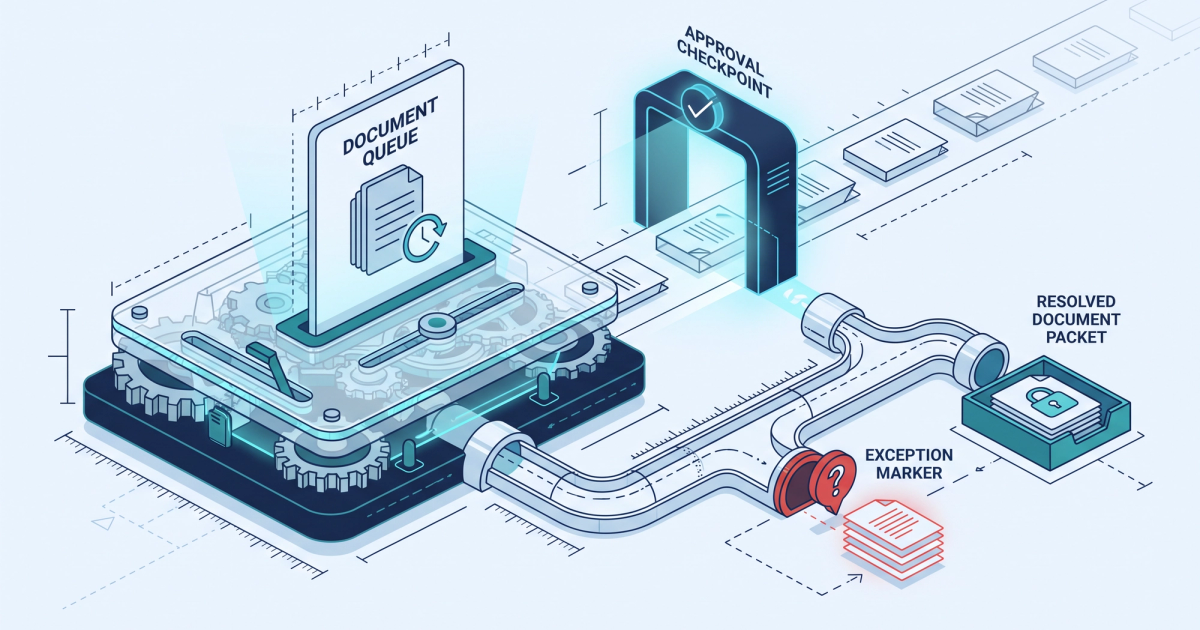
Take one dispatcher, one rate con, and a stopwatch. Time how long it takes to open the PDF, retype the load number, pickup and delivery windows, stops, commodity, weight, linehaul, fuel surcharge, accessorial terms, and carrier contact into your TMS, then double-check it against the BOL when the driver sends it. Most ops managers who run that test are surprised by the number. If your team touches 300 loads a month and each one eats 15 minutes of keyboard time, that is 75 hours a month gone before anyone has audited a single freight invoice. When people say they want to automate freight data entry, this is the pile of hours they are actually talking about. This article breaks down where those hours go, what the three main automation approaches (OCR, RPA, and AI extraction) really do differently, and how to tell inside 30 days whether a tool earns its keep.
How Many Hours a Week Are You Really Losing to Data Entry?
Nobody tracks this line item, which is exactly why it never gets fixed. Data entry hides inside job titles. A dispatcher's calendar says "covering loads." A billing coordinator's says "invoicing." Neither says "retyping the same eight fields from a rate con that was generated by a TMS on the other end of the phone call." So the cost sits there, unbudgeted, and grows every time volume grows.
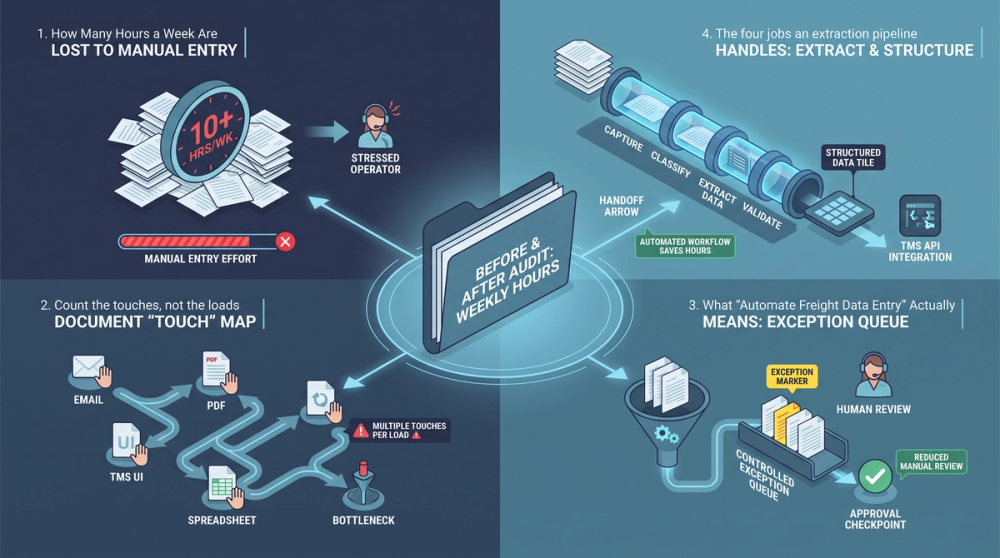
Start by counting document touches instead of loads. A single dry van load with one pickup and one drop typically involves a rate confirmation, a BOL, a POD, a carrier invoice, and sometimes a lumper receipt. That is five documents, each with fields that need to land in your TMS or your accounting system correctly. A drayage move with a container number, chassis charge, per diem, and terminal appointment paperwork can easily double it.
Count the touches, not the loads
Run this exercise for one week. For every load, log the minutes spent on: initial rate con entry, BOL cross-check, POD filing, carrier invoice matching, and any email chain caused by a mismatch. Add it up per person. Then multiply by your loaded hourly wage (base pay plus payroll taxes and benefits, not just the number on the offer letter).
Two things usually happen. First, the raw hours are higher than anyone guessed, because the email chains and the "wait, which weight is right?" moments never got counted. Second, the distribution is lumpy. One or two load types (usually multi-stop LTL and anything with accessorials) consume a disproportionate share of the time.
This measurement step matters more than any vendor demo. As DAT points out in its guidance on using data throughout a freight brokerage, brokers who benchmark their own operating numbers make better decisions than brokers working off industry generalities. Your data entry load is specific to your lane mix, your customer document formats, and your carrier base. Measure yours before you shop.
What "Automate Freight Data Entry" Actually Means (Not Marketing Speak)
Short answer: yes, it is possible to automate freight data entry, and the technical definition is narrower than most marketing pages suggest. To automate freight data entry means software reads a document (rate con, BOL, POD, carrier invoice, lumper receipt), pulls specific named fields out of it, checks those fields against a reference source, and writes the validated values into your TMS or accounting system without a person retyping them. Anything short of that four-step chain is partial automation, and partial automation is where most disappointment comes from.
The four jobs an extraction pipeline has to do
- Capture. Get the document in from wherever it arrives: email attachment, carrier portal, driver photo from a phone, fax-to-PDF, scanned packet. If a tool only accepts clean PDFs, your drivers' phone photos become a manual queue.
- Extract. Identify field values by meaning, not by pixel location. "Total charges" on one carrier invoice is "Amount Due" on another and "Balance" on a third. Field-level extraction has to survive layout changes.
- Validate. Compare extracted values against something authoritative: the rate con against your load record, the BOL weight against the ordered weight, the invoice linehaul against the agreed linehaul, the detention hours against the POD timestamps.
- Post. Write the clean record into the TMS through an API, EDI feed, or integration, and route only the exceptions to a human. Vendors describing data entry automation for logistics orders describe this same sequence: extract, validate, then post directly into the management system.
The validation step is the one that separates useful tools from expensive ones. Extraction without validation just moves typos faster. If software reads a carrier invoice showing $2,450 linehaul and posts it without comparing it to the $2,300 on your rate con, you have automated the overpayment.
What it does not mean
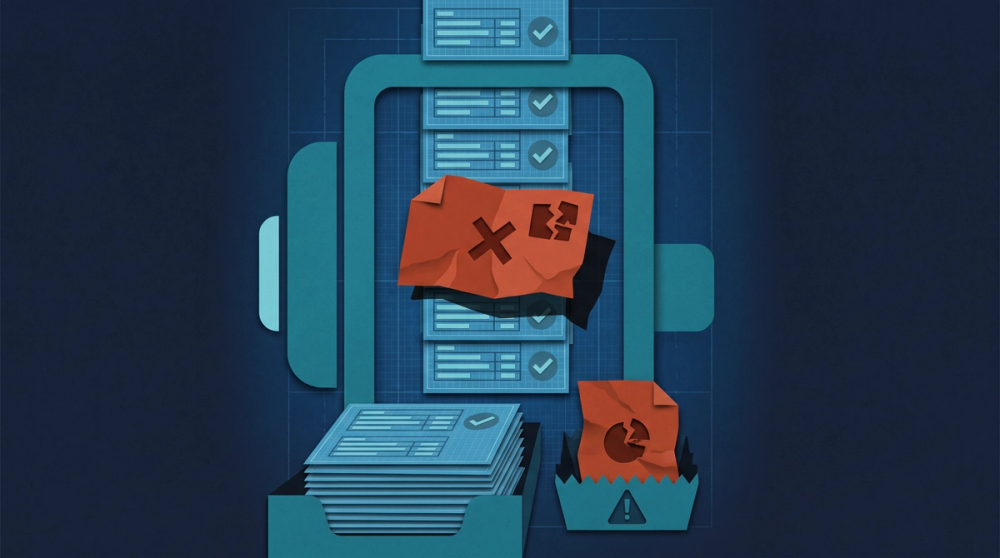
It does not mean zero human involvement. A realistic target is that people stop typing and start reviewing exceptions. It also does not mean your document problems disappear. A BOL with a handwritten weight scrawled over a corrected number still needs eyes on it. The goal is to shrink the pile that needs eyes from 100% of documents down to the small slice that genuinely conflicts.
Extraction without validation just moves typos faster. The value is not in reading the document. It is in catching the field that does not match.
OCR vs RPA vs AI Extraction: What's the Difference for BOLs and Rate Cons
These three terms get used interchangeably in sales calls. They are not the same thing, and knowing the difference will save you a bad purchase.
OCR: turns pixels into characters
OCR (optical character recognition) converts an image of text into machine-readable text. That is all it does. Classic OCR paired with template rules works well when every document looks identical: same carrier, same form, same field positions. Freight is the opposite of that. You have hundreds of carriers, dozens of shipper BOL formats, and rate cons generated by every TMS on the market.
Template-based OCR breaks the moment a carrier changes its invoice layout or a driver photographs a BOL at an angle. It also has no opinion about whether the value it read makes sense. It will happily report a weight of 4,3000 lbs. We went deeper into where character recognition holds up and where it falls apart in freight OCR: what it reads accurately and where it breaks down.
RPA: clicks the buttons a human would click
RPA (robotic process automation) records and replays user actions: open this screen, click this field, paste this value, hit save. RPA is good at moving data between two systems that refuse to talk to each other. It is bad at judgment. An RPA bot following a script does not know that the accessorial code on this invoice is unusual for this lane. It also breaks when the TMS pushes a UI update and the button moves twelve pixels.
RPA has a real place. If your TMS has no API and your accounting system has no import, a bot that keys validated data in for you is legitimately useful. Just understand you are automating the keystrokes, not the decision.
AI extraction: reads by meaning, then checks itself
AI-based extraction combines character recognition with document understanding. Instead of "the total is in the box 4 inches from the top," the model learns "the total is the number labeled Total, Amount Due, Balance Due, or Total Charges, and it should roughly equal linehaul plus fuel plus accessorials." That last clause is the important part. Arithmetic and cross-field logic let the system flag its own uncertainty.
This approach is already showing up in mainstream freight systems. FreightWaves reported that Carrier Logistics automated LTL shipment data entry by populating entry fields directly from bill of lading documents rather than making a clerk retype them. Supply Chain Management Review's analysis of how AI and automation are redefining motor freight performance describes the same shift: document data becoming available in near real time instead of being trapped in a keying queue.
The practical test for any of the three: hand the vendor twenty of your ugliest documents. Not clean samples. A crumpled POD photo, a rate con with a handwritten rate revision, a carrier invoice with three accessorial lines and no descriptions, a lumper receipt from a thermal printer. Whatever survives that pile is what will survive your inbox. Our breakdown of data extraction in freight walks through how to build that test set.
The Manual Workflow: Rate Con to TMS, Step by Step
Here is what actually happens today in most 5 to 50 person shops. Count the steps.
- Step 1. Rate con arrives by email as a PDF attachment. Dispatcher opens it in one window, opens the TMS load screen in another, and starts alt-tabbing.
- Step 2. Retype the fields: load or pro number, shipper and consignee names and addresses, pickup and delivery appointment windows, commodity, piece count, weight, equipment type, linehaul, fuel surcharge, accessorial terms, detention terms, carrier MC number, driver and truck info.
- Step 3. Driver sends a BOL photo at pickup. Someone opens it and eyeballs the weight, piece count, and shipper reference against what is in the TMS.
- Step 4. Mismatch found. BOL says 41,200 lbs, rate con says 38,000 lbs. Now there is a note in the load file and a question in someone's head.
- Step 5. Email or call the carrier or shipper to sort out the discrepancy. Attach the BOL. Ask which number governs.
- Step 6. Wait. Sometimes hours. Sometimes until after delivery, at which point the answer arrives buried in a reply chain.
- Step 7. Re-enter the corrected values, then repeat a version of this whole loop when the carrier invoice shows up with a detention charge nobody expected.
Seven steps, and only step 5 requires actual judgment. Steps 1, 2, 3, and 7 are pure transcription. Step 4 is comparison, which is the kind of work computers are better at than tired humans at 4:45 p.m. on a Friday.
The dispatcher workaround nobody documents
When volume spikes, people invent shortcuts. The most common dispatcher workaround is partial entry: key in the load number, the rate, and the appointment times, and skip the accessorial terms and reference numbers because "we can get those later." Later never comes. Two weeks on, a billing coordinator is trying to bill a customer and the load record has no shipper reference number, so the invoice gets short-paid or bounced. Manual data entry in freight does not fail loudly. It fails in accounts receivable, 30 days later.
The Automated Workflow: Same Load, Half the Clicks
Same load. Same documents. Different sequence. The diagram in this post lays out the two paths side by side, but here is the short version.
- Step 1. The document hits the pipeline. Rate con forwarded from email, BOL photo from the driver, carrier invoice from the carrier packet. Extraction pulls the named fields, validates them against the existing load record, and posts the clean values into the TMS.
- Step 2. A human reviews only what got flagged. BOL weight is 3,200 lbs above the rate con. Detention hours on the invoice do not line up with the POD timestamps. Lumper amount on the invoice is $175 higher than the receipt. Three flags, three decisions, no typing.
That is the whole promise, and it is deliberately modest. You are not eliminating the human. You are changing what the human does from transcription to adjudication. Expedock's write-up on automating data entry in freight operations and finance processes frames the same outcome: the labor does not vanish, it moves to work that actually requires a person.
Where the TMS integration actually matters
Posting is where a lot of pilots die. Extraction can be excellent and still leave your team copying values out of a results screen into the TMS, which is just data entry with extra steps. Ask three specific questions before you sign anything:
- Does it write into my TMS through an API, an EDI 204/210 feed, a native integration, or a CSV import? Get the mechanism in writing.
- What happens on a field-level conflict? Does it overwrite, hold in a queue, or create a duplicate load? Duplicate loads are worse than manual entry.
- Can I set confidence thresholds per field? A carrier name at 92% confidence is fine. A dollar amount at 92% confidence should stop and ask.
Turvo's overview of the real benefits of TMS automation notes that the payoff shows up when quoting and dispatch happen without manual keying, which only works if the data lands in the system of record cleanly. Document management vendors make the same point: as Docstar's material on trucking document management and automation describes, the error reduction comes from removing the retyping step, not from filing PDFs faster.
What This Actually Costs You If You Don't Fix It
The cost shows up in three buckets, and only the first one is obvious.
Bucket one: direct labor
This is the arithmetic everyone can do. Take the hours you measured earlier, multiply by loaded wage, multiply by 52. Use your own numbers, not averages from a vendor deck. If a billing coordinator spends 15 hours a week on transcription and reconciliation at a $22 loaded hourly rate, that is $330 a week and roughly $1,320 a month in labor spent typing. That figure is an illustration built from those two inputs, so substitute your actual wage and hours before you quote it to anyone.
Bucket two: margin leak from unaudited invoices
This one is bigger and quieter. Every carrier invoice your team approves without a line-by-line comparison against the rate con and the supporting documents is a coin flip. Detention billed at 3 hours when the POD shows 1.5. A lumper fee billed at $350 with a $175 receipt. A fuel surcharge calculated off a different index week. A TONU on a load that actually delivered. None of these are usually fraud. They are data errors, and data errors run in the direction of whoever generated the invoice. We mapped the common leak points in freight document automation software: where the money leaks.
Bucket three: the stuff you can't prove
When a customer short-pays and you cannot produce a matched set of rate con, BOL, POD, and invoice in under five minutes, you write it off. When a carrier disputes a chargeback and your load record has blank reference fields because of a step-2 shortcut, you eat it. Compliance carries a version of this too: carriers operating under the FMCSA New Entrant Safety Assurance Program are subject to a safety audit that includes recordkeeping, and "we meant to enter that" is not a defense in either an audit or a billing dispute. Clean documents are the only argument that wins.
Three Scenarios With the Math Worked Out
The following scenarios use inputs you would plug in from your own operation. The arithmetic is the point, not the specific numbers.
Scenario 1: The 300-load dispatcher
A brokerage runs 300 loads a month across two dispatchers. Timed with a stopwatch, rate con entry plus BOL cross-check averages 15 minutes per load. Math: 300 loads x 15 minutes = 4,500 minutes = 75 hours a month, or about 17 hours a week spread across two people. If entry drops to 5 minutes per load because extraction handles the first pass and the dispatcher reviews flags only, that is 50 hours a month returned. Those 50 hours do not become profit automatically. They become capacity: more loads covered per dispatcher without a third hire.
Scenario 2: The $175 lumper that got paid twice over
A carrier invoice lists a $350 lumper fee. The receipt in the carrier packet reads $175. Under manual review, the billing coordinator sees the invoice line, sees a lumper receipt is attached, and approves. Nobody compares the two numbers because comparing them means opening a second PDF on a screen that already has four windows on it. Cost of that single miss: $175. Repeat it on 8 loads a month and you are at $1,400 monthly, which is more than the labor cost in Scenario 1. Automated validation catches it because comparing an invoice amount to a receipt amount is exactly the kind of check software does not get bored of.
Scenario 3: Detention dispute, 45 minutes down to 3
A carrier bills 4 hours of detention at $65 per hour, $260 total, on a load with a 2-hour free time provision in the rate con. Manually: open the POD, find the arrival and departure timestamps (often handwritten), open the rate con to confirm the free time and the detention rate, open the BOL to confirm the stop sequence, build the timeline in an email, send it, wait for a response. Realistically 45 minutes across two sittings. With extracted and matched documents: the arrival and departure timestamps, the free time term, and the billed hours sit in one view with the variance already flagged. The decision (approve 2 hours at $130, dispute the other $130) takes under 3 minutes. Same money at stake, 42 minutes back, and a documented trail if the carrier pushes.
This is the specific work a freight document data extraction workflow is built for: pulling the fields off the rate con, BOL, POD, and carrier invoice, matching them to the load, and surfacing the variances before payment goes out instead of after.
How to Tell in 30 Days Whether It Pays for Itself
You are right to be skeptical. Plenty of freight software has been sold on a demo that used clean sample documents. Here is a 30-day test that produces a number instead of a feeling.
- Week 0: baseline. Log minutes per document type and per load type for one full week. Also log every billing variance your team catches manually and the dollar value of each. This is your control group.
- Weeks 1 to 2: run your real mail. Route actual inbound documents through the tool, including the bad ones. Measure two things: field-level accuracy on dollar amounts and dates, and what percentage of documents needed human correction.
- Weeks 3 to 4: measure exception rate and catch rate. How many loads posted clean with no touch? How many variances got flagged that your manual process would have missed, and what were they worth in dollars?
Then run the payback: (hours saved x loaded wage) + (dollars of variances caught) versus monthly software cost. If a tool returns 40 hours a month at a $22 loaded rate ($880) and flags $900 of billing variances you would otherwise have paid, you are at roughly $1,780 of monthly value. Compare that against the subscription price and decide. Numbers used here are example inputs, so run yours.
Two failure modes to watch during the pilot. First, a tool that hits high accuracy on typed PDFs and collapses on phone photos will look great in week 1 and terrible in week 3 when drivers start sending the real stuff. Second, a tool that extracts well but cannot post into your TMS turns your team into copy-paste operators. Our walkthrough of document automation for freight ops covers the setup questions that catch both problems before you commit.
Frequently Asked Questions
Is it possible to automate data entry?
Yes, for structured business documents like rate cons, BOLs, PODs, and carrier invoices. Software can capture the document, extract named fields, validate those fields against your load record, and post them into your TMS. What is not realistic is 100% hands-off processing. Plan on people reviewing an exception queue instead of typing every record, and judge tools by how small that queue gets on your real documents.
Can ChatGPT do data entry for freight documents?
A general-purpose chatbot can read a rate con and tell you what it says, and for a one-off question that is genuinely useful. It is not a data entry system. It has no validation logic tied to your load record, no confidence scoring per field, no audit trail of what it read versus what a human changed, and no connection to your TMS, so someone still has to copy values across. It will also produce a plausible-looking number when a field is illegible instead of stopping to flag it, which on a dollar amount is the worst possible behavior. Freight extraction needs cross-document matching and arithmetic checks, not just reading comprehension.
Will this work with my TMS, or do I need to switch systems?
You should not have to switch. The question is the posting mechanism: native integration, API, EDI feed, or file import. Ask the vendor to name yours specifically and to demonstrate a write into a test load, not just an extraction result on a screen. If the only answer is "you can export a CSV," price the ongoing import work into your cost, because someone on your team will be doing it every day.
What is the highest paying data entry role in a freight back office?
The pay ceiling is not in typing, it is in auditing. Roles that adjudicate billing variances (freight bill audit, settlement analyst, senior billing coordinator) pay more than pure keying roles because they recover money rather than just recording it. That is the practical argument for automating the transcription work: it moves your existing people toward the higher-value version of the same job instead of capping them at data entry throughput.
How do I tell if a freight data entry automation vendor is legit?
Give them your worst documents, not their sample set. Ask for field-level accuracy on dollar amounts and dates specifically, not a single blended accuracy percentage. Ask what happens when confidence is low and who is liable if a bad value posts. Ask for a named reference at a brokerage your size running your document mix. Vendors who answer all four directly are usually worth a pilot; vendors who answer with a case study and a discount usually are not.
Sources
- New Entrant Safety Assurance Program — Federal Motor Carrier Safety Administration
- Unleash the power of data in your freight brokerage journey — DAT Freight & Analytics
- Carrier Logistics automates LTL shipment data entry — FreightWaves
- The Benefits of Automating Data Entry in Freight Forwarding Operations and Finance Processes — Expedock
- Data entry automation for logistics orders — Virtualworkforce.ai
- Inside the next era of motor freight: How data, AI, and automation are redefining performance — Supply Chain Management Review
- Scaling Smarter: The Real Benefits of TMS Automation — Turvo
- Trucking Document Management & Automation — Docstar
The Takeaway
Manual TMS entry is not a small inefficiency you can outgrow. It scales linearly with volume, it hides inside job titles nobody audits, and it quietly funds every accessorial overbilling that slips through unchecked. The fix is not a vague efficiency promise. It is a specific pipeline: capture the document, extract the named fields, validate them against the load record, post the clean values, and hand a human only the variances. Measure your baseline hours first, test on your ugliest documents, and require a real posting path into your TMS.
If you want to run the 30-day test described above against your own rate cons, BOLs, PODs, and carrier invoices, see how Laneproof is priced by volume and compare it against the hours and variances you measured. If the math does not clear your subscription cost in the first month, you will know quickly, which is the point.