Freight OCR: What It Reads Accurately and Where It Breaks Down
Researched and written with AI assistance. Reviewed by the Laneproof team.
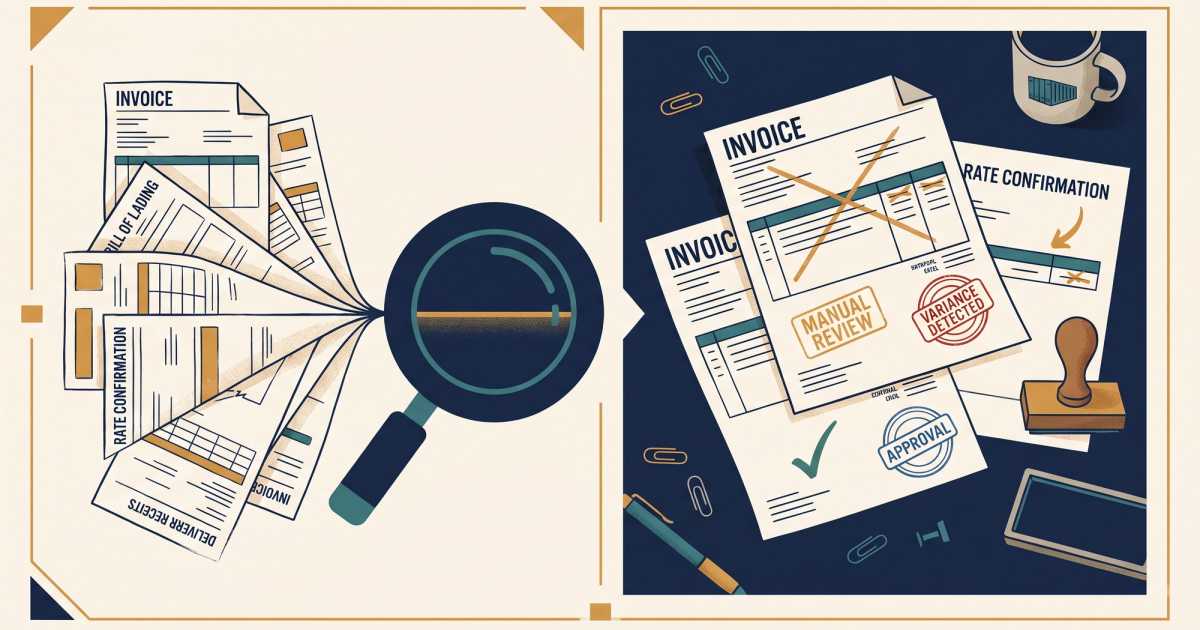
Freight OCR is optical character recognition applied to freight documents (BOLs, carrier invoices, PODs, rate confirmations) to extract data automatically instead of typing it into your TMS by hand. That is the one-sentence version. Here is the version that matters to your billing team: a coordinator processing 300 invoices per week at 6 minutes of manual entry each spends roughly 30 hours per week on data entry alone. When freight OCR accuracy holds above 95 percent, that drops to under 8 hours. But accuracy does not hold above 95 percent on every document. On clean, typed carrier invoices, OCR runs at 97 to 99 percent accuracy. On handwritten BOLs or faxed PODs, it drops to 60 to 75 percent, meaning 1 in 4 documents still needs manual correction. This post is not here to tell you OCR fixes everything. It is here to show you exactly which documents it reads well, where it breaks, and what those failures cost in disputed invoices and denied claims.
What Is Freight OCR and What Does It Actually Do to a Document
You have probably seen OCR pitched as "AI-powered automation" that eliminates manual work. Let's be specific about what actually happens when a freight invoice or BOL passes through an OCR system, because the details determine whether you can trust the output or not.
The Technical Process in Plain Language
OCR takes a scanned image, photograph, or PDF of a document and converts the visual text into machine-readable data. In freight, that means pulling structured fields (shipper name, consignee, weight, line-haul rate, accessorial charges, reference numbers) out of documents that arrive in wildly different formats. According to FreightOCR.com's overview of freight document digitization, AI-powered OCR must handle any carrier format for invoices, BOLs, and shipping manifests, which hints at just how much variability exists in the documents hitting your inbox.
The process works in stages. First, the system normalizes the image: correcting skew, improving contrast, removing noise. Then it identifies text regions and runs character recognition. Finally, a classification layer maps the recognized text to fields your TMS or accounting system expects. The accuracy of each stage compounds. A slightly skewed fax with low contrast that also has handwritten notes in the margins will fail at multiple stages, and those failures stack.
Where OCR Fits in a Freight Billing Workflow
For most brokers and small carriers, a freight invoice arrives (usually as an emailed PDF or sometimes a fax), gets opened by a billing coordinator, and then the coordinator manually keys the data into the TMS. Rate, weight, origin, destination, reference number, accessorials, fuel surcharge. Each field is a chance for a typo, a transposition, or a missed charge. OCR sits between "document received" and "data in TMS," handling the extraction step. But it is not a replacement for the review step. Understanding that distinction is what separates brokers who save real money with OCR from brokers who end up paying invoices they should have disputed.
Which Freight Documents OCR Reads Well, and Which Ones It Chokes On
Not all freight documents are created equal from an OCR perspective. The format, print quality, and structural consistency of a document determine whether OCR gives you clean data or garbage. Here is the breakdown by document type.
High-Accuracy Documents: Typed Carrier Invoices and Rate Cons
Typed, digitally generated carrier invoices are the best-case scenario. These documents have consistent formatting, standard fonts, and clear field labels. According to a comparison of top BOL OCR tools published by Extend.ai, best-in-class OCR solutions benchmark at 95 percent or higher accuracy on structured freight documents, and on clean typed invoices that number can reach 97 to 99 percent.
Rate confirmations generated from a TMS fall into the same category. They are typically PDFs with predictable layouts. OCR can reliably pull the agreed-upon line-haul rate, fuel surcharge percentage, and any accessorial terms. This is critical for rate con processing because the rate con is your source of truth when a carrier invoice comes in higher than expected.
- Typed carrier invoices (PDF): 97 to 99 percent field-level accuracy
- Rate confirmations (TMS-generated PDF): 95 to 98 percent accuracy on key rate fields
- Digitally generated BOLs: 93 to 97 percent accuracy depending on template complexity
Problem Documents: Handwritten BOLs, Faxed PODs, and Lumper Receipts
Here is where accuracy drops hard. A handwritten BOL is one of the most common documents in freight and one of the worst for OCR. Drivers filling out fields by hand produce inconsistent letter shapes, crossed-out corrections, and partial information. OCR accuracy on these documents drops to 60 to 75 percent. That means 1 in 4 fields may be wrong.
Faxed PODs are nearly as bad. Fax compression degrades image quality, and many PODs include handwritten signatures, timestamps, and exception notes that OCR struggles to parse. As Magaya's analysis of OCR benefits for freight operations notes, OCR delivers the greatest time savings when documents are clean and structured, but returns diminish significantly on degraded or handwritten inputs.
Lumper receipts are particularly unreliable. They are often thermal-printed on small paper, with partial fading, no standardized format, and sometimes handwritten amounts. If your team is trying to verify a $185 lumper fee from a carrier invoice, OCR can flag the line item on the invoice itself, but the supporting lumper receipt may not scan cleanly enough to confirm the amount.
- Handwritten BOLs: 60 to 75 percent accuracy, requiring manual review on most documents
- Faxed PODs: 65 to 80 percent accuracy depending on fax quality and handwriting
- Lumper receipts (thermal print): Highly variable, often below 70 percent on faded prints
Where OCR Accuracy Falls Short and What That Costs You Per Invoice
Accuracy percentages sound abstract until you calculate what the failures actually cost. For a billing coordinator, every OCR error that slips through means either an overpayment or a time-consuming dispute. Let's put dollars on it.
The Math on Missed Accessorial Charges
Carriers overbill on accessorials in an estimated 1 in 5 invoices. At an average load value of $1,800, a 3.8 percent overbill rate costs a 500-load-per-month broker over $34,000 annually if left unchecked. That is not a theoretical number. It is what happens when your team processes invoices too quickly to cross-reference every line item against the rate con. OCR can catch many of these discrepancies automatically by matching invoice line items against the agreed rate confirmation. But when OCR misreads a charge amount (say, reading $285 as $235 on a faxed document), the discrepancy gets missed entirely.
The cost of OCR inaccuracy is not just the overbilled amount. It includes the time spent discovering the error later (if it gets discovered at all), the time spent pulling supporting documents for a dispute, and the likelihood that the carrier rejects a late dispute. For more on the most common freight billing mistakes that drain margins, we break down the full list in a separate guide.
When Bad Data Leads to Denied Claims
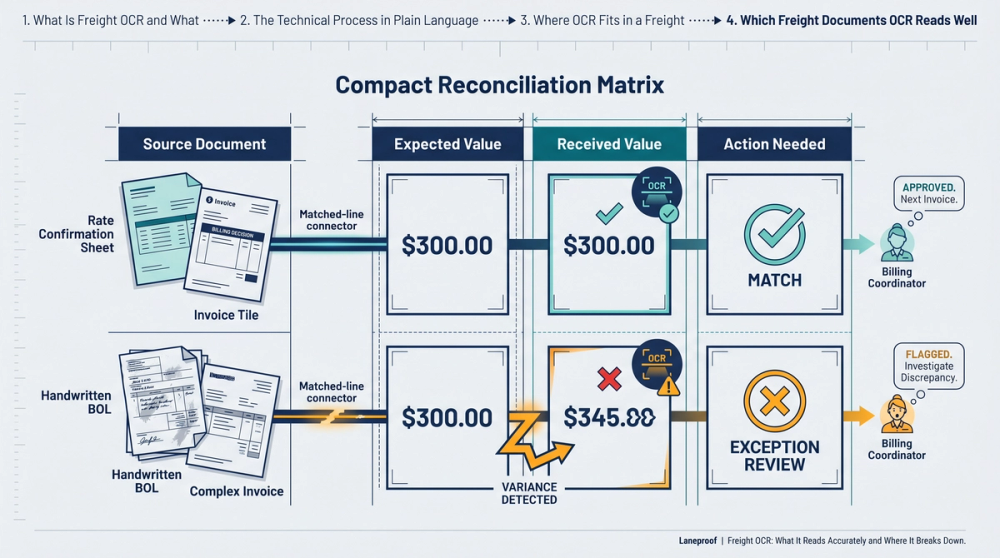
OCR accuracy matters even more on the claims side. According to FreightClaims.com's analysis of why freight claims get denied, incomplete or inaccurate documentation is one of the top reasons freight claims are rejected. If your OCR system misreads a weight from a BOL or fails to capture an exception note from a POD, and that bad data ends up in your claim filing, the claim gets denied. You eat the cost.
Detention charges disputed without a timestamped POD cost brokers an average of $220 per incident in unrecovered fees. If your OCR system can accurately capture arrival and departure times from a signed, legible POD, that is $220 recovered per incident. If the POD is a low-quality fax with handwritten times, the OCR output may be unreliable enough that you cannot use it as dispute evidence. The document quality determines whether OCR helps or creates a false sense of security.
OCR accuracy on clean, typed carrier invoices runs 97 to 99 percent. On handwritten BOLs or faxed PODs, it drops to 60 to 75 percent. The document quality, not the software, is usually the bottleneck.
How to Use OCR Output to Catch Carrier Overbilling Before You Pay
Knowing where OCR works well is only useful if you build it into a workflow that actually catches overbilling before your AP team cuts the check. Here is how to structure that.
Automated Invoice Matching Against Rate Cons
The highest-value use of freight OCR is automated invoice matching. Your rate con specifies the agreed line-haul rate, fuel surcharge, and any pre-authorized accessorials. When a carrier invoice comes in, OCR extracts the billed amounts and compares them field-by-field against the rate con. Any discrepancy triggers a flag for human review. This is where OCR pays for itself fastest, because the alternative is a billing coordinator manually pulling up the rate con, comparing every line item, and doing that 300 times per week.
Scenario: TONU charge caught in seconds. A carrier submits an invoice with a $350 TONU charge. OCR extracts the charge and matches it against the original rate con. The rate con shows no TONU agreement. The system flags it immediately. Without OCR matching, a billing coordinator would need to open the rate con, scan for TONU terms, and confirm the charge is unauthorized, a process that takes 10 to 15 minutes per invoice. Multiply that by even a handful of questionable charges per week, and the time savings compound fast.
Flagging Accessorials That Have No Supporting Documentation
OCR can identify that a line item exists on a carrier invoice (detention charge, lumper fee, layover) but it cannot verify authorization without a matched document. This is exactly where the handoff between OCR and human review needs to be tight.
Scenario: Lumper fee with no receipt. A carrier invoice includes a lumper fee of $185. OCR extracts the charge and flags it as an accessorial. But when the system looks for a matching lumper receipt in the document set, there is nothing. No receipt was submitted. Your billing coordinator now has a specific, actionable flag: "Lumper fee $185 charged, no supporting receipt found." That is a 30-second review instead of a 6-minute dig through email attachments. The coordinator can dispute immediately or request the receipt from the carrier before paying.
For a detailed look at which accessorial charges carriers pad most often and how to recover those overcharges, we have a full breakdown with dollar-level examples.
Building a Dispute Workflow That Holds Up: OCR, PODs, and Rate Cons Together
OCR output on its own is data. Data becomes evidence only when it is organized into a dispute package that a carrier cannot easily reject. Here is how to build that workflow.
Step 1: Capture and Classify Every Document per Load
For every load, your billing team should have (at minimum) three documents: the rate con, the carrier invoice, and the POD. OCR should process all three and link them by load reference number. When these documents are connected, automated matching becomes possible. When they are scattered across email threads and file folders, your team is back to manual cross-referencing.
According to Trax Technologies' documentation on freight document processing, advanced document extraction systems report 98 percent accuracy by moving beyond basic OCR to true document understanding, which includes classifying document types and linking related documents automatically. That classification step is what separates basic scanning from a usable workflow.
Step 2: Match Invoice Line Items Against Rate Con Terms
Once documents are classified and linked, the system compares every line item on the carrier invoice against the rate con. Line-haul rate, fuel surcharge, and each accessorial get checked. Any charge that appears on the invoice but not on the rate con gets flagged. Any amount that differs from the rate con gets flagged. Your billing coordinator reviews only the flagged items, not every invoice.
This is automated invoice matching in practice. A freight broker with 200 loads per month who stops paying just two incorrect accessorial charges per week saves approximately $18,000 to $22,000 annually depending on charge type. That is not a software promise. That is arithmetic: 2 charges per week, averaging $175 to $210 each, over 52 weeks.
Step 3: Use POD Data to Support or Kill Detention Claims
Detention charges are one of the most disputed line items in freight. Carriers add them. Brokers contest them. The outcome almost always comes down to documentation. A strong POD with timestamped arrival and departure data gives you evidence. A missing or illegible POD gives you nothing.
When OCR captures clean timestamps from a legible POD, you can compare them against the detention policy in the rate con. If the rate con allows 2 hours of free time and the POD shows the driver was on-site for 1 hour 45 minutes, you have grounds to dispute the charge. If the POD is a low-quality fax where OCR reads the departure time as either 14:30 or 16:30, you have a problem. This is a concrete example of why document quality determines OCR value.
Step 4: Package Dispute Evidence So Carriers Cannot Ignore It
When you dispute a charge, the carrier's AP team will push back if your evidence is vague. "We don't agree with this charge" gets rejected. "Invoice line item 4 shows a $350 TONU charge. Rate confirmation dated 03/15 (attached) contains no TONU provision. We are deducting $350" gets resolved. OCR gives you the data to build that specific dispute. The rate con text, the invoice line item, the reference numbers, all extracted and organized. For more on building dispute packages that hold up, see our guide on winning invoice disputes in freight with the right documentation.
Real Scenarios: Where OCR Saves Money and Where It Needs Help
Theory is fine, but billing coordinators deal in specifics. Here are concrete examples with numbers.
Example: The 300-Invoice Week
A billing coordinator at a mid-size brokerage processes 300 carrier invoices per week. Manual data entry takes approximately 6 minutes per invoice: pulling up the document, keying in reference numbers, line-haul rate, fuel surcharge, accessorials, and verifying the total. That is 1,800 minutes per week, or 30 hours. The coordinator is essentially spending 75 percent of a full-time workweek just on data entry, with no time left for actually reviewing the charges.
With OCR processing typed carrier invoices at 97 to 99 percent accuracy, the extraction step drops to seconds per document. The coordinator's role shifts from data entry to exception review. If 85 percent of invoices are clean typed PDFs and process without errors, the coordinator only manually handles 45 invoices (the handwritten or low-quality ones) plus reviews flagged discrepancies on the rest. Total time: roughly 7 to 8 hours per week. That is 22 hours per week returned to the business for actual invoice review, dispute filing, and margin recovery.
Example: The $34,000 Annual Leak
A freight broker running 500 loads per month with an average load value of $1,800. If carriers overbill on accessorials in 1 out of every 5 invoices, that is 100 invoices per month with inflated charges. At a 3.8 percent overbill rate on those invoices, the average overcharge is $68.40 per affected invoice. Over 12 months: 100 invoices times $68.40 times 12 months equals $82,080 in total overbilled amounts. Even if the team catches 60 percent of those manually, the remaining 40 percent ($32,832) goes out the door unchallenged. OCR-based automated invoice matching can push that catch rate above 90 percent, recovering an additional $24,000 or more annually.
Example: The Detention Charge Without a Timestamp
A carrier submits an invoice with a $275 detention charge. The broker's billing coordinator pulls the POD, which was faxed and shows handwritten arrival and departure times. OCR reads the arrival time as 08:15 but cannot confidently parse the departure time (it might be 11:45 or 11:15). Without a reliable departure time, the coordinator cannot calculate total on-site time. The dispute goes out without strong supporting data. The carrier rejects it. The broker pays $275.
Compare that to a load where the POD was submitted as a clean photograph with typed timestamps. OCR captures arrival at 08:15 and departure at 09:50. The rate con allows 2 hours free time. Total on-site time: 1 hour 35 minutes. The detention charge is not supported. The broker disputes with extracted data and wins. Same OCR system, different document quality, opposite outcomes.
Frequently Asked Questions About Freight OCR
What is OCR in freight?
OCR (optical character recognition) in freight refers to technology that reads text from scanned or photographed freight documents (carrier invoices, BOLs, PODs, rate confirmations) and converts it into structured digital data. Instead of a billing coordinator manually typing invoice amounts and reference numbers into a TMS, OCR extracts those fields automatically. The accuracy depends heavily on document quality: typed PDFs process at 97 to 99 percent accuracy, while handwritten or faxed documents may drop to 60 to 75 percent.
What does OCR stand for?
OCR stands for optical character recognition. In freight and logistics, it is used to digitize paper-based or image-based documents so the data can be processed, matched, and audited without manual data entry. The term applies to the core recognition technology. More advanced systems layer document classification and field mapping on top of basic OCR to handle freight-specific documents like rate cons and accessorial breakdowns.
What is the difference between OCR and CMR?
OCR is a technology (optical character recognition) that reads text from images. CMR is a document: the Convention on the Contract for the International Carriage of Goods by Road, commonly used in European cross-border trucking. A CMR note is a consignment document similar to a BOL. OCR can be used to process CMR documents, but they are fundamentally different things. One is a tool, the other is a shipping record.
How accurate is OCR on freight invoices?
Accuracy varies significantly by document type. According to Extend.ai's comparison of BOL OCR tools, top systems benchmark at 95 percent or higher on structured documents. On clean, typed carrier invoices, accuracy can reach 97 to 99 percent. Handwritten BOLs and faxed PODs are far less reliable, dropping to 60 to 75 percent. Trax Technologies reports 98 percent accuracy on their AI-powered extraction system, which goes beyond basic OCR to include document understanding and classification.
Can OCR replace manual invoice reconciliation completely?
No. OCR eliminates the data entry portion of invoice reconciliation, which is the most time-consuming step. But it does not replace the judgment calls. When an accessorial charge appears on a carrier invoice, OCR can flag it and match it (or fail to match it) against a rate con. A human still needs to decide whether to pay, dispute, or request additional documentation. The goal is not to remove people from the process. It is to remove the 30 hours per week of manual typing so those people can focus on the charges that actually need attention.
Sources
- Freight OCR — Digitize Freight Invoices, BOLs, and Shipping Documents — FreightOCR.com
- Best OCR Tool for Bills of Lading (BOLs) — Extend.ai
- 6 Ways Freight Forwarders Can Benefit From OCR Technology — Magaya
- Intelligent Freight Document Understanding | AI Extractor — Trax Technologies
- Why Freight Claims Get Denied, And How OCR AI Fixes It — FreightClaims.com
What to Do With This Information
Freight OCR is not magic and it is not worthless. It is a tool that works extremely well on specific document types and fails predictably on others. If your billing team processes more than 50 invoices per week, the math is clear: OCR cuts data entry time by 70 percent or more on typed documents, and automated invoice matching catches overbilling that manual review misses under time pressure.
The key is knowing where to trust OCR output and where to require human review. Typed carrier invoices and TMS-generated rate cons: trust the extraction. Handwritten BOLs, faxed PODs, and thermal lumper receipts: verify before acting on the data. Build your dispute workflow around that split, and you stop paying charges you should not pay while keeping your team focused on the exceptions that actually need their attention.
If your team is spending more time typing invoice data than reviewing it, automated freight document extraction tools can handle the entry so your coordinators can focus on catching the discrepancies that cost you money.
Full guide: Document Automation for Freight Ops: Stop Entering BOL Data by Hand
Related: Data Extraction in Freight: Stop Retyping BOLs and Losing Money
Related: Document Processing for Freight Brokers: Where BOL Errors Cost You