Document Automation for Freight Ops: Stop Entering BOL Data by Hand
Researched and written with AI assistance. Reviewed by the Laneproof team.
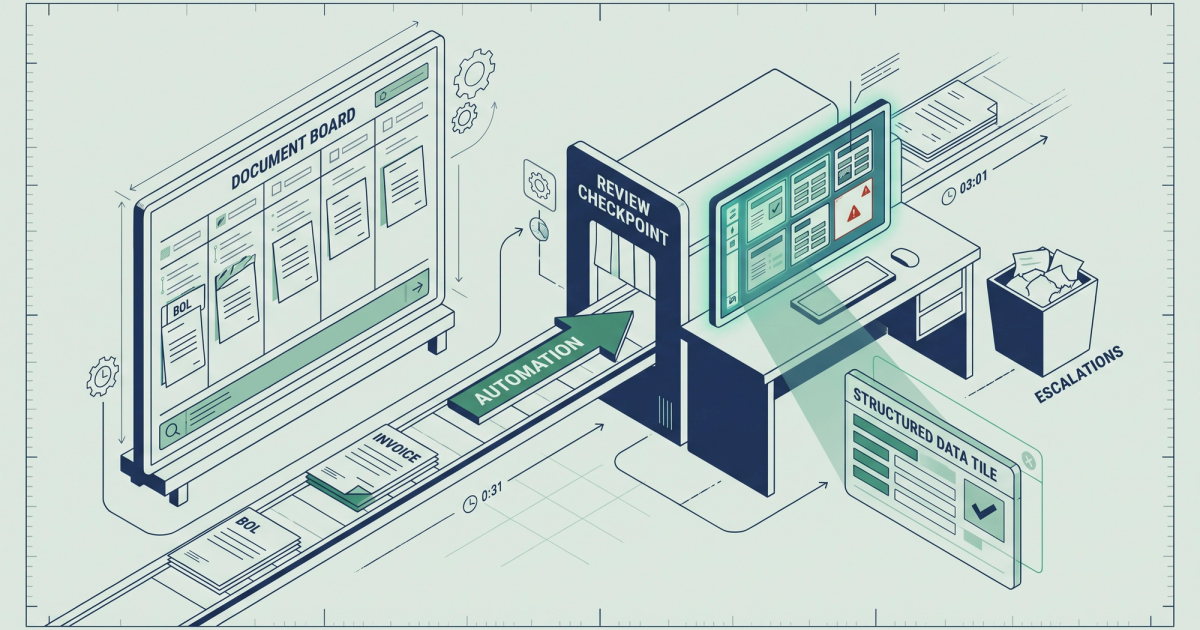
Document automation reads freight documents (BOLs, carrier invoices, rate confirmations, PODs), extracts the data fields, and pushes them into your TMS or accounting system without anyone typing a single number. For freight brokers and carriers, that means the load reference, weight, origin, destination, and every accessorial charge on a carrier invoice get captured and matched automatically. One ops manager spending 12 hours a week on manual BOL and carrier invoice entry at a fully loaded labor cost of $28/hour is burning $336 per week, roughly $17,500 per year, before you even count the disputes that bad data creates. According to a Global Trade Magazine survey, 57% of logistics executives reported shipment delays in the past year tied directly to document errors. That is the cost of manual entry: not just labor, but mistakes that ripple through your operation.
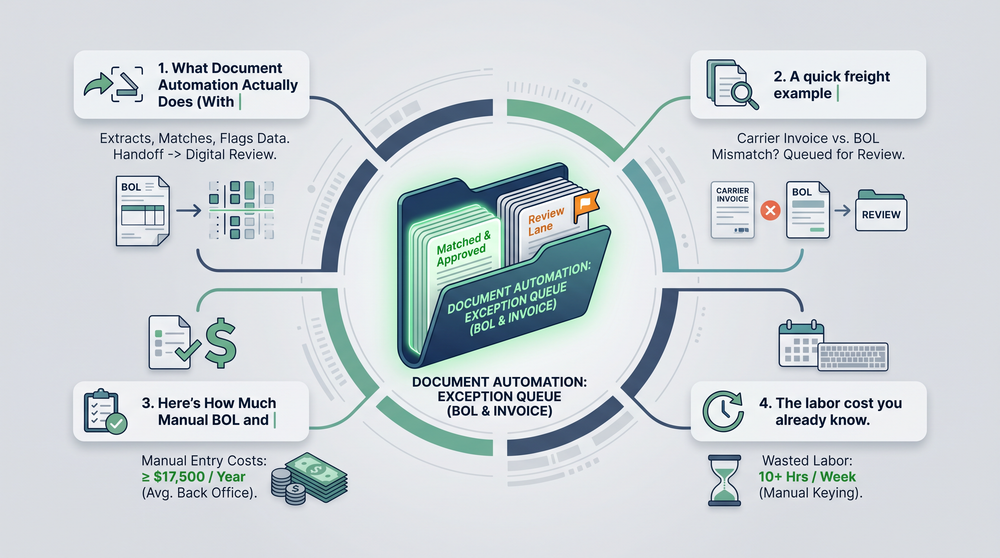
What Document Automation Actually Does (With a Freight Example)
Most explanations of document automation start with generic definitions about "converting unstructured data." That is technically accurate and completely useless when you are staring at a stack of 40 carrier invoices that need to be in your TMS by end of day. Here is what document automation actually does in a freight back office.
A carrier emails you a PDF invoice. That invoice has a load number, origin and destination, linehaul charge, a fuel surcharge, and maybe a detention charge or lumper fee tacked on. Today, someone on your team opens that PDF, reads each field, types it into the TMS, then flips to the rate con to make sure the numbers match. If they do not match, that person opens a dispute. If they are distracted or rushing (they are always rushing), the mismatch slips through and you pay it.
Document automation replaces most of that workflow. The system uses OCR (optical character recognition) to read the PDF, extracts every relevant data field, matches it against the original rate con or BOL, and flags discrepancies before anyone approves payment. Clean invoices pass through. Problem invoices get routed for review with the specific mismatch highlighted.
A quick freight example
Scenario: A carrier submits an invoice that includes a $250 lumper fee. Your rate con for that load does not include a lumper fee, and no approved lumper receipt is on file. With manual processing, a billing coordinator might catch this, but probably not until hours or days later, if at all. With document automation, the system flags the $250 discrepancy in seconds because it cross-references the invoice against the rate con fields automatically. That is one catch on one load. Multiply it across hundreds of loads per month and the savings become serious. For more on which documents matter most in these situations, see how the right freight documents win billing disputes every time.
Here's How Much Manual BOL and Invoice Entry Is Actually Costing You
The cost of manual freight document processing is not theoretical. It is math you can do on the back of a rate con. Let us run through the real numbers so you can see exactly where your money goes.
The labor cost you already know about
Consider a 10-person brokerage processing 800 loads per month. Every load has at least a rate con that needs to be keyed into the TMS. At 4 minutes per document, that single task consumes 53 hours per month. That is more than a full-time employee's week spent on nothing but re-keying data that already exists on a document someone else created.
Now add carrier invoices. Add PODs. Add lumper receipts, detention logs, and BOLs. Your ops team is not slow. The process itself is the problem.
According to TAI Software's analysis of freight document processing workflows, automating document intake eliminates the repetitive manual steps that consume back-office staff time and introduce errors at every touchpoint.
The error cost you probably are not tracking
Manual data entry error rates in back-office freight operations typically run between 1% and 4% per document field. A carrier invoice with 20 line items means, statistically, at least one wrong field per invoice on average. That wrong field might be a transposed load number (annoying but fixable), or it might be a missed accessorial overcharge (expensive and often invisible).
Based on Laneproof analysis of carrier invoices, overbilling on accessorials appears in an estimated 3.8% of invoices. At 500 loads per month with an average accessorial charge of $150, that is $2,850 per month in potential overbilling that manual review often misses. Annually, that is $34,200 leaking out of your margin.
The dispute cost nobody budgets for
Every billing error that slips through manual entry creates a potential dispute downstream. Disputes take time: pulling up the original rate con, finding the BOL, comparing line items, emailing the carrier, waiting for a response. Each dispute can easily consume 30 to 60 minutes of someone's day. If you are dealing with even five disputes per week, that is another 4 to 5 hours gone. Learn more about resolving these efficiently in our carrier disputes playbook.
The Four Documents Eating Your Back Office Alive
Not all freight documents are equal when it comes to back-office pain. These four create the bulk of the manual work and the majority of billing errors.
1. Bills of lading (BOLs)
The BOL is the foundational document for every load. It contains shipper and consignee info, commodity descriptions, weight, piece count, and reference numbers. The problem: BOLs come in dozens of formats, are often handwritten or partially illegible, and must be matched to the corresponding load in your TMS. BOL data entry is where most keystrokes happen and where most transcription errors start. A weight discrepancy on a BOL that gets carried into your TMS can cascade into billing problems, reweigh charges, and carrier disputes that take days to untangle.
2. Carrier invoices (freight invoices)
Every carrier invoice needs to be reconciled against the rate con before payment. Linehaul, fuel surcharge, detention charges, lumper fees, TONU charges, accessorials: each line item is a potential overcharge if nobody checks it. Freight invoice reconciliation is where automation delivers the fastest, most measurable ROI because every caught discrepancy is real money saved.
3. Rate confirmations (rate cons)
The rate con is your source of truth for what was agreed. It is also the document your team has to pull up every time they reconcile a carrier invoice. Manually cross-referencing a rate con against an invoice field by field is exactly the kind of repetitive, detail-intensive work that humans are bad at doing 500 times per month. Automation does it in seconds per document.
4. Proof of delivery (PODs)
PODs confirm the load was delivered and are required before you can invoice your customer. A dispatcher pulling POD images from email and manually matching them to open loads at 3 minutes per POD across 300 loads per month spends 15 hours monthly on a task that document automation handles automatically. PODs also frequently contain handwritten notes about shortages or damages that, if missed, create liability problems later.
The regulatory side matters too. The FMCSA requires motor carriers to retain supporting documents for every 24-hour period a driver is on duty. That compliance document volume adds another layer of filing, retrieval, and retention work that manual processes handle poorly.
How Freight Document Automation Works Step by Step
If you have been skeptical of "automation" pitches before, you are not alone. Most freight brokers have heard vendors promise the world and deliver a clunky portal that still requires manual cleanup. Here is how document automation actually works when it is built for freight, broken into steps you can evaluate.
Step 1: Document intake
Documents arrive via email, carrier portals, EDI, fax (yes, still), or uploaded directly. The automation system ingests them from whatever source your operation uses. There is no requirement to change how carriers send you documents. The system meets your workflow where it already is.
Step 2: Classification
The system identifies what type of document it is looking at: BOL, carrier invoice, rate con, POD, lumper receipt, or carrier packet. This matters because each document type has different fields that need to be extracted. A BOL has weight and piece count. A carrier invoice has linehaul and accessorial charges. The system needs to know what it is reading before it can read it correctly.
Step 3: Data extraction via OCR and AI
OCR reads the text on the document. AI models trained on freight-specific documents identify and extract the relevant fields: load numbers, dates, dollar amounts, origins, destinations, weights, charges. This is where freight-specific training matters. Generic OCR tools can read the characters on a BOL, but they do not know that "DET" on line 7 means detention or that "LPR" is a lumper fee. Freight-trained models do.
According to Grand View Research, the global intelligent document processing market was estimated at $2.30 billion in 2024 and is projected to reach $12.35 billion by 2030. That growth reflects how rapidly industries like freight are moving from generic scanning tools to AI-powered extraction that actually understands context.
Step 4: Matching and validation
Extracted data gets matched against your existing records. A carrier invoice gets compared field by field against the rate con: does the linehaul match? Is the fuel surcharge percentage correct? Are there accessorial charges that were not on the original agreement? Discrepancies get flagged with the specific field and dollar amount highlighted. Clean documents pass through.
This is the step that directly catches the overbilling that manual review misses. When a carrier adds a detention charge that was not on the rate con, or inflates a lumper fee beyond the receipt amount, automated matching surfaces it immediately. For context on how lumper fee documentation works and who is responsible for payment, the documentation trail is everything.
Step 5: TMS integration
Validated data pushes directly into your TMS. Load details, charges, document images, and any flagged discrepancies all land where your team already works. No re-keying. No toggling between systems. No copying reference numbers from a PDF into a text field for the 400th time this month. The best freight document automation tools connect to your TMS via API or direct integration, not a manual export/import process that defeats the purpose.
Step 6: Exception handling
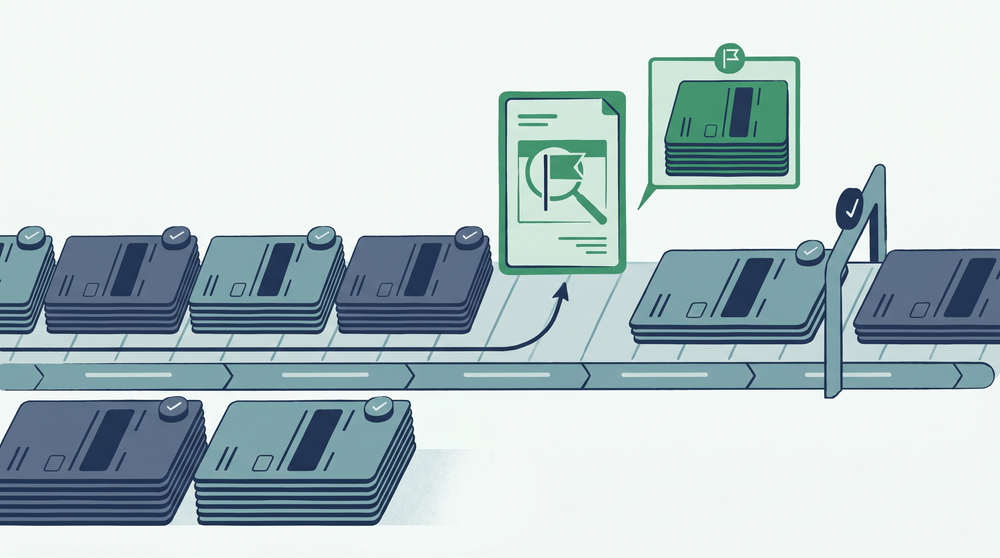
No automation system is perfect on every document. Handwritten BOLs with poor legibility, unusual invoice formats from a new carrier, or documents with missing fields will still need human review. The difference: instead of reviewing every document, your team only reviews the exceptions. If 85% of documents process cleanly, your team just got 85% of their data entry time back.
What to Look for When You're Evaluating Document Automation Tools
You have probably heard this before from every SaaS vendor with a demo link. Here is the difference: these criteria come from what freight ops teams actually need, not what looks good on a feature comparison chart.
Freight-specific training, not generic OCR
A tool built for processing legal contracts or medical records will not understand a rate con. Look for automation that has been trained on the specific document types in freight: BOLs, carrier invoices, rate cons, PODs, carrier packets, and lumper receipts. Ask the vendor how many freight documents their models have been trained on. If they cannot give you a number, that tells you something.
TMS compatibility without an IT project
If connecting the automation tool to your TMS requires six weeks of IT setup, custom API development, and a dedicated project manager, it is not built for a 5 to 50 person brokerage. The right tool integrates with the TMS platforms freight brokers actually use, and setup should be measured in days, not quarters.
Line-item matching, not just header-level comparison
Some tools compare the total invoice amount against the rate con total. That is not enough. A carrier can submit an invoice where the linehaul is $50 low and a detention charge is $50 too high, and the totals still match. You need line-item level matching that compares every charge individually. Linehaul, fuel surcharge, detention, lumper fees, layover, accessorials: each one checked against the rate con independently.
Transparent exception handling
Every tool will have documents it cannot process perfectly. What matters is how it handles those exceptions. Does it show you exactly which field it could not read? Does it let you correct it in one click? Or does it silently pass bad data into your TMS? Ask vendors about their exception rate on freight documents specifically, and how they route low-confidence extractions.
Compliance document support
If you are an asset carrier or working with owner-operators, compliance documents like driver qualification files and insurance certificates are part of your document volume. According to the FMCSA's requirements for supporting documents, carriers must retain up to eight supporting documents for every 24-hour period a driver is on duty. Any automation tool you evaluate should handle compliance documents, not just financial ones.
Real Cost Scenarios: Where the Savings Show Up
Theory is nice. Math is better. Here are concrete scenarios showing where document automation pays for itself.
Example: Catching accessorial overbilling at scale
Based on Laneproof analysis of carrier invoices, overbilling on accessorials appears in an estimated 3.8% of invoices. A freight broker processing 500 loads per month with an average accessorial charge of $150 faces $2,850 per month in potential overbilling. Annually, that is $34,200. Manual review catches some of it, but the sheer volume means discrepancies slip through, especially during high-volume weeks when your billing coordinator is handling 30+ invoices per day. Automated matching against the rate con catches these discrepancies on every single invoice, every time.
Example: The $20,800 detention recovery
A freight broker who catches one $400 detention overbill per week using automated invoice matching against the original rate con recovers $20,800 per year. That single use case, catching detention charges that exceed the agreed rate or were not authorized at all, often pays for the entire automation tool several times over. The key is that the system compares the invoice detention charge against the rate con automatically. No one has to remember to check. No one has to pull up two documents side by side. Tools that automatically extract and match freight document data make this a background process rather than a manual audit task.
Example: 53 hours per month of rate con re-keying, eliminated
A 10-person brokerage processing 800 loads per month manually re-keying rate con data into a TMS at 4 minutes per document spends 53 hours per month on that single task. At $28/hour fully loaded, that is $1,484 per month or $17,808 per year, on one document type. Add BOL entry, carrier invoice reconciliation, and POD matching, and the total manual processing cost for a brokerage this size easily exceeds $40,000 annually. Document automation eliminates the re-keying entirely and redirects those 53 hours toward work that actually requires human judgment: negotiating rates, managing carrier relationships, and resolving the exceptions that automation flags.
72% of logistics leaders plan to invest in document automation within the next 12 to 18 months. The question is not whether to automate freight document processing. It is how much it costs you every month that you wait. (Global Trade Magazine, 2025)
Frequently Asked Questions About Document Automation in Freight
What does document automation do?
Document automation reads your freight documents (BOLs, carrier invoices, rate cons, PODs), extracts the relevant data fields using OCR and AI, matches them against your existing records, flags discrepancies, and pushes clean data into your TMS. It replaces the manual process of opening a PDF, reading each field, and typing it into your system. For freight operations specifically, it also cross-references charges against rate cons to catch overbilling before you approve payment.
What is an example of document automation in freight?
A carrier emails you a PDF invoice with a linehaul charge, fuel surcharge, and a $250 lumper fee. Document automation reads the invoice, extracts each charge, compares them to the original rate con, and flags the lumper fee because it was not on the agreed rate. Your billing coordinator sees the flag and disputes the charge before payment goes out. Without automation, that $250 might have been paid without anyone noticing the discrepancy.
What are the four types of automation in freight document processing?
In a freight context, the four main types are: (1) document intake automation, which collects documents from email, portals, and uploads automatically; (2) data extraction automation, which uses OCR and AI to read and capture field-level data; (3) matching and validation automation, which compares extracted data against rate cons and BOLs; and (4) TMS integration automation, which pushes validated data directly into your transportation management system. Most freight operations need all four working together to eliminate manual entry.
What is the best document automation software for freight brokers?
The best tool depends on your document volume, TMS, and which documents cause the most pain. Evaluate based on freight-specific OCR training (not generic document scanning), line-item matching against rate cons (not just header totals), TMS integration speed (days, not months), and transparent exception handling. Ask any vendor how many freight-specific documents their models have processed and what their accuracy rate is on carrier invoices specifically.
How long does it take to set up freight document automation?
For tools built specifically for freight brokers and carriers, setup typically takes days to a few weeks, not months. The main variables are TMS integration complexity and how many document types you want to automate initially. Most operations start with carrier invoices and rate con matching (where the ROI is fastest) and then add BOLs, PODs, and compliance documents over time.
Stop Paying People to Type What Machines Can Read
Manual BOL and carrier invoice entry is not a minor inefficiency. It is a compounding cost: labor hours, data entry errors, missed overbilling, slow dispute resolution, and billing coordinators buried in work that does not require human judgment. The math is clear. At 800 loads per month, you are spending $17,000+ per year just on re-keying rate cons. Add the accessorial overbilling you are not catching, and the real cost doubles.
Document automation fixes the most expensive, most repetitive parts of freight document processing first. It reads what your team reads, matches what your team matches, and flags what your team misses. The difference is that it does it on every document, every time, without fatigue or distraction.
If your back office is still processing freight invoices and BOLs by hand, see what automated freight document extraction looks like in practice and run the numbers for your own operation. At the volumes most brokerages handle, the tool pays for itself before the first quarter is over.
Sources
- 72% of Logistics Leaders Plan to Invest in Document Automation — Global Trade Magazine
- Automating Document Processing for Enhanced Efficiency — TAI Software
- Intelligent Document Processing Market Size Report, 2030 — Grand View Research
- Supporting Documents — FMCSA — U.S. Department of Transportation
Related: Data Extraction in Freight: Stop Retyping BOLs and Losing Money
Related: Document Processing for Freight Brokers: Where BOL Errors Cost You
Related: Freight OCR: What It Reads Accurately and Where It Breaks Down