How Can Data Extraction From Customs and Freight Forms Be Automated?
Researched and written with AI assistance. Reviewed by the Laneproof team.
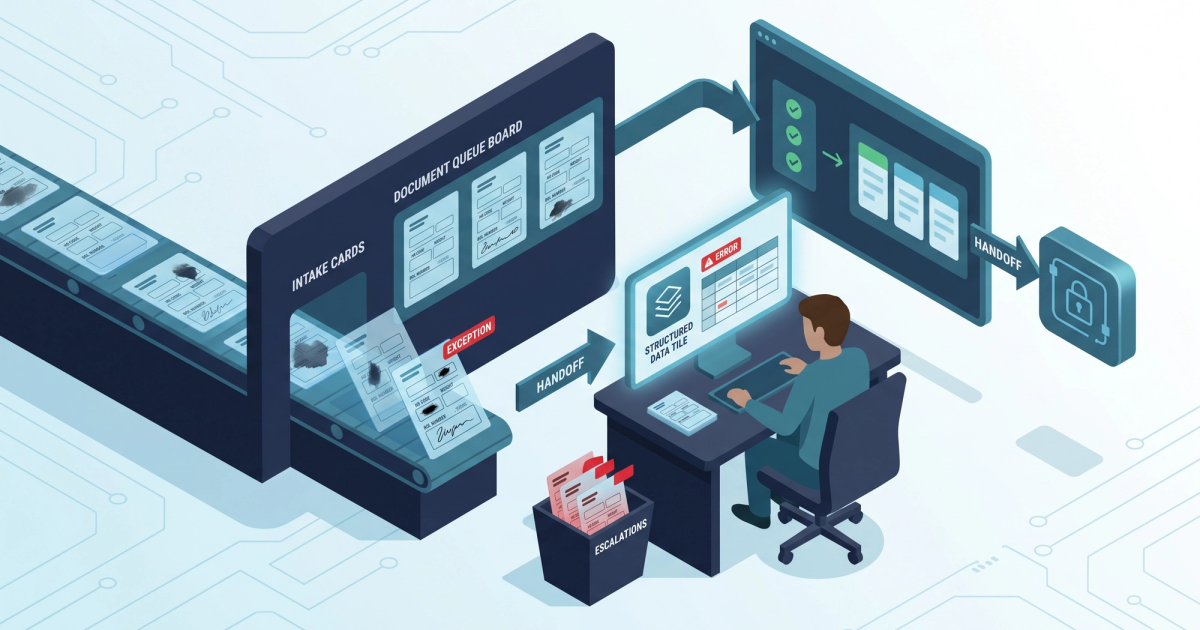
A drayage BOL comes in with a smudged HS code. The extraction tool reads 8471.80 instead of 8471.30. Different duty rate, wrong entry, and a $340 correction that nobody catches until the broker's invoice hits your desk three weeks later. That is one document. Now multiply it by 400 shipments a month.
So how can data extraction from customs and freight forms be automated when the source documents are this messy? The honest answer is that it can be, but only if you know which fields fail and build a review step around exactly those fields. Automation does not remove human review. It moves human review from 100% of documents down to the 8% or 12% that actually need eyes on them. That shift is where the time and the money live.
This guide names the specific fields that break OCR on real customs and freight paperwork, shows how to match BOL data to customs entries without re-keying, and covers how to test accuracy yourself instead of taking a vendor's word for it.
So How Can Data Extraction From Customs and Freight Forms Be Automated When Half of Them Are Handwritten?
Here is the daily reality for an ops manager running cross-border or drayage freight. The rate con arrives as a clean PDF from a TMS. The BOL arrives as a phone photo taken in a yard at 6 a.m. The commercial invoice arrives as a scanned fax with a stamp covering the value field. The lumper receipt is a handwritten carbon copy. All four documents describe the same load, and all four have to agree before you can bill.
The compliance side raises the stakes. Per Bureau of Industry and Security guidance for freight forwarders, the party filing on behalf of a shipper carries real responsibility for the accuracy of the information submitted, and "the customer told me so" is not a defense when the data is wrong. That means an extraction error on a classification or a value field is not just a billing problem. It is a filing problem with a paper trail.
Meanwhile the person doing the re-keying is your billing coordinator, and they are not doing it because they enjoy it. They are doing it because nobody trusts the automated read. Every field they retype is a field that could have been extracted, checked, and posted to the TMS in under a second. The bottleneck is not the technology. The bottleneck is that most teams deploy extraction as an all-or-nothing switch instead of routing the risky fields to a queue.
Automation does not eliminate review. It concentrates review on the 10% of fields that carry 90% of the financial risk.
Why Customs Forms Break Automated Extraction (And Rate Cons Don't)
Rate confirmations extract cleanly because they are machine-generated, single-source, and templated. The same broker sends the same layout every time. Load number, origin, destination, linehaul, fuel surcharge, accessorial schedule, all in fixed positions. Once you have seen 50 rate cons from one broker, you have effectively seen all of them.
Customs and freight forms are the opposite on every axis.
There is no single template
A commercial invoice from a Shenzhen supplier, a certificate of origin from a Monterrey plant, and a delivery order from a terminal in Long Beach share almost no structural DNA. Field labels differ. Some documents use "Gross Weight," some use "G.W.," some print the weight with no label at all next to a unit abbreviation. Coordinate-based extraction, which assumes the value is always in the same box, falls apart immediately.
Modern document AI handles this by defining fields semantically rather than positionally. As InterWorks documents in a freight forwarder and customs broker case study, extraction models can be trained to find a field by what it means rather than where it sits, which is the only approach that survives contact with a mixed document set.
The documents arrive in terrible condition
Rate cons arrive as native PDFs. Customs paperwork arrives as third-generation scans, phone photos at an angle, faxes with compression artifacts, and PDFs where someone stamped "PAID" across the total. Automated customs document extraction workflows have to handle skew, rotation, overlapping stamps, and low-contrast carbon copies before they even get to the character recognition step.
One document does not stand alone
A rate con is self-contained. A customs entry is not. The HS code has to be consistent with the goods description. The declared value has to tie to the commercial invoice. The gross weight has to tie to the BOL. The container number has to tie to the delivery order. Extraction that pulls fields accurately but does not cross-check them across documents just gives you clean data that quietly contradicts itself. That cross-document check is the same discipline we cover in stopping the retyping of BOLs across your document set.
The Fields That Actually Fail: HS Codes, Weights, and BOL Numbers
Not all fields fail equally. In practice, three categories cause the overwhelming majority of downstream billing disputes, and they fail for different reasons.
HS codes and tariff classifications
HS codes are the single highest-risk field on a customs document because a one-character error is both plausible and expensive. 8471.30 (portable computers) and 8471.80 (other units of automatic data processing machines) differ by one digit. So do 6109.10 and 6109.90. OCR confuses 3 with 8, 0 with 6, and 1 with 7 constantly on degraded scans, and the extracted value still looks like a perfectly valid HS code, so no format check catches it.
This matters financially because duty calculation flows directly from classification. Tools that calculate duties and taxes from extracted shipment values are only as good as the classification they inherit. A wrong code produces a confidently wrong duty figure that then propagates into the entry, the invoice, and your margin calculation.
The fix is a validation layer, not better OCR. Every extracted HS code should be checked against three things: whether the code exists in the current tariff schedule, whether it matches the code used on the previous shipment of the same SKU from the same shipper, and whether the resulting duty amount falls within a sane range for the declared value. Fail any of the three, and the document goes to a queue.
Gross weights and unit ambiguity
Weight fields fail in two ways. First, punctuation. A handwritten "18,400 lbs" gets read as "184,00" or "1,840" depending on how the comma landed. Second, units. Kilograms and pounds get mixed on the same shipment when the origin document is metric and the domestic BOL is imperial, and a 20,000 kg reading interpreted as pounds understates the load by more than half.
Weight errors hit you on fuel surcharge, on overweight accessorials, and on duty when the tariff line is weight-based. A single misread digit can move a fuel surcharge calculation by a couple hundred dollars, and the carrier will bill from their number, not yours.
BOL numbers, container numbers, and reference IDs
These are alphanumeric strings with no semantic meaning, which means no context clue helps the model resolve ambiguity. Is that an O or a zero? An I, a 1, or a lowercase L? A B or an 8? Humans resolve these from surrounding context. OCR cannot, unless you give it a checksum or a lookup list.
The good news is that reference IDs are the easiest field to validate automatically. Container numbers follow the ISO 6346 format and carry a check digit, so a bad read is mathematically detectable. BOL numbers can be matched against the load list already sitting in your TMS. If the extracted BOL number does not exist in your system, that is not a data point, that is an exception. OCR platforms built for bill of lading and freight document capture generally expose confidence scores per field, which lets you set a threshold and route low-confidence reference IDs straight to review.
Handwritten and Multi-Language Forms: What OCR Gets Wrong
Most vendor demos use clean typed documents. Your document mix does not look like that. On a typical drayage lane you are dealing with typed commercial invoices, typed delivery orders, semi-legible handwritten BOL annotations for damage and piece counts, handwritten lumper receipts, and Spanish or Mandarin field labels on origin paperwork.
Handwriting is a different technology problem
Printed character recognition and handwriting recognition are not the same task, and accuracy on the second is materially lower than on the first. This is where most freight teams get burned: they measure accuracy on their typed commercial invoices, see a strong number, roll out to all documents, and then discover the handwritten lumper receipts and the driver's scrawled detention start time are producing garbage.
The practical approach is to segment by document type and set different automation policies for each. Typed, machine-generated documents (commercial invoices, delivery orders, rate cons) can run at high automation with spot-check sampling. Handwritten documents (lumper receipts, hand-annotated BOLs, driver notes on the POD) should run at extract-then-confirm, where the tool pre-fills the field and a human confirms rather than types. Pre-filling still saves most of the keystrokes even when a human touches every one.
Multi-language forms and label mismatch
A Spanish-language delivery order labeled "Peso Bruto" and an English one labeled "Gross Weight" carry the same field. Older extraction setups keyed to English labels simply return null. Newer document AI models let you define extraction fields with natural language prompts and map several label variants to one output field, so "Peso Bruto," "G.W.," and "Gross Wt" all land in the same TMS column.
Language handling also matters for classification. Compliance platforms that use OCR to classify transport documents have to identify what a document is before deciding what to pull from it, and a misclassified document (treating a packing list as a commercial invoice) produces extraction errors that look like OCR errors but are actually routing errors.
What to do about stamps, signatures, and overlays
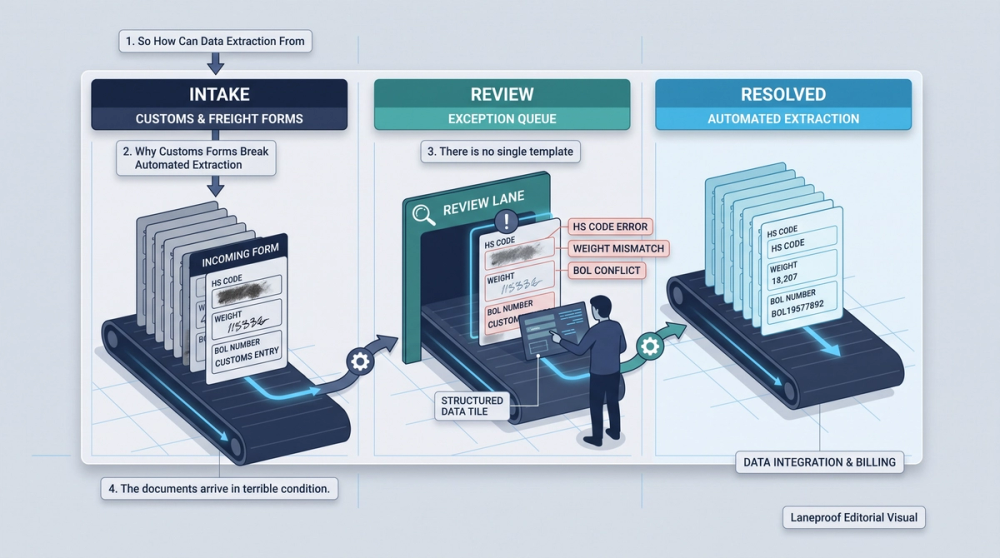
Terminal stamps and signatures sit on top of exactly the fields you need: dates, times, piece counts, and received-by names. Any extraction setup you evaluate should be tested specifically on stamped documents. Ask the vendor to run 20 of your worst scans, not their sample set. If the accuracy story falls apart on stamped PODs, you will find out during the pilot instead of during your first billing cycle.
How to Match BOL Data to Customs Entries Without Manual Re-Keying
Extraction gets you fields. Matching gets you a billable file. This is the step most teams skip, and it is where the nine-day invoice delays come from.
Pick a match key and enforce it
Every load needs one primary key that appears on every document in the packet. In practice the container number works best for ocean drayage because it is standardized, check-digit validated, and printed on the delivery order, the BOL, and the customs entry. Your internal load number works best for domestic freight. Use the BOL number as a secondary key, never as the primary, because carriers and terminals frequently assign different BOL numbers to the same movement (house BOL versus master BOL) and you will chase phantom mismatches all week.
Run a three-way field comparison, not a two-way one
Once documents are grouped by match key, compare the fields that carry money across all three sources:
- Gross weight: commercial invoice versus BOL versus scale ticket. Flag any variance over 2%.
- Piece count: packing list versus BOL versus POD. Flag any variance at all.
- Declared value: commercial invoice versus customs entry. Flag any variance at all.
- HS code: customs entry versus the code used on the prior shipment of the same commodity. Flag any change.
- Carrier identity: the carrier named on the BOL versus the carrier on the rate con, verified against public registration records.
That last check is easy to automate. Carrier authority and identity data is publicly available through the FMCSA data dissemination program, so an extracted MC or DOT number on a BOL can be validated against the operating carrier on file rather than trusted at face value.
Push matched data, hold unmatched data
Only fully matched loads should auto-post to the TMS. Anything with an unresolved variance sits in a queue with the source images side by side and the conflicting values highlighted. AI agents can pull shipment data out of emails and PDF attachments to build compliance documents before a human ever opens the message, which is useful, but the same rule applies: nothing posts until it reconciles. The workflow mechanics here overlap heavily with what we describe in document automation for freight ops.
Setting Up Exception Workflows So Errors Don't Reach Billing
An exception workflow is the difference between automation that saves money and automation that creates a new category of problem. Without one, every extraction error becomes a silent error, and silent errors surface as customer disputes 30 days later when your leverage is gone.
Build the queue around four triggers
Route a document to human review when any one of these fires:
- Low confidence score. Most extraction engines return a per-field confidence value. Set the threshold high on money fields (value, weight, HS code, rate, accessorial amounts) and lower on descriptive fields (commodity description, shipper name).
- Format violation. Container check digit fails, HS code is not in the tariff schedule, date falls outside the load's ship window, weight is outside the physical range for the equipment type.
- Cross-document variance. Any of the three-way comparison flags above.
- Novel document layout. A shipper sends a format the model has not seen. Do not let the model guess. Send it to review and use the corrected version as training data.
Give reviewers a real interface
The reviewer should see the cropped image of the field in question next to the extracted value and the conflicting value from the other document, with a one-click accept or correct. If your exception review requires opening two PDFs, a TMS screen, and a spreadsheet, you have not saved anyone time. Automated data entry helps customs brokers primarily because it reduces the number of decisions per document, a point covered well in this breakdown of AI-assisted data entry for customs brokers.
Close the loop on corrections
Every correction a human makes should feed back into the model or at minimum into a shipper-specific rule. If the same origin supplier always prints the weight in kilograms with no unit label, that becomes a rule after the second correction, not the twentieth. Teams that skip this step review the same three shipper formats manually forever and then conclude that automation does not work for freight.
What Accuracy Rate Should You Expect (And How to Test It)
Be skeptical of any accuracy number in a sales deck. There is no independent, audited benchmark for extraction accuracy on handwritten lumper receipts or third-generation drayage BOL scans, and any vendor quoting a single blanket accuracy percentage across all document types is measuring something that does not match your document mix.
What experienced ops teams generally observe, and what you should treat as a directional expectation rather than a published statistic, is a wide spread by document type. Clean typed commercial invoices and delivery orders land in the high range. Scanned and stamped documents land meaningfully lower. Handwritten receipts and hand-annotated BOLs land lower still, often by 20 to 25 points. If a vendor quotes you one number, ask them to break it out by those three categories.
How to run your own accuracy test in one afternoon
Pull 100 documents from your last 30 days, weighted to match your real mix. If 40% of your packet volume is handwritten lumper receipts, 40 of your 100 test documents should be handwritten lumper receipts. Then:
- Define the 8 to 12 fields that actually matter for billing and filing. Ignore the rest. Accuracy on the shipper's street address does not affect your margin.
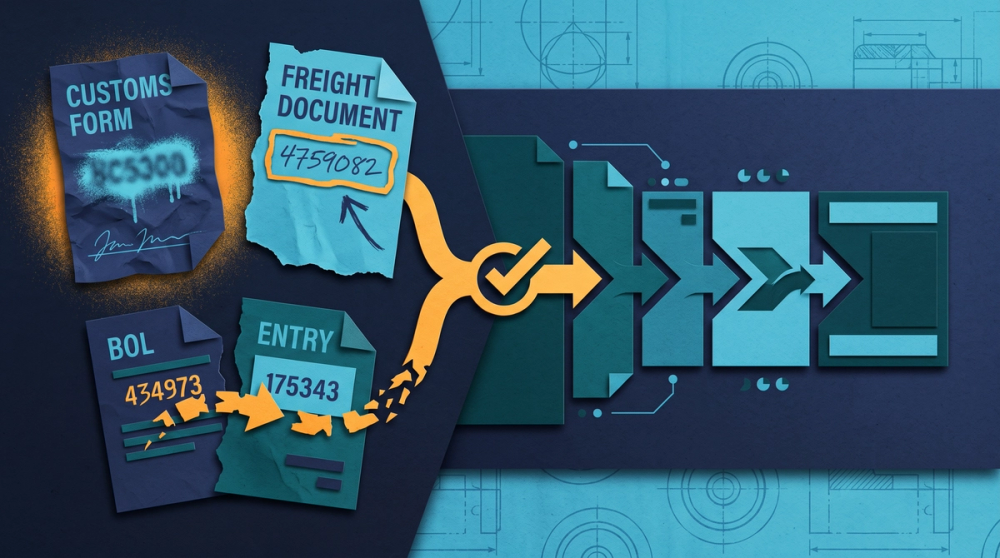
- Have one person key those fields manually to create ground truth. This takes a few hours and it is the only way to get a real number.
- Run the same 100 documents through the tool and compare field by field, not document by document. Field-level accuracy is the number that matters. Document-level accuracy (all fields correct) will always look worse and is not how you operate.
- Score three separate rates: overall, money fields only, and handwritten documents only.
- Measure the catch rate too. Of the errors the tool made, how many did it flag as low confidence? A tool with 88% accuracy that flags 95% of its own errors is far more useful than a tool with 93% accuracy that flags nothing.
That last metric is the one nobody asks about, and it is the one that determines whether errors reach your invoices. We go deeper on where these leaks turn into real money in this breakdown of freight document automation and where the money leaks.
Three Scenarios With the Math Spelled Out
The following are illustrative operational scenarios with the arithmetic shown, not survey results. Run the same math against your own volumes and rates.
Scenario 1: The misread HS code
A drayage BOL and matching commercial invoice come in for a container of computing equipment. The commercial invoice is a scanned copy and the HS code is partially obscured by a terminal stamp. Extraction reads 8471.80 instead of 8471.30. Declared value on the entry is $68,000. The duty rate difference between the two classifications is 0.5 percentage points, so 0.005 x $68,000 = $340 in incorrect duty. The error is caught during a post-entry audit six weeks later, requiring a correction filing plus roughly 90 minutes of a customs coordinator's time. Total exposure on one document: $340 plus the labor plus a filing correction on your record. A validation rule comparing the extracted HS code against the code used on the prior shipment of the same SKU would have flagged it in under a second.
Scenario 2: The handwritten weight
A driver hand-writes the gross weight on a BOL as 18,400 lbs. The comma sits low and the OCR reads it as 184,00, which the parser resolves to 18,400 on one document and 1,840 on another. The load posts to the TMS at the wrong weight. The fuel surcharge and the weight-based accessorial are calculated off the wrong figure, and the carrier invoices from their scale ticket. The variance works out to a $210 gap between what you accrued and what you owe. Because the discrepancy surfaces on the carrier invoice rather than on the BOL, your billing coordinator spends 40 minutes pulling documents to prove which number is right. A 2% weight variance rule comparing BOL, scale ticket, and commercial invoice catches this before the load is ever billed. The same document-matching logic applies to pulling data off proof of delivery documents to win disputes.
Scenario 3: The BOL number that does not match
A carrier packet lists house BOL number HBL-448210. The customs entry references master BOL MBL-4482100. The two documents never link in your system, so the load sits unmatched. The $4,200 freight invoice cannot be released to the customer until the file is complete. It takes nine days for someone to notice the file is stuck, connect the two documents, and release the invoice. Nine days of delay on $4,200 is not a loss on its own, but repeat it across 15 loads a month and you are carrying roughly $63,000 in delayed receivables continuously, plus the dispatcher and billing hours spent chasing it. Using the container number as the primary match key and the BOL number as secondary eliminates the entire failure mode.
The labor math behind all three
Manual re-keying of customs and freight data runs roughly 12 minutes per shipment when you include opening the documents, keying 10 to 12 fields into the TMS, and eyeballing the cross-document check. At 400 shipments a month: 400 x 12 minutes = 4,800 minutes = 80 hours. At a fully loaded coordinator cost of $22.50 per hour, that is $1,800 per month in pure re-keying labor. Move to extract-plus-exception-review where 12% of documents need human attention and each exception takes 4 minutes: 48 documents x 4 minutes = about 3.2 hours, plus sampling and rule maintenance, call it a bit over 17 hours all in, or roughly $400 per month. The delta is around $1,400 a month in labor before you count a single avoided duty error or delayed invoice. Substitute your own volume and wage figures before you commit to anything.
Frequently Asked Questions
Can automated extraction handle handwritten lumper receipts and driver notes?
It can read them, but expect materially lower accuracy than on typed documents, often 20 to 25 points lower in practice. The right policy for handwritten documents is extract-then-confirm: the tool pre-fills the fields and a person confirms or corrects rather than typing from scratch. That still removes most of the keystrokes and most of the transposition risk, even though a human touches every document.
How does extracted data actually get into my TMS?
Three common paths: a direct API write to the TMS load record, a structured file drop (CSV or JSON) that the TMS imports on a schedule, or an operator-facing review screen where confirmed fields post with one click. The API path is cleanest but only works if your TMS exposes write endpoints for the fields you care about. Before you buy anything, list the exact TMS fields you want populated and confirm the integration supports writing to each one, including custom accessorial fields.
What happens when a shipper sends a document format the system has never seen?
A well-configured setup classifies the document first, recognizes it does not match a known layout, and routes the whole thing to review rather than guessing. The corrected output should then become training data or a shipper-specific rule so the second document of that format extracts cleanly. If a tool silently attempts extraction on unknown layouts without flagging them, that is a reason to walk away.
Is it worth automating if we only run 100 loads a month?
Run the arithmetic on your own numbers rather than a general rule. At 100 shipments a month and 12 minutes of re-keying each, that is 20 hours, or roughly $450 in labor at a $22.50 loaded rate. Whether automation pays depends on the tool cost and on how often extraction errors currently cost you money in duty corrections, fuel surcharge disputes, and delayed invoices. For most teams the error-avoidance side outweighs the labor side, but you should quantify both before deciding.
Which fields should never auto-post without human confirmation?
HS codes, declared values, gross weights, and any accessorial dollar amount. These four categories drive duty calculation, fuel surcharge, and the freight invoice total, so an error in any of them turns into a dispute or a filing correction. Descriptive fields like commodity descriptions and shipper contact names can auto-post at a lower confidence threshold because a mistake there costs you nothing.
Sources
- FMCSA Data Dissemination Program — Federal Motor Carrier Safety Administration
- Freight Forwarder Guidance — Bureau of Industry and Security, U.S. Department of Commerce
- Customs Clearance Automation — Mindee
- Automating Data Extraction from Common Customs Documents — super.AI
- AI-Powered Document Extraction for Global Freight Forwarder and Customs Broker — InterWorks
- Automate Freight & Customs Documents with AI — Veryfi
- AI Agents Automate Customs Compliance — Datagrid
- AI-Assisted Data Entry: How the Modern Customs Broker Stays Competitive — Deep Cognition
- Transport & Logistics Compliance: Licenses, Permits, Documents — Checkfile
The Short Version
Data extraction from customs and freight forms can be automated, but the win does not come from perfect OCR. It comes from knowing that HS codes, gross weights, and reference numbers are the fields that fail, building validation rules around exactly those fields, matching documents on a check-digit-validated key like the container number, and routing every variance to a review queue before anything touches billing.
Test accuracy yourself on 100 of your own documents weighted to your real mix, score it by field rather than by document, and measure how many of its own errors the tool flags. That last number tells you more about whether you will get burned than any vendor accuracy claim.
If your team is re-keying more than a few hundred shipments a month into the TMS, it is worth pricing out what automated freight document extraction with field-level confidence scoring would cost against your current labor and error exposure. Run the math from the labor calculation above against current plan pricing and see whether the delta justifies the change for your volume.