Rate Confirmation Template Excel: Fields You're Missing
Researched and written with AI assistance. Reviewed by the Laneproof team.
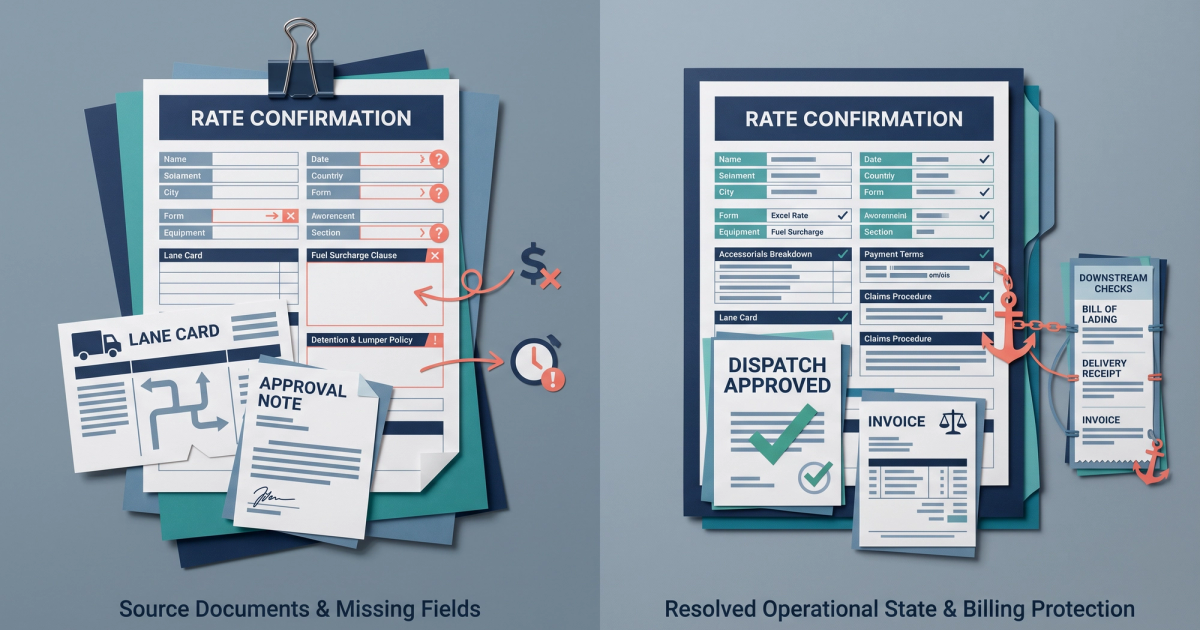
A carrier invoices you $450 for detention. Your rate con says "detention may apply." No rate. No free-time threshold. No cap. You pay the full amount because you have zero written basis to dispute it. Now multiply that across 500 loads a month. That is what a bad rate confirmation template Excel file costs you: not the $0 you paid for the template itself, but the thousands in overbilled accessorials you can't challenge. This guide breaks down every field your Excel rate con is probably missing, shows you the exact language that holds up in disputes, and walks you through building a template that protects your margins before the load ever moves.
What Is a Rate Confirmation and Why Your Excel Version Probably Isn't Doing Its Job
A rate confirmation is a legally binding document between a freight broker and a carrier that defines the terms of a specific shipment. According to Fulfill's rate confirmation glossary, it must include load number, commodity description, weight, piece count, and any special handling instructions. It serves as the carrier agreement document for that load: the single source of truth for what was agreed to before wheels started turning.
The BOL (bill of lading) travels with the freight. The rate con stays between you and the carrier. When the carrier's invoice doesn't match what you agreed to, the rate con is your evidence. Without it, or with a weak one, you're arguing from memory and email threads.
Why most Excel templates fall short
Free Excel and Google Sheets rate confirmation templates are widely available (sites like SlidesDocs offer downloadable versions in multiple formats) and they serve as a reasonable entry point for brokers running fewer than 100 loads a month. The problem isn't Excel itself. The problem is that most templates are built for speed, not for dispute protection. They include the obvious fields (origin, destination, rate) and skip the ones that cost you money: accessorial caps, detention rate schedules, cancellation windows, fuel surcharge index dates, and version tracking.
If your rate con template has fewer than 20 distinct fields, you're leaving gaps that carriers can bill into. The rest of this article fills those gaps, field by field.
How to Create a Rate Confirmation: The 6 Steps That Actually Matter
Whether you're building your first rate con from scratch or fixing an existing template, these six steps cover the process from blank spreadsheet to signed agreement. This sequence matters: skipping ahead to signatures before locking in accessorial language is where most disputes originate.
Step 1: Set up your header block with broker and carrier details
Start with two clearly separated sections at the top of the sheet. The left side is your brokerage info: company name, MC number, DOT number, contact name, phone, and email. The right side mirrors this for the carrier. The FMCSA's Sample Master Trip Sheet provides a government-recognized baseline for the data fields that should appear in load documentation. Include the carrier's MC and DOT numbers here. You'll need them later if you escalate a billing dispute.
Step 2: Enter load details and shipment information
This is the core of the document. Every rate con needs these fields populated before it goes to a carrier:
- Load/Reference Number: Your internal tracking ID. This links the rate con to your TMS, accounting system, and BOL.
- Commodity Description: Be specific. "General freight" invites disputes about handling requirements.
- Weight and Piece Count: Both matter. Weight affects fuel surcharge calculations. Piece count affects lumper fees.
- Equipment Type: Dry van, reefer, flatbed. Include temperature requirements for reefer loads.
- Pickup and Delivery Locations: Full addresses, facility names, and appointment times with time zones.
Step 3: Define the rate structure
List the linehaul rate as a separate line item. Do not bundle accessorials into a single "all-in" number unless you want to lose every dispute about what was included. Break out the fuel surcharge as its own line with a specific index reference (more on this in the detention and accessorial section below). If the rate is per-mile, state the mileage source (PC Miler, Google Maps, or your TMS calculation).
Step 4: Add accessorial and detention clauses
This is the step most brokers rush through or skip entirely. We'll cover the specific language in detail below, but at the template level, you need dedicated rows or a separate section for: approved accessorials with dollar caps, detention rate and free-time threshold, layover policy, TONU (truck ordered not used) terms, lumper fee policy, and dry run terms. If a charge type isn't listed on the rate con, your position in a dispute is that it wasn't agreed to. That only works if you've explicitly addressed the common charge types. For a deeper look at which fields brokers commonly overlook, see the fields most brokers skip on their rate con templates.
Step 5: Include compliance and documentation requirements
Add a section specifying what the carrier must submit for payment: signed BOL, POD (proof of delivery), and the rate con itself. State your payment terms (Net 30, Net 15, quick pay percentage) and specify that invoices missing required documents will not be processed. This creates a paper trail that protects you when a carrier submits an invoice three weeks late with charges you've never seen.
Step 6: Signature, date, and version control
Every rate con needs a carrier signature line, a date field, and (in Excel) a version number or timestamp. Without these, you cannot prove what the carrier agreed to or when they agreed to it. We'll cover version control mechanics in detail in a later section.
The Fields Most Excel Rate Cons Are Missing, and What Each One Costs You
The six steps above get you a functional rate con. The fields below are what separate a functional rate con from one that actually protects your margins. As LoadConnect's analysis of rate confirmation errors notes, rate confirmation errors cost carriers measurable time and revenue, and the same is true on the broker side. Each missing field is a potential line item on an invoice you can't dispute.
Fuel surcharge index reference
Your rate con probably mentions a fuel surcharge. But does it specify which DOE (Department of Energy) table, which region, and which publication date? Without all three, the carrier picks the numbers that favor them.
Scenario: A carrier bills fuel surcharge at 18% on a $1,800 linehaul, adding $324. Your rate con referenced a DOE table but didn't specify the index date or table version. The correct percentage based on the publication date closest to pickup was 15.5%, which would have been $279. That's $45 lost on one load. On 500 loads a month, the exposure from an unspecified fuel surcharge index is significant.
Cancellation window (TONU clause)
If you cancel a load after a carrier has dispatched a truck, you'll likely owe a TONU fee. That's fair. But if your rate con doesn't define when a TONU applies, the carrier decides.
Scenario: A broker cancels a load 4 hours before pickup. The carrier charges a $300 TONU. The broker disputes it, arguing the truck hadn't left the yard yet. The carrier wins because the rate con had no cancellation window clause. No timeline was defined, so there was no basis for the broker's argument. A simple line stating "TONU applies only if cancellation occurs within 2 hours of scheduled pickup and carrier has dispatched equipment" would have given the broker a defensible position.
Lumper fee approval process
Lumper fees at delivery facilities can range from $150 to $500 or more. If your rate con doesn't address lumpers, you'll pay whatever the carrier puts on the invoice.
Scenario: A carrier delivers to a facility that charges a $450 lumper fee. The fee was never listed as an approved accessorial on the rate con. The carrier invoices it anyway, and the broker has no written basis to dispute it. A lumper clause should state: "Lumper fees require pre-approval from broker dispatch prior to payment. Carrier must provide a lumper receipt. Unapproved lumper charges will not be reimbursed."
Dry run clause
A dry run happens when the carrier arrives at pickup and the load isn't ready, available, or the shipper turns them away. Without a dry run clause, you're exposed to charges you never agreed to.
Scenario: A carrier bills a $250 dry run fee on a load where the rate con had no dry run clause. The shipper's dock was full, and the carrier was told to come back the next day. The broker had to pay because the absence of language left no written dispute basis. Your template should include: "Dry run fee of $[amount] applies only when carrier arrives within the scheduled pickup window and is turned away for reasons not attributable to carrier. Carrier must notify broker dispatch within 30 minutes of refusal."
Detention free-time and rate cap
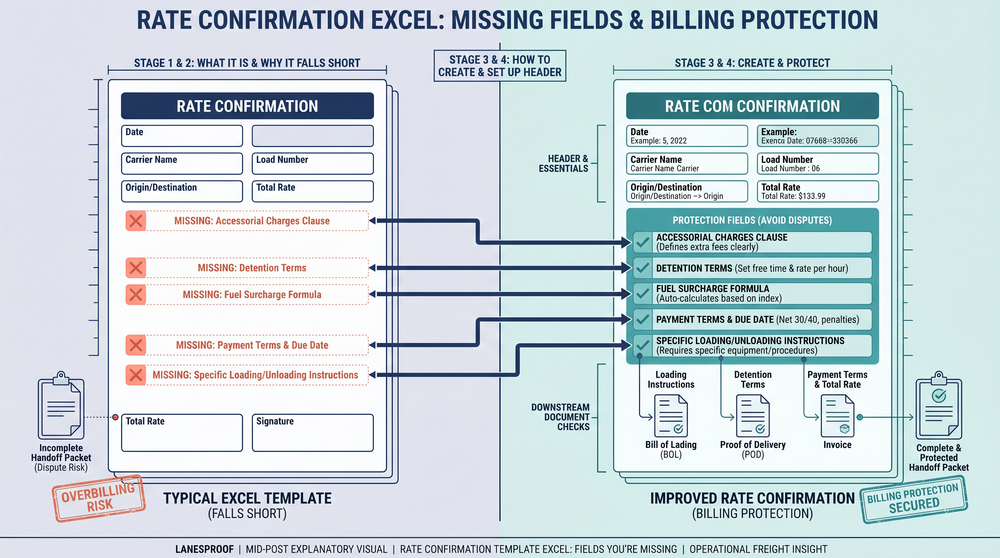
This is the most commonly missing field that costs brokers the most money. "Detention may apply" is not a detention clause. It's an invitation for the carrier to bill whatever they want. We cover the exact language in the next section.
For a detailed breakdown of how carriers use vague rate con fields to overbill, read rate con fields carriers use to overbill you.
How to Write Detention and Accessorial Language That Holds Up in a Dispute
The accessorial clause on your rate con is where billing disputes are won or lost. Vague language gives the carrier room to bill. Specific language gives you room to dispute. Here's how to write both detention and accessorial sections that hold up.
Detention language that actually protects you
A defensible detention clause needs three elements: free time, hourly rate, and a cap.
Bad example: "Detention may apply."
Good example: "Detention applies after 2 hours of free time at pickup and 2 hours of free time at delivery. Detention rate: $50/hour. Maximum detention per stop: $200. Detention time begins when carrier checks in at the facility and ends when loading/unloading begins. Carrier must provide timestamped check-in documentation to invoice detention."
Scenario: A carrier bills detention at $75/hour for 6 hours, totaling $450. The rate con only listed "detention may apply" with no rate or free-time threshold. The broker pays the full amount because the clause gave them no ground to stand on. With the language above, the maximum exposure would have been $200, and the carrier would have needed timestamped proof.
Every missing field on a rate con is a blank check to the carrier. You don't need a lawyer to fix this. You need a better template.
Accessorial clause structure
Your accessorial section should function as a whitelist, not a blacklist. Instead of listing charges you won't pay (which invites creative invoicing for charges you didn't think to exclude), list only the charges you will pay and cap each one.
Template language for your accessorial section:
- "The following accessorial charges are approved for this load. Any charges not listed below will not be reimbursed."
- "Detention: $50/hr after 2 hours free time. Cap: $200 per stop."
- "Lumper: Pre-approval required. Cap: $300. Receipt required."
- "TONU: $200 if cancelled within 2 hours of pickup. Carrier must have dispatched equipment."
- "Layover: $250/day. Pre-approval required. Maximum 1 day."
- "Dry Run: $200. Carrier must arrive within pickup window. Broker notification within 30 minutes."
This structure converts your accessorial clause from a liability into freight billing protection. Every charge type has a cap, a condition, and a documentation requirement.
Fuel surcharge lock-in language
For the fuel surcharge, specify the exact index: "Fuel surcharge calculated per DOE National Average Diesel Price, published on [date], using the [broker's fuel surcharge schedule/table name]. Fuel surcharge percentage locked at time of dispatch and will not be adjusted retroactively." This prevents carriers from applying a surcharge based on a different week's index after the load delivers.
Excel vs PDF vs TMS for Rate Confirmations: Which One Protects You Best
Brokers typically manage rate confirmations in one of three formats. Each has trade-offs for speed, protection, and scalability. Here's a direct comparison based on what matters for billing disputes.
Excel: flexible but fragile
Excel gives you full control over layout, formulas, and field structure. You can build conditional formatting to flag missing fields (highlight any blank cell in the accessorial section in red). You can use data validation dropdowns to standardize equipment types and charge categories. You can embed fuel surcharge formulas that calculate automatically from a DOE index input.
The downsides: no built-in audit trail, easy to accidentally overwrite, and no carrier-side signature capture unless you export to PDF for signing. Version control is manual unless you build it in (covered in the next section).
Free rate confirmation generators like Trulos' PDF tool show the standard fields the industry expects (billing, carrier, shipper, consignee), but they lack the accessorial depth and formula automation that Excel provides. PDF generators are better than nothing but worse than a well-built spreadsheet.
PDF: good for signatures, bad for updates
PDFs are the standard format for sending signed rate cons to carriers. They're tamper-resistant once generated and they display consistently across devices. But you can't edit a PDF rate con mid-process without regenerating the document. If a carrier calls to negotiate the rate after you've sent the PDF, you're creating a new version and hoping the old one doesn't get submitted with the invoice.
TMS: the best option if you have the volume
A TMS (transportation management system) automates rate con generation from load data, tracks versions, captures carrier acceptance digitally, and integrates with invoicing. For brokers running 200+ loads a month, a TMS eliminates most of the risks described in this article. For brokers running 50 to 200 loads, the ROI depends on how much you're currently losing to disputes. ArkTMS offers free broker templates including rate confirmations and BOLs, which can serve as a bridge between manual Excel processes and full TMS adoption.
The practical answer: build your rate con in Excel for the flexibility and formula power, export to PDF for carrier signatures, and migrate to a TMS when your load volume justifies the cost. At every stage, the fields and language in your template matter more than the format.
Version Control and Audit Trails: How to Track Changes in Your Excel Rate Con
One of the biggest risks with Excel-based rate confirmations is proving what the carrier agreed to and when. Without version control, you're exposed to a common and expensive scenario.
Scenario: A carrier claims they never received the updated rate con with the corrected linehaul rate. The original rate con listed a linehaul of $2,200. The corrected version listed $1,950. The broker has no timestamp or revision number to counter the claim. The broker pays the original higher amount, losing $250 on a single load.
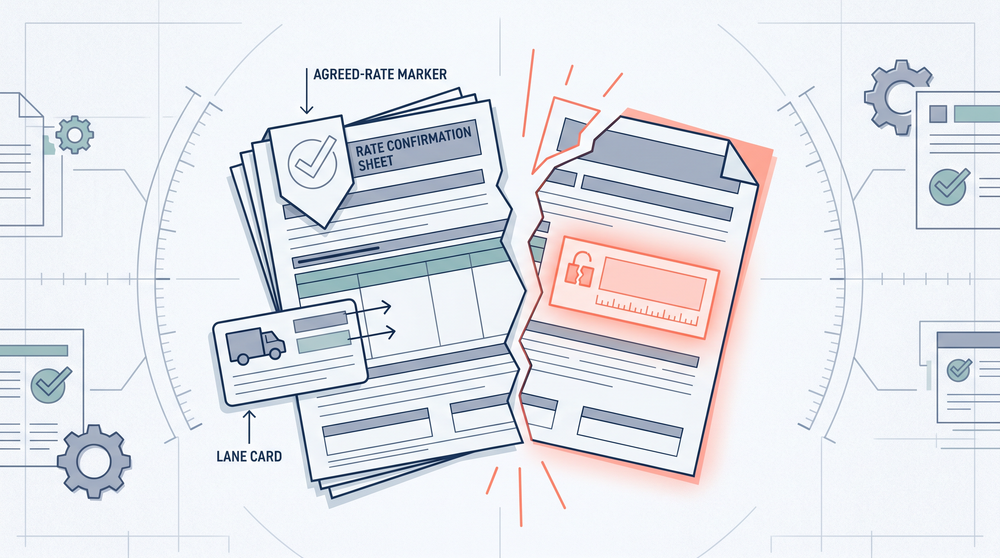
Build version tracking into your template
Add three fields to the header of every rate con:
- Version Number: Start at V1.0. Increment to V1.1 for minor changes (appointment time adjustment) and V2.0 for material changes (rate or accessorial modifications).
- Last Modified Date/Time: Use Excel's =NOW() function in a locked cell that updates when the sheet is edited. For a static timestamp, use Ctrl+; for the date and Ctrl+Shift+; for the time.
- Change Log: A small table at the bottom of the sheet with columns for Version, Date, Changed By, and Description of Change. Example: "V2.0 | 6/15/2025 | J. Martinez | Linehaul adjusted from $2,200 to $1,950 per carrier negotiation."
File naming conventions
Name your files systematically: LoadNumber_CarrierMC_Version.xlsx. For example: LD-4892_MC123456_V2.0.xlsx. This naming convention lets you search your files by load, carrier, or version without opening every document. When you export to PDF for signatures, use the same naming convention with a .pdf extension.
Email timestamps as backup evidence
Every time you send a rate con to a carrier, the email timestamp serves as evidence of delivery. Save sent emails in a folder organized by load number or carrier. If a carrier disputes receiving the updated version, your email records (with the PDF attachment and the version number in the filename) become your proof. This isn't a perfect audit trail, but it's far better than having nothing.
For brokers processing high volumes of documents and needing to prove billing discrepancies quickly, automated document data extraction tools can pull key fields from rate cons, BOLs, and carrier invoices in seconds, eliminating the manual comparison that makes disputes so time-consuming.
Real Examples: What Missing Fields Cost You in Dollars
Let's put specific numbers to the exposure created by missing or vague rate con fields. These scenarios are composites based on common broker experiences with accessorial overbilling.
Example 1: Vague detention costs $450 on a single load
A carrier arrives at a receiver and waits 6 hours. The rate con says "detention may apply" but lists no rate, no free-time threshold, and no cap. The carrier invoices detention at $75/hour for 6 hours: $450. The broker disputes the amount but has no contractual basis to counter. With a proper detention clause ($50/hour, 2 hours free, $200 cap), the broker's exposure on the same load would have been $200. The cost of the missing language: $250 on one load.
Example 2: Fuel surcharge ambiguity adds up fast
A rate con references a DOE fuel surcharge table but doesn't specify the index date or table version. The carrier bills fuel at 18% on a $1,800 linehaul ($324). The broker believes the correct percentage, based on the DOE index published on the dispatch date, was 15.5% ($279). The difference is $45 per load. On 500 loads per month, uncontrolled fuel surcharge variance at this level represents $22,500 per month in potential exposure. The fix is one line of text on the rate con locking the index date.
Example 3: The monthly cost of accessorial gaps across your book
Consider a mid-size brokerage moving 500 loads per month at an average linehaul of $1,800. Per FreightAmigo's guide to rate confirmation best practices, rate confirmation errors directly impact both carrier and broker revenue. If accessorial overbilling runs at even a conservative rate of 3.8% per invoice across those loads, the monthly exposure is roughly $34,200 (500 loads × $1,800 × 0.038). Not all of that is recoverable, but even cutting it in half by adding proper accessorial caps and documentation requirements saves over $17,000 per month. That's $205,000 per year from fixing fields on a spreadsheet.
Frequently Asked Questions
How do you create a rate confirmation?
Start with a template that includes broker and carrier identification (company name, MC number, DOT number, contact info), load details (reference number, commodity, weight, piece count, equipment type), pickup and delivery information with appointment times, a line-item rate structure with separate linehaul and fuel surcharge entries, a detailed accessorial clause with caps and conditions for detention, lumper, TONU, layover, and dry runs, and a signature/date block with version tracking. Build it in Excel for formula flexibility, export to PDF for carrier signatures.
What is rate confirmation in trucking?
A rate confirmation is a legally binding document between a freight broker and a carrier that defines the terms of a specific shipment. It covers what's being moved, where it's going, what the carrier will be paid, and what additional charges (accessorials) are approved. According to Fulfill's rate confirmation glossary, it must include load number, commodity description, weight, piece count, and special handling instructions. It is distinct from the BOL, which travels with the freight. The rate con stays between broker and carrier as the billing agreement.
What is a rate sheet in trucking?
A rate sheet is a carrier's published or negotiated pricing document that lists rates by lane, equipment type, and service level. It's different from a rate confirmation. A rate sheet is a general pricing guide. A rate confirmation is a load-specific, signed agreement that locks in the terms for one shipment. Brokers should reference their carrier rate sheet when building rate cons but should never treat a rate sheet as a substitute for a signed rate confirmation.
Can a carrier dispute a signed rate confirmation?
Yes, but a well-built rate con makes disputes much harder for the carrier to win. The carrier can argue they didn't receive the most current version (which is why version control matters), that the terms were ambiguous (which is why specific language matters), or that the broker verbally agreed to different terms (which is why everything must be in writing on the rate con). A signed, versioned, timestamped rate con with specific accessorial language is your strongest position in any billing dispute.
Is an Excel rate confirmation template legally valid?
The format (Excel, PDF, or TMS-generated) does not determine legal validity. What matters is that the document contains the agreed terms, is signed by both parties, and can be produced as evidence. Excel rate cons are commonly used across the industry, especially by brokers and owner-operators running fewer than 200 loads per month. The key is exporting to PDF before sending for signature so the document cannot be easily altered after the fact. Maintain the original Excel file with version tracking as your editable master.
Sources
- Sample Master Trip Sheet (Excel) — FMCSA
- Free Rate Confirmation Generator — Trulos
- Free Rate Confirmation Form Templates — SlidesDocs
- Mastering the Trucking Rate Confirmation Template — FreightAmigo
- Rate Confirmation Template: The Fields Most Brokers Skip — Laneproof
- Rate Confirmation in Trucking: How Errors Cost Carriers — LoadConnect
- Free Freight Broker Templates — ArkTMS
- Rate Confirmation: Definition, Components & Best Practices — Fulfill
Build the Template Now, Dispute Less Later
Every rate confirmation you send with vague detention language, missing accessorial caps, or no version tracking is a document that works for the carrier, not for you. The fixes aren't complicated. They're specific fields, specific language, and a consistent process for tracking what was agreed to and when.
Start with the six steps outlined above. Add the accessorial clause structure with caps and conditions. Build version tracking into your header. Export to PDF for signatures. Save everything by load number. These changes take an afternoon to implement and protect every load going forward.
If your team processes more than 50 rate cons a week and you're still manually comparing carrier invoices to rate con terms, automated document extraction tools like Laneproof can pull the fields from both documents and flag discrepancies in seconds, turning the dispute-proof template you've built into a dispute-proof process.
Full guide: Rate Confirmation: What Brokers Get Wrong and What It Costs
Related: Rate Confirmation Template Word: Every Field That Protects You
Related: Rate Confirmation Trucking: The Fields That Cost You Money