Rate Confirmation Automation Software: What It Has to Handle to Be Worth It
Researched and written with AI assistance. Reviewed by the Laneproof team.
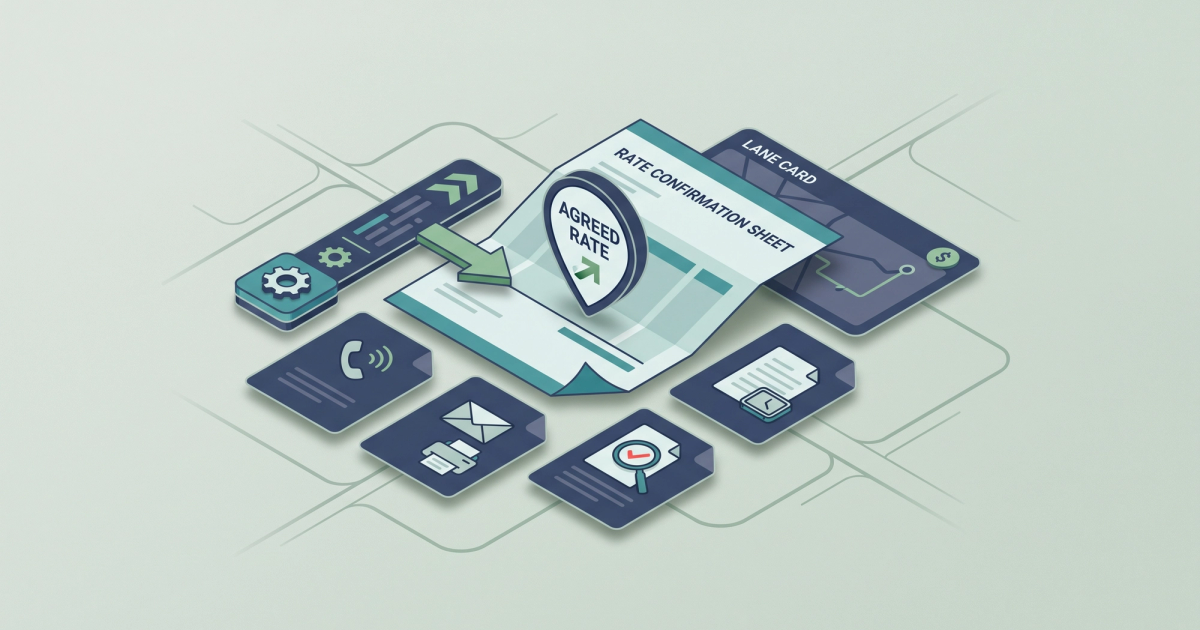
A freight broker running 500 loads a month who spends 12 minutes manually keying each rate confirmation into their TMS burns roughly 100 hours of labor every month. At $25 per hour, that is $2,500 in recoverable cost, month after month, just on data entry. Rate confirmation automation software exists to kill that waste, but most tools on the market automate only part of the job and leave you patching the rest by hand. The freight broker software market hit $20.03 billion in 2024 and is projected to reach $35.3 billion by 2031, according to Verified Market Research. That growth means more vendors, more pitches, and more noise. This post cuts through it. You will know exactly which manual rate con steps cost you the most, what the software must handle to justify its price, and whether a standalone tool or a TMS-bundled feature fits your operation.
What Rate Confirmation Automation Software Actually Does (One Clear Answer)
Rate confirmation automation software reads, extracts, validates, and routes the data on your rate cons without requiring a person to retype it. That is the simple version. The longer version: it takes the rate confirmation document (the contract between a freight broker and a carrier specifying linehaul rate, fuel surcharge, accessorials, pickup and delivery details, and special instructions), pulls every field from it, matches those fields against your TMS records or load board postings, and flags anything that does not line up.
The Core Functions, Not the Marketing Copy
Strip away the vendor language and rate confirmation automation software should do five things:
- Extract structured data from rate cons in any format (PDF, image, email attachment, fax scan) and populate your TMS fields automatically.
- Auto-fill confirmation forms with load details already in your system so carriers get accurate documents instantly. As TAI TMS outlines, core features include electronic confirmation forms, auto-fill data population, instant sharing, and real-time visibility into confirmation status.
- Match carrier invoices against rate con terms at the field level: linehaul, detention, fuel surcharge, lumper fees, and every accessorial.
- Flag discrepancies before payment so you dispute overbilling in hours, not after the check clears.
- Capture digital signatures and audit trails to eliminate the "I never agreed to that rate" dispute. McLeod Software's carrier management system demonstrates this with electronic rate confirmations and e-signature capture built into the workflow.
If a tool cannot do all five, it is a partial solution. Partial solutions create the worst kind of operational debt: you still need someone checking the gaps, but now you also need someone managing the software.
The Four Manual Rate Con Steps That Kill the Most Time Per Week
Before you evaluate any rate confirmation automation software, you need to know where your time actually goes. Talk to your ops team for an honest hour count. In most brokerages running 100 to 5,000 loads per month, the same four steps eat disproportionate time.
Step 1: Keying Rate Con Data Into the TMS
This is the big one. Every load requires someone to type the carrier name, MC number, rate, fuel surcharge, pickup address, delivery address, commodity, weight, and special instructions into your TMS. At 12 minutes per load and 500 loads a month, that is 100 hours. At 1,200 loads a month, it is 240 hours. That is three full-time employees doing nothing but data entry. DAT's Broker TMS eliminates the manual generation step by sending rate confirmations automatically when a carrier accepts a posted load. But if you are not on DAT's platform or your TMS does not support that workflow, someone is retyping it.
Step 2: Sending, Chasing, and Collecting Signed Rate Cons
You send the rate con. The carrier does not sign it. Your dispatcher calls. The carrier says they will sign it later. Later turns into never. Now you have a load moving without a signed contract. According to FMCSA Docket No. FMCSA-2023-0257, brokers already provide rate confirmation documents to motor carriers, but there is no federal regulation governing the format, timing, or method of that exchange. That regulatory gap means every brokerage handles it differently, and most handle it slowly. Budget 2 to 4 hours per week just on follow-ups for a 500-load-per-month operation.
Step 3: Matching Carrier Invoices to Rate Cons
The carrier sends an invoice. Someone on your billing team pulls up the rate con, compares the linehaul, checks the fuel surcharge, reviews any accessorial charges, and verifies the total. A dispatcher manually matching carrier invoices to rate cons catches discrepancies roughly 60% of the time when doing it by eye. The other 40%? Those slip through. An automated match that checks every field (detention, fuel surcharge, linehaul, lumper fees) catches mismatches every time. If you want to understand exactly which rate con fields carriers use to overbill you, it is worth reviewing the most common patterns.
Step 4: Handling Disputes When the Numbers Don't Match
A broker processing 1,200 loads per month with a 4% carrier invoice dispute rate is managing roughly 48 disputes monthly. Each dispute averages 45 minutes to resolve: pulling the rate con, pulling the BOL (bill of lading), pulling the POD (proof of delivery), comparing line items, emailing the carrier, waiting, following up. That is 36 hours of ops time per month. On disputes alone. TONU and dry run charges are especially painful. They get disputed in roughly 1 in 12 loads where no automated timestamp or BOD documentation is attached. At $150 to $250 per incident, that adds up fast. A brokerage running 1,200 loads might face 100 TONU-eligible situations per month. Without automated documentation, a meaningful percentage of those become unrecoverable write-offs.
Where the Money Leaks: Overbilling, Missed Disputes, and Data Entry Errors
Time waste is only half the problem. The other half is money walking out the door because your current workflow cannot catch it fast enough.
Carrier Overbilling on Accessorials
Based on Laneproof analysis of broker invoice data, carriers overbill on accessorials in an estimated 3.8% of invoices. On a $2 million per month freight spend, that translates to $76,000 per year in potential overbilling exposure. The charges most commonly inflated are detention, lumper fees, and fuel surcharges. These are the line items that change between the rate con and the final invoice, and they are the ones most likely to slip past a manual review. Understanding what brokers commonly get wrong on rate confirmations is the first step toward closing these gaps.
Data Entry Errors That Create Downstream Problems
A miskeyed rate ($1,850 entered as $1,580) does not just create an accounting issue. It creates a carrier trust issue, a payment delay, a dispute, and potentially a lost carrier relationship. When you manually enter 500 to 1,200 rate cons per month, even a 1% error rate means 5 to 12 loads per month start with bad data in your TMS. Those errors cascade through invoicing, carrier settlement, and customer billing. The cost per error is not just the correction time. It is the margin erosion from paying the wrong amount or invoicing your customer incorrectly.
Missed Dispute Windows
Most carrier contracts have a dispute window, typically 5 to 15 business days from invoice receipt. If your billing coordinator does not catch an overbill within that window, you have no contractual standing to dispute it. Manual workflows make this deadline easy to miss, especially during peak volume weeks. Automation does not just catch the discrepancy. It catches it on the day the invoice arrives, when you still have time to act.
Standalone Rate Con Tools vs. TMS-Bundled Features: Which One Fits Your Operation
This is the question most vendor comparison pages skip. Here is a direct breakdown.
TMS-Bundled Rate Con Features
Major TMS platforms like McLeod, MercuryGate, and DAT now bundle rate confirmation workflows into their systems. DAT's freight broker software sends automatic rate confirmations to carriers who accept loads on the board. McLeod captures e-signatures and automates record-keeping. These work well if you are already on one of these platforms and your carrier base interacts with them directly.
The limitation: TMS-bundled features typically handle the outbound side (generating and sending rate cons) better than the inbound side (reading incoming carrier invoices, matching them against rate con terms, and flagging overbilling). If your pain point is TMS data entry and invoice reconciliation, a bundled feature may only solve half your problem.
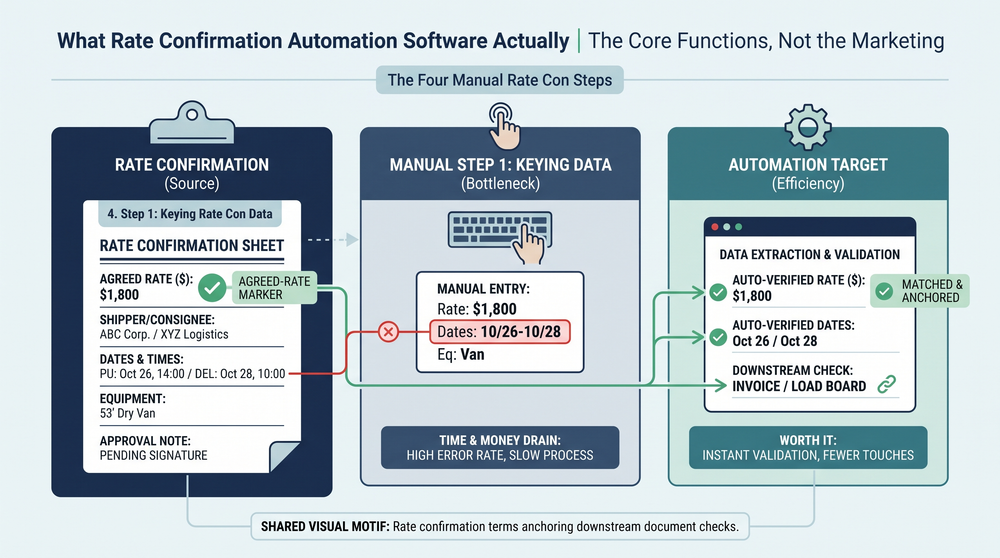
Standalone Rate Con Automation Tools
Standalone tools specialize in the document intelligence layer: reading rate cons, extracting data, matching invoices, and flagging discrepancies. They sit between your email inbox (or document upload workflow) and your TMS, pushing clean data in and pulling discrepancies out.
The advantage: they work across TMS platforms. If you are on a smaller or less common TMS, a standalone tool may be your only option for real automation. The trade-off: you need an integration path. API connections, CSV imports, or manual data push. The quality of that integration determines whether the tool saves you time or just moves the bottleneck.
If you are evaluating how to read a carrier rate sheet before it costs you money, a standalone tool gives you that capability at scale. A TMS feature gives you consistency within one ecosystem.
What the Software Has to Handle Before You Sign Anything
Here is the checklist. If a vendor cannot demonstrate these capabilities with your actual documents (not a canned demo), walk away.
Non-Negotiable Capabilities
- Multi-format document ingestion. Your carriers send rate cons as PDFs, scanned images, email body text, and occasionally fax. The tool must handle all of them.
- Field-level extraction accuracy above 95%. Not page-level OCR. Field-level: carrier name, MC number, linehaul rate, fuel surcharge percentage, detention rate, pickup and delivery addresses, commodity, and weight. As Nanonets details in their analysis of rate confirmation data extraction, modern IDP (intelligent document processing) software can automate this extraction, but accuracy varies significantly by document quality and format.
- Invoice-to-rate-con matching at the line-item level. Matching on total amount only is insufficient. The tool must compare linehaul, each accessorial, fuel surcharge, and detention separately.
- Exception flagging with dollar-amount variance. "This invoice has a discrepancy" is not useful. "This invoice charges $450 detention versus $0 on the rate con" is useful.
- TMS integration that actually works with your TMS. Not just McLeod and MercuryGate. If you are on Aljex, Tai, or a custom-built system, the vendor needs to show a working integration, not promise one.
- Audit trail and document storage. Every rate con, every invoice, every match, every flag. Stored and searchable. This is your dispute evidence.
Nice-to-Have Features
- Carrier scorecarding based on invoice accuracy, dispute frequency, and overbilling patterns.
- Automated dispute templates pre-populated with the discrepancy details and supporting documents.
- Batch processing for end-of-week invoice reconciliation runs.
If a tool handles the non-negotiables and offers even one of the nice-to-haves, it is worth a pilot. Tools that automatically extract data from freight documents and flag variances at the field level are the minimum bar, not the premium tier.
How Long Does It Actually Take to Get This Running? Implementation Realities for Small Brokerages
Vendor decks say one week. Here is what actually happens.
Scenario: 10-Person Brokerage on a Non-Major TMS
If you are running Aljex, Tai, or a custom TMS (not McLeod or MercuryGate), budget 3 to 6 weeks for full rate con automation setup. Here is the realistic timeline:
- Week 1: Vendor scopes your document formats, TMS API (or lack thereof), and current workflow. You provide 50 to 100 sample rate cons and carrier invoices for calibration.
- Weeks 2 to 3: Integration build. The vendor connects to your TMS or sets up a file-based data transfer. Field mapping happens here: making sure "linehaul" in the vendor's system maps to the right field in yours.
- Weeks 3 to 4: Testing with live documents. Your team runs the tool in parallel with your existing manual process. You compare results. You find edge cases (rate cons with handwritten notes, carriers who send invoices as email body text, loads with multiple stops and split rates).
- Weeks 4 to 6: Edge case resolution and team training. Your billing coordinator and dispatchers need to learn the exception workflow: what to do when the tool flags something, how to approve or override matches, where to find the audit trail.
Scenario: Mid-Size Broker on McLeod or MercuryGate
Major TMS platforms have pre-built integrations with many rate con tools. Budget 1 to 3 weeks. The integration is faster, but the testing and training phases are the same. Do not skip them. A tool that goes live without your team knowing how to handle exceptions is worse than no tool at all, because now discrepancies are being auto-approved instead of manually caught.
The Red Flag: "We'll Have You Live in 48 Hours"
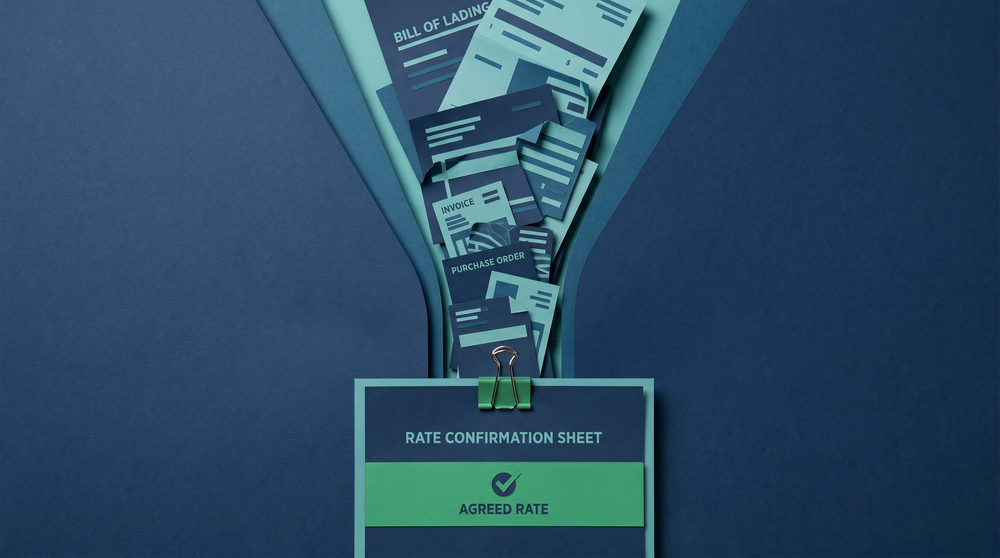
Any vendor promising full deployment in 48 hours is either oversimplifying what "live" means (they will turn on document ingestion but skip matching and TMS integration) or they have not worked with brokerages your size. Ask for references from brokerages running similar load volumes on a similar TMS. If they cannot provide them, that tells you something.
Real-World Math: What Automation Saves at Different Scales
Let's put concrete numbers to this. The following scenarios use conservative estimates.
Example: 500 Loads Per Month
Manual cost: 12 minutes per load for TMS data entry = 100 hours per month. At $25/hr, that is $2,500 per month, or $30,000 per year. Add 18 staff-hours per week on rate con reconciliation (3 billing staff at 6 hours each) and you have another $1,950 per month ($23,400 per year). Total recoverable cost: $53,400 per year.
Automation target: Cut data entry time by 80% (from 100 hours to 20 hours) and reconciliation time by 75% (from 18 hours per week to 4.5 hours). Reclaimed time: approximately 960 hours per year. Dollar savings: approximately $40,000 per year in direct labor. That does not count overbilling you start catching.
Example: 1,200 Loads Per Month
Manual cost: 240 hours per month on data entry ($6,000/month). A 4% dispute rate means 48 disputes per month at 45 minutes each (36 hours, $900/month). Rate con reconciliation for a team of 5 billing staff: 30 hours per week ($3,250/month). Total: $10,150 per month, or $121,800 per year.
Overbilling exposure: Based on Laneproof analysis of broker invoice data, a 3.8% overbilling rate on $2 million monthly freight spend creates $76,000 per year in potential overpayment. Even catching half of that through automated matching recovers $38,000 annually.
Combined recoverable value: Over $150,000 per year from labor savings and overbilling recovery. If your rate confirmation automation software costs $1,500 to $3,000 per month, the ROI math works in the first quarter.
Example: TONU and Dry Run Cost at Scale
A broker handling 1,200 loads per month might encounter TONU-eligible situations on roughly 1 in 12 loads without automated timestamp documentation. That is 100 potential TONU disputes per month. At $150 to $250 per incident, the exposure is $15,000 to $25,000 monthly. Automated documentation (timestamp capture, BOL attachment, carrier acknowledgment logs) does not eliminate TONU charges, but it gives you the evidence to dispute the ones that are not legitimate. Even a 30% improvement in dispute outcomes saves $4,500 to $7,500 per month. Understanding rate agreement gaps that carriers use to overbill is critical context here.
A mid-size broker with 3 billing staff spending 6 hours per week each on rate con reconciliation is burning 18 staff-hours weekly. Automation that cuts that to 2 hours reclaims over 800 hours per year.
Frequently Asked Questions About Rate Confirmation Automation
Does rate confirmation automation software replace my TMS?
No. It sits alongside your TMS, not in place of it. The software handles the document intelligence layer: reading, extracting, matching, and flagging. Your TMS remains the system of record for loads, carriers, and billing. The automation tool feeds clean data into your TMS and pulls discrepancies out for review.
What if my carriers send rate cons in inconsistent formats?
This is the norm, not the exception. Carriers send PDFs, scanned images, photos taken on a phone, email body text, and fax printouts. Any tool worth evaluating must handle multi-format ingestion. During your pilot, test with your messiest documents first. If the tool chokes on a blurry phone photo of a rate con, it will choke on 20% of your real-world volume.
How does automated matching handle accessorial charges that are not on the original rate con?
The tool should flag any charge on a carrier invoice that does not appear on the corresponding rate con. Detention charges, lumper fees, and layover charges are the most common additions. The flag gives your billing team the information to dispute or approve within the dispute window, rather than discovering it after payment.
Is this only useful for brokers, or do carriers benefit too?
Both sides benefit from faster, more accurate documentation. Carriers get paid faster when invoices match rate cons on the first pass. Brokers catch overbilling before it becomes a dispute. The friction reduction is mutual. That said, most rate confirmation automation software is built for the broker side of the workflow, since brokers are the ones generating and reconciling rate cons at scale.
What does rate confirmation automation software typically cost for a small brokerage?
Pricing ranges widely. TMS-bundled features may be included in your existing subscription. Standalone tools typically run $500 to $3,000 per month depending on load volume and integration complexity. The right question is not what it costs, but what your current manual process costs (see the examples above) and whether the tool recovers more than it charges. For a 500-load-per-month broker, the break-even threshold is low.
The Bottom Line: What to Demand Before You Buy
Rate confirmation automation software is not a nice-to-have for brokers running more than a few hundred loads per month. It is a margin protection tool. But only if it handles the full workflow: ingestion, extraction, matching, flagging, and integration with your actual TMS.
Before you sign anything, demand a pilot with your own documents. Run it in parallel with your manual process for two weeks. Measure extraction accuracy at the field level. Count how many discrepancies it catches that your team missed. Calculate the labor hours it frees up. If the numbers do not justify the cost within 90 days, move on.
If you are looking for a tool that handles freight document extraction and carrier invoice matching at the field level, including the rate con verification and overbilling detection covered in this post, Laneproof is built for exactly that workflow. It is worth a look if the math in this article matches your operation.
Sources
- FMCSA Docket No. FMCSA-2023-0257: Transparency in Property Broker Transactions — Federal Motor Carrier Safety Administration
- Freight Broker Software — DAT Solutions
- Carrier Management — McLeod Software
- Automate Operations with Rate Confirmation Software by TAI TMS — TAI Software
- Automating Data Extraction from Rate Confirmations — Nanonets
- Freight Broker Software Market Valuation 2024–2031 — Verified Market Research
Related: Rate Confirmation PDF: Every Field That Prevents a Billing Dispute
Related: Rate Confirmation Template Excel: Fields You're Missing
Related: Rate Confirmation Template Free: Fields That Protect You