Automated Freight Billing Software: Errors It Catches That You're Missing
Researched and written with AI assistance. Reviewed by the Laneproof team.
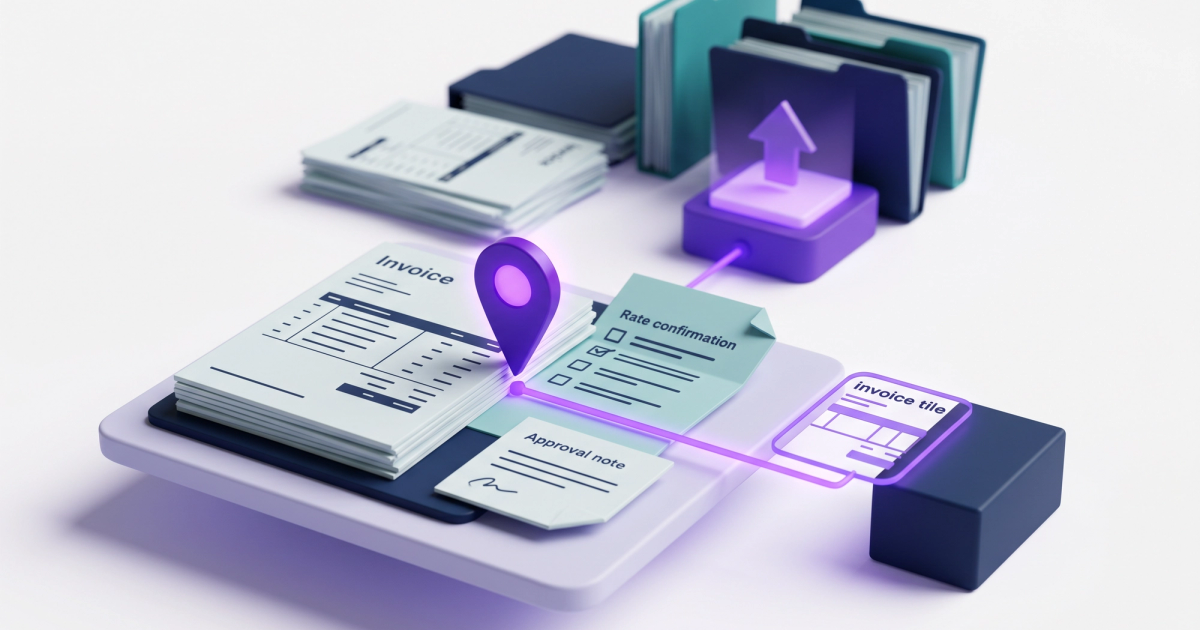
Automated freight billing software is a system that ingests carrier invoices, matches them line by line against rate confirmations, BOLs, and PODs, and flags billing discrepancies before payment goes out. Core functions include:
- Carrier invoice matching against rate con terms (linehaul, FSC, accessorials)
- Detention and accessorial charge review with timestamp verification
- Duplicate charge detection (TONU, lumper, layover)
- Missing documentation flags (unsigned lumper receipts, absent PODs)
- Automated exception reporting for out-of-tolerance variances
If you're running 100+ loads a month and your billing coordinator is still matching carrier invoices to rate cons in a spreadsheet, you're losing money on errors you don't even know exist. On a $500,000/month carrier spend, automated freight billing software catches an average of $19,000 in overbilling exposure. That's not a projection. That's the math when carrier invoices come in 3.8% higher than the agreed rate con amount at scale, a figure consistent with freight audit findings from Trimble. This post breaks down the specific error types that manual reconciliation routinely misses, the dollar amount each one costs per load, and whether the ROI justifies replacing your current process.
What Is Automated Freight Billing Software (And What It Actually Does)
Most freight brokers already know what a freight invoice looks like. The problem is what happens between when that invoice arrives and when it gets paid. For a broker handling 300 loads per month, manual reconciliation means a billing coordinator spends an estimated 12 to 18 hours per week on invoice matching. At a loaded cost of $22/hour, that's $264 to $396 per week in labor, and that's before a single error is caught or disputed.
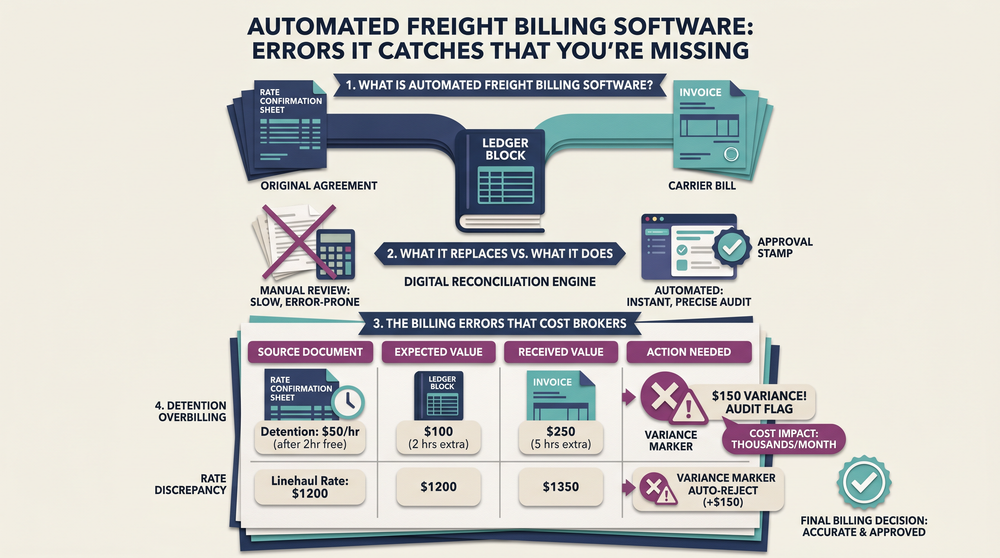
Automated freight billing software replaces the manual side of that workflow. It pulls in carrier invoices (PDF, EDI, email, or portal), extracts the line items, and matches each charge against the original rate confirmation. When a charge doesn't match, the system flags it. When documentation is missing, it flags that too. According to Trimble's freight audit documentation, automated freight audit systems can process up to 99% of invoices without manual intervention. The billing coordinator doesn't disappear from the process, but they stop spending their time on matching and start spending it on resolving the exceptions that actually matter.
What it replaces vs. what it adds
Automated billing doesn't replace your TMS. It sits between your TMS data and your accounting system. The rate confirmation lives in your TMS. The carrier invoice arrives separately. The software's job is to compare the two, check for supporting documents (BOL, POD, lumper receipts), and produce a clean, audited invoice that's ready for payment or dispute.
For brokers using platforms like DAT for load management, the billing layer is often the weakest link. DAT's freight broker software page highlights automated accounting as a core capability, but the reconciliation step, matching what the carrier billed against what you agreed to, is where most brokers still rely on manual effort. That's the gap automated freight billing software fills.
The Billing Errors That Cost Brokers the Most Per Load
Not all billing errors are created equal. Some are $15 rounding issues. Others are $300 overbills that repeat across dozens of loads before anyone notices. Here are the specific error types that cost freight brokers the most money, ranked by frequency and per-load impact. For a deeper look at which line items get inflated most often, see the most commonly inflated line items in carrier billing.
Detention overbilling
Detention charges are one of the most frequently disputed line items in freight billing. The carrier bills for time spent waiting at a shipper or receiver facility, but the hours billed don't always match what actually happened. A carrier that bills 4 hours of detention when BOL timestamps show 1.5 hours creates a $150 to $300 overbill on a single load. Multiply that across even a modest book of business, and the exposure adds up fast. Manual review misses these because verifying detention requires cross-referencing the carrier invoice against facility timestamps, check-call logs, and BOL notations. When a billing coordinator is processing 80+ invoices per week, that level of verification doesn't happen on every load.
Fuel surcharge miscalculations
Fuel surcharges are supposed to be calculated against the linehaul rate listed on the rate confirmation. But carriers sometimes calculate the FSC against a different base (total invoice amount, or a rate that includes accessorials). On a $2,200 linehaul, a 1.5% FSC miscalculation adds $33 per load. That sounds small until you do the monthly math: on 100 loads, it's $3,300/month in overbilling from a single error type. These are hard to catch manually because the FSC line looks reasonable in isolation. You only see the problem when you compare the FSC percentage to the correct base rate on the rate confirmation.
Duplicate TONU charges
A TONU (truck ordered, not used) charge is legitimate when a load cancels after a carrier has dispatched. But duplicates happen: a TONU is submitted alongside an invoice for a completed delivery on the same load. The average TONU runs $150 to $250, and duplicates appear in an estimated 1 to 2% of carrier invoices. On a 300-load-per-month operation, that's 3 to 6 duplicate TONU charges per month, or $450 to $1,500 in overbilling.
Lumper fees without documentation
Lumper fees are a common accessorial, but they require proof: a signed receipt or POD attachment showing the lumper service was performed and what was charged. When a carrier bills a lumper fee without attaching that documentation, the broker has no way to verify the amount. And when disputes arise, brokers who can't produce proof lose on average $75 to $180 per incident. The fix is simple in theory (require documentation before paying), but in practice, manual workflows let undocumented lumper charges slip through because nobody checks every attachment on every invoice.
Unauthorized accessorial charges
Liftgate, inside delivery, residential delivery. These accessorials cost $85 to $150 per occurrence. The problem: carriers sometimes apply them to loads where the rate con explicitly excluded them. This is especially common on multi-stop loads, where compounding accessorials across two or three stops can add $250 to $450 to a single invoice. Manual review catches these only if the coordinator pulls up the original rate confirmation and checks each accessorial line against what was agreed. On a busy week, that doesn't happen consistently.
Same-day layover charges
Layover charges apply when a driver is required to stay overnight between pickup and delivery. They run $200 to $350 per incident. The problem: some carriers bill layover on loads that delivered same-day according to check-call logs and TMS timestamps. Without timestamped records, these are nearly impossible to dispute. This is one of the hardest error types to catch manually because it requires correlating the carrier's layover claim against your own operational records in real time.
Why Manual Reconciliation Keeps Missing These Charges
The errors listed above aren't obscure edge cases. They appear on a meaningful percentage of carrier invoices. So why does manual reconciliation miss them? Three reasons, and none of them are about your billing coordinator being bad at their job.
Volume outpaces attention
A billing coordinator handling 300 loads per month is processing roughly 15 invoices per day. Each invoice has 3 to 8 line items that need to be compared against the rate con. That's 45 to 120 individual data points to verify per day. At 12 to 18 hours per week dedicated to matching, each invoice gets about 3 to 4 minutes of review time. That's enough to confirm the linehaul matches. It's not enough to verify detention timestamps, recalculate FSC percentages, or cross-reference lumper receipts.
Understanding what invoice reconciliation actually means in freight helps clarify why: true reconciliation isn't just confirming totals match. It's verifying every line item against every supporting document. Manual processes skip steps because there isn't time to complete them all.
Data lives in too many places
The rate confirmation is in your TMS. The carrier invoice arrives via email or a portal. The BOL is a scanned PDF. The POD is an image file. Check-call logs are in your dispatch system. Lumper receipts might be photographed on a driver's phone and texted to the dispatcher. To verify a single detention charge manually, your coordinator needs to pull data from three or four systems, compare timestamps, and confirm documentation. For one invoice, that's manageable. For 300 per month, it's a bottleneck that guarantees errors slip through.
Errors don't look like errors
The most expensive billing discrepancies in freight don't announce themselves. A fuel surcharge calculated at 28% instead of 26.5% looks correct at a glance. A liftgate charge on a multi-stop load looks plausible unless you check the rate con for that specific stop. A layover charge on a load that picked up at 7 AM and delivered at 4 PM only stands out if you pull the check-call data. Manual reconciliation catches the obvious mismatches: wrong carrier name, wildly different totals, missing invoices. It consistently misses the small, per-load errors that compound into thousands per month.
How Carrier Invoice Matching Works When It's Automated
Automated carrier invoice matching follows a structured process. Here's what happens from the moment a carrier invoice arrives to the point where it's either approved for payment or routed for dispute.
Step 1: Document ingestion and data extraction
The software ingests invoices from multiple channels: email, EDI, carrier portals, or direct upload. It extracts line items, amounts, load numbers, and dates using OCR and structured data parsing. According to a Freight Technologies press release on AI-powered invoice validation, AI-powered extraction reduces manual data entry errors and speeds up processing to minutes instead of hours.
Step 2: Rate con matching
Each extracted line item is compared against the corresponding rate confirmation. The system checks linehaul rate, fuel surcharge percentage and base rate, agreed accessorials, and total amount. Any variance beyond a set tolerance (often $5 or 0.5%) triggers an exception. This is the step where unauthorized accessorials, FSC miscalculations, and linehaul discrepancies get caught automatically.
Step 3: Supporting document verification
For charges that require proof (detention, lumper fees, layover), the system checks whether the required documents are attached. No signed lumper receipt? Flagged. Detention billed but no facility timestamp on the BOL? Flagged. This verification step is the one that manual processes almost always skip under time pressure. Automated systems run it on every invoice, every time.
Step 4: Exception routing and resolution
Invoices that pass all checks are approved for payment automatically. Invoices with exceptions are routed to the billing coordinator with the specific discrepancy identified: "Detention billed at 4.0 hours, BOL shows 1.5 hours. Variance: $225." The coordinator doesn't have to find the problem. They just have to decide what to do about it. According to Portcast's analysis of automated freight audit systems, this approach cuts costs by eliminating repetitive manual checks and catches errors that would otherwise reach payment. For a closer look at how this process works step by step, see the full freight invoice reconciliation process breakdown.
Laneproof's reconciliation engine runs this exact workflow. It checks each carrier invoice against the original rate con automatically, flagging variances on linehaul, FSC, detention, accessorials, and documentation before payment goes out. The billing coordinator gets a list of exceptions to resolve, not a stack of invoices to re-key.
Real Dollar Impact: Examples From the Invoice Stack
Theory is useful, but dollar amounts are better. Here are three scenarios showing exactly how automated freight billing software catches errors that manual review misses, and what each one costs.
Example: Detention overbill on a single load
A carrier submits an invoice with a $400 detention charge, billing 4 hours at $100/hour. The BOL timestamp shows the driver arrived at 10:15 AM and departed at 11:45 AM. Actual detention: 1.5 hours. Legitimate charge: $150. Overbill: $250. Automated software cross-references the invoice's detention hours against BOL timestamps and flags the 2.5-hour discrepancy immediately. In a manual workflow, this invoice is one of 80 that week. The coordinator confirms the linehaul matches, sees a detention charge that looks plausible, and approves it. Over the course of a month, if even 5% of loads carry a similar overbill, a 300-load broker is paying $3,750 in excess detention per month.
Example: Fuel surcharge miscalculation at scale
A carrier's rate con shows a $2,200 linehaul with a 26.5% fuel surcharge. Correct FSC: $583. The carrier's invoice calculates FSC at 28%, applied to $2,200, for a total FSC of $616. Overbill per load: $33. On 100 loads per month with this carrier, that's $3,300/month. Over a year, $39,600. The automated system recalculates the FSC using the rate con's agreed percentage and base rate, then flags the $33 variance. Manual review almost never recalculates FSC. The coordinator sees "Fuel Surcharge: $616" and moves on, because the number looks reasonable without doing the math.
Example: Duplicate TONU alongside a completed delivery
A carrier submits two documents for Load #4471: a TONU charge for $200 (submitted when the load was briefly canceled) and a full delivery invoice for $1,850 (submitted after the load was reinstated and completed). Both hit the billing coordinator's inbox. The TONU was valid at the time it was issued but should have been voided when the load ran. Without automated duplicate detection, both get paid. Automated software matches both documents to the same load number, identifies the conflict (TONU + completed delivery), and flags the duplicate for review. The coordinator voids the TONU in 30 seconds instead of paying $200 that should never have been billed.

On a $500,000/month carrier spend, carrier invoices that come in 3.8% above the agreed rate con amount represent $19,000/month in overbilling exposure. That's $228,000/year, more than most brokers spend on their entire billing team.
What to Check Before You Buy Any Freight Audit Tool
Not all automated freight billing software works the same way. Before you commit, here's what to verify. According to Gartner's reviews of freight audit and payment providers, the market is mature enough that you should expect specific capabilities, not vague promises.
Rate con ingestion and parsing
Ask how the system handles rate confirmations. Does it pull rate con data directly from your TMS, or do you upload rate cons manually? If you're uploading manually, you've just moved the bottleneck instead of eliminating it. The best freight audit tools ingest rate cons automatically and parse them into structured data: linehaul, FSC percentage, FSC base, each accessorial line, and total.
Exception tolerance settings
You don't want every $2 rounding difference to generate an alert. But you also don't want a $200 variance to slip through because the tolerance was set too high. Look for systems that let you set tolerance thresholds by dollar amount and percentage, and that let you customize thresholds by charge type. A $5 tolerance on linehaul is reasonable. A $5 tolerance on a $75 lumper fee is too loose.
Integration with your existing stack
The tool needs to work with your TMS, your accounting system, and your document storage. Ask specifically about integration methods: API, EDI, CSV import, or direct connector. If the only option is manual CSV export from your TMS and import into the audit tool, you're adding steps instead of removing them. Dashdoc's freight billing guide for small carriers notes that automated billing can cut invoice cycle times significantly, but only when the billing system connects directly to the operational data. Disconnected systems create their own reconciliation problems.
Dispute documentation and audit trail
When you dispute a charge, you need proof. The system should store every version of every invoice, every rate confirmation it matched against, every supporting document, and every exception that was flagged and how it was resolved. This audit trail is what protects you when a carrier pushes back. Without it, disputes devolve into "he said, she said" conversations that waste time and often end with the broker paying the charge just to close the file. For brokers evaluating software that catches freight overbilling in practice, the audit trail is often the difference between a tool that saves money and one that just generates alerts.
Frequently Asked Questions
How much does automated freight billing software actually save per month?
The savings depend on your monthly carrier spend and current error rate. On a $500,000/month spend, catching even half of a 3.8% overbilling rate saves roughly $9,500/month. Add in 10 to 15 hours per week of billing coordinator time recovered at $22/hour loaded cost, and you're looking at $1,100 to $1,450/month in labor savings on top of the overbilling recovery. Total monthly savings for a mid-size brokerage typically land between $10,000 and $20,000.
How long does it take to implement automated billing software?
Implementation varies by vendor and by how complex your TMS integration is. Most cloud-based freight audit tools can be operational within 2 to 4 weeks for brokers with standard TMS setups. The main variable is data mapping: connecting your rate con fields, invoice formats, and document storage to the audit system. If your TMS supports API connections, implementation is faster. If you're working with CSV exports and manual uploads, expect the longer end of that timeline.
Will automated software catch errors on loads that have already been paid?
Most systems are designed for pre-payment audit, catching errors before you pay the carrier. Some tools also support post-payment audit, where you run historical invoices through the system to identify past overbilling. Post-payment recovery is harder because you're asking carriers to refund charges, but it can be worth doing for brokers with large historical spend and no prior audit process.
Do I still need a billing coordinator if I use automated billing software?
Yes. Automated software handles the matching, calculation, and flagging. Your billing coordinator handles the exceptions: reviewing flagged invoices, contacting carriers about disputes, and making judgment calls on edge cases. The role shifts from data entry and spreadsheet matching to exception management and carrier communication. Most brokers find that their coordinator becomes significantly more effective, not redundant.
What's the difference between freight audit software and automated billing software?
Freight audit software typically refers to systems that review invoices after they've been received, checking for accuracy and compliance. Automated billing software is broader: it can also handle invoice generation, payment scheduling, and integration with accounting systems. In practice, the terms overlap heavily, and most modern tools combine audit, matching, and billing workflow in a single platform.
If you're spending 12+ hours a week on manual invoice matching and you're not confident you're catching every detention overbill, FSC miscalculation, and unauthorized accessorial, the ROI math on automated freight billing software is straightforward. The errors are specific, the dollar amounts are real, and they compound every month you don't catch them. Laneproof gives brokers a way to match every carrier invoice against the rate con automatically, flag the variances that matter, and stop paying for charges that were never agreed to. You can see what that looks like for your operation on the pricing page.
Sources
- Trimble Freight Audit Software Automates Invoicing & More — Trimble Transportation
- Freight Broker Software — DAT Solutions
- Freight Billing Software for Small Carriers: 2026 Guide — Dashdoc
- Best Freight Audit and Payment Providers Reviews 2026 — Gartner Peer Insights
- Cutting Costs and Errors: How Automated Freight Audit and Payment Software Is Changing Logistics — Portcast
- Freight Technologies Launches AI-Powered Automated Invoice Validation — Freight Technologies
Full guide: Invoice Reconciliation for Freight Brokers: Stop Paying Carrier Overbills
Related: Best Invoice Reconciliation Tools for Freight Brokers (2026)
Related: The Invoice Reconciliation Process Freight Brokers Actually Use
Related: Freight Invoice Reconciliation Software: What It Catches Before You Pay
Related: Invoice Reconciliation in SAP: Where It Breaks for Freight Teams
Related: Invoice Reconciliation Job Description for Freight Brokerages