Rate Confirmation: What Brokers Get Wrong and What It Costs
Researched and written with AI assistance. Reviewed by the Laneproof team.
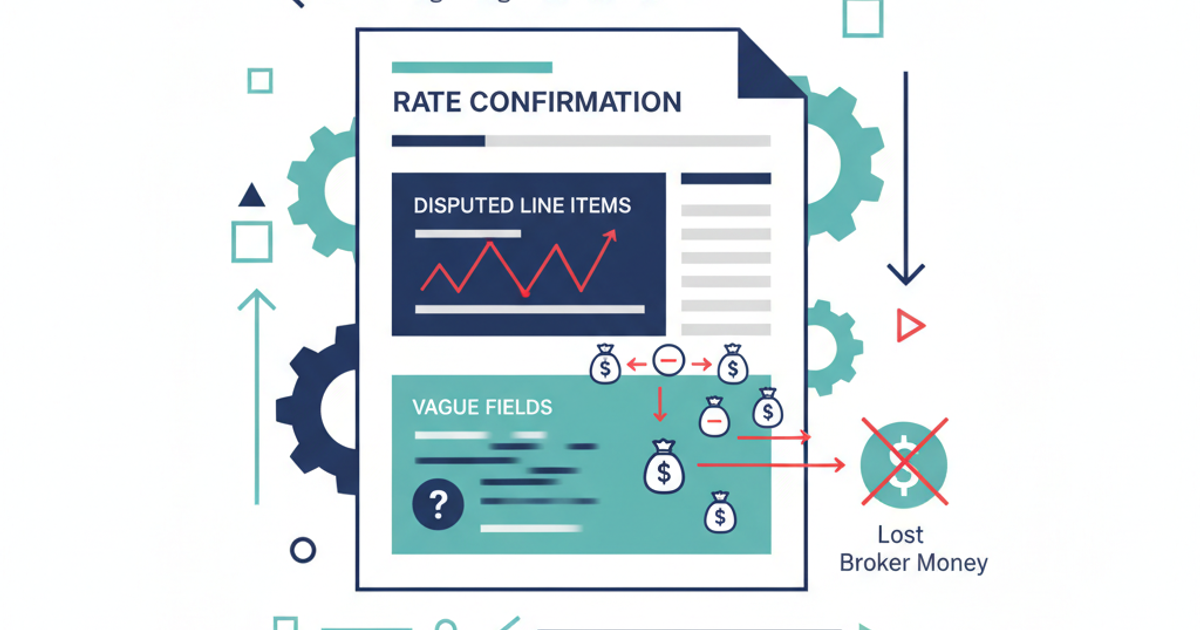
A single missing line on a rate confirmation cost one broker $450 on a Tuesday afternoon. No detention cap. No free-time window. Just a carrier who sat at a receiver for four hours and invoiced accordingly. The broker had no written language to push back. That $450 was pure margin loss on a $1,800 load. Multiply that by the dozens of loads a week where vague or incomplete rate con language leaves you exposed, and you're looking at tens of thousands in annual profit erosion. According to DAT's official documentation on rate confirmations, a rate confirmation is a legally binding agreement between broker and carrier. That means every field you leave blank or vague becomes a gap the carrier can invoice through. This guide covers the specific fields that cause the most disputes, the language fixes that close those gaps, and what to do when a carrier challenges terms after the load delivers.
What Is a Rate Confirmation (and Why the Definition Misses the Point)
A rate confirmation is a written agreement between a freight broker and a carrier that specifies the linehaul rate, pickup and delivery details, payment terms, and any additional charges for a specific load. It typically includes the load number, origin and destination, commodity, equipment type, and accessorial provisions. The carrier signs or accepts it before dispatch, making it the binding financial record for that shipment.
That definition is accurate. It's also not where brokers lose money. Every blog post, TMS glossary, and training manual will give you the same list of standard components. What none of them tell you is that the rate confirmation is the single document carriers use to justify invoice disputes after delivery. It's not just a record of the agreed rate. It's the legal backstop for every charge, fee, and deduction that shows up on the carrier's invoice 30 days later.
The rate con is your billing defense, not just a booking form
Most brokers treat the rate confirmation as an operational step: get the rate agreed, send the doc, move the load. But when a carrier invoices for a $275 lumper fee that wasn't listed, or a detention charge that exceeded the linehaul by 25%, the rate con is the only document that matters. If it's vague, you pay. If it's missing a clause, you pay. The BOL doesn't protect you here. The load confirmation doesn't protect you here. Only the rate confirmation does.
As CarrierAssure warns in their analysis of rate con language risks, vague wording around pay terms and accessorial charges creates both compliance exposure and billing risk for brokers. The document you're sending out 50 or 200 times a week is either protecting your margin or bleeding it. There's no middle ground.
The FMCSA agrees that rate confirmations are central to broker-carrier transactions. Their proposed rulemaking on broker transparency (Docket No. FMCSA-2023-0257) explicitly references rate confirmation documents as standard practice, proposing to strengthen requirements for brokers to maintain and provide transaction records to carriers and shippers. This isn't a suggestion. The regulatory direction is toward more documentation accountability, not less.
The Fields Carriers Dispute Most, and Why Your Rate Con Lets Them
Not every field on a rate confirmation carries equal risk. Some are straightforward (origin, destination, commodity). Others are where 80% of invoice disputes originate. Here are the fields that cost you money when they're vague, missing, or poorly worded.
Detention and free time
This is the most disputed charge in freight billing. A rate con that lists the linehaul rate but says nothing about detention, free time, or hourly caps is an open invitation for carriers to invoice whatever the market will bear. The fix is specific: state the number of free hours at both pickup and delivery, the hourly rate after free time expires, and a maximum detention cap per stop.
Example: A broker books a $1,800 load. The rate con lists linehaul at $1,800. No mention of detention, no free-time window, no cap. The carrier waits 4 hours at the receiver and invoices $450 for detention at $150/hour. The broker has no written basis to dispute it. That single oversight dropped the load margin from 15% to a negative number after factoring in the shipper rate.
Fuel surcharge language
Writing 'fuel surcharge included' on a rate con seems clear enough. It's not. Without tying the FSC to a specific index (DOE national average, for example) and a specific date (rate con date, pickup date, or delivery date), you've created an ambiguity carriers can exploit.
Example: A rate con lists a $1,200 linehaul with 'fuel surcharge included.' The carrier invoices $1,380, adding $180 based on the DAT fuel table at time of delivery, claiming the FSC was never explicitly included in the linehaul. The broker intended it to be all-in. The carrier reads 'included' as a separate line item that was zero at booking but adjustable. Without a tied index and locked date, both readings are defensible.
TONU (Truck Ordered Not Used)
Loads cancel. Shippers change plans. If your rate con has no TONU clause, you have no written basis to push back when a carrier invoices $300 for rolling a truck to a pickup that never happens. The fix: include a TONU provision that states whether a TONU fee applies, the dollar amount or percentage, and under what conditions (e.g., cancellation less than 2 hours before pickup).
Example: Broker books a load, carrier dispatches a truck, and the shipper cancels 90 minutes before the pickup window. The rate con has no TONU language. The carrier invoices $300. The broker can negotiate, but without written terms, the carrier's claim stands. Over a year, even 2 TONU events per month at $300 each adds $7,200 in unplanned costs.
If you want a deeper look at which rate con fields cause the most costly errors, the guide on common rate confirmation errors brokers miss breaks down the specific line items and dollar impact in detail.
Accessorial Charges: If It's Not Written In, You're Probably Paying It
Accessorial charges are the most reliable way for a carrier invoice to exceed the rate con amount. Lumper fees, layover, driver assist, liftgate, inside delivery: if the rate confirmation doesn't explicitly address these charges, you have limited recourse when they appear on an invoice.
The cost of vague accessorial language
FreightWaves identifies vague accessorial fields as one of the top red flags on rate confirmation sheets. Language like 'additional charges may apply' is functionally meaningless as a cost control. It gives the carrier permission to invoice any charge under any label, and the broker has pre-agreed to it in writing.
Compare these two accessorial clauses:
- Vague: 'Additional charges may apply for accessorial services not included in the linehaul rate.'
- Tight: 'No accessorial charges will be paid unless pre-authorized in writing by broker prior to service. Unauthorized accessorials will be deducted from carrier payment.'
The first version is a blank check. The second gives the broker a written basis to reject any charge that wasn't approved before the truck rolled. The difference between these two clauses can be five figures annually on a mid-volume brokerage.
Lumper fees: the $42,900 annual problem
Scenario: A carrier invoices a $275 lumper fee on a grocery load. The rate con has no lumper clause, no pre-authorization requirement, and no reimbursement cap. The broker pays it because there's no written language to dispute it. Now scale that: 3 loads per week with uncontrolled lumper charges at $275 each.
- 3 loads × $275 = $825 per week
- $825 × 52 weeks = $42,900 per year
That $42,900 comes directly off your margin. Not your revenue. Your margin. For a brokerage running 500 loads a month at a 12% average margin, that's the equivalent of roughly 30 loads of pure profit wiped out by a single missing clause.
The fix is straightforward: add a lumper reimbursement clause that requires the carrier to obtain written pre-authorization from the broker, submit a lumper receipt, and cap reimbursement at a stated maximum per load. If you're already dealing with carrier invoices that don't match your rate cons, the walkthrough on where carrier bills go wrong during invoice matching is worth reading alongside this.
What Happens When a Rate Con Is Unsigned or Terms Are Disputed
A rate confirmation is only as strong as its proof of acceptance. If a carrier claims the verbal rate was $2,200 but the written rate con says $1,900, the document only holds if you can prove the carrier agreed to it. An unsigned rate con, or one sent via email with no read receipt, timestamp, or electronic acceptance, is a weak position in a dispute.
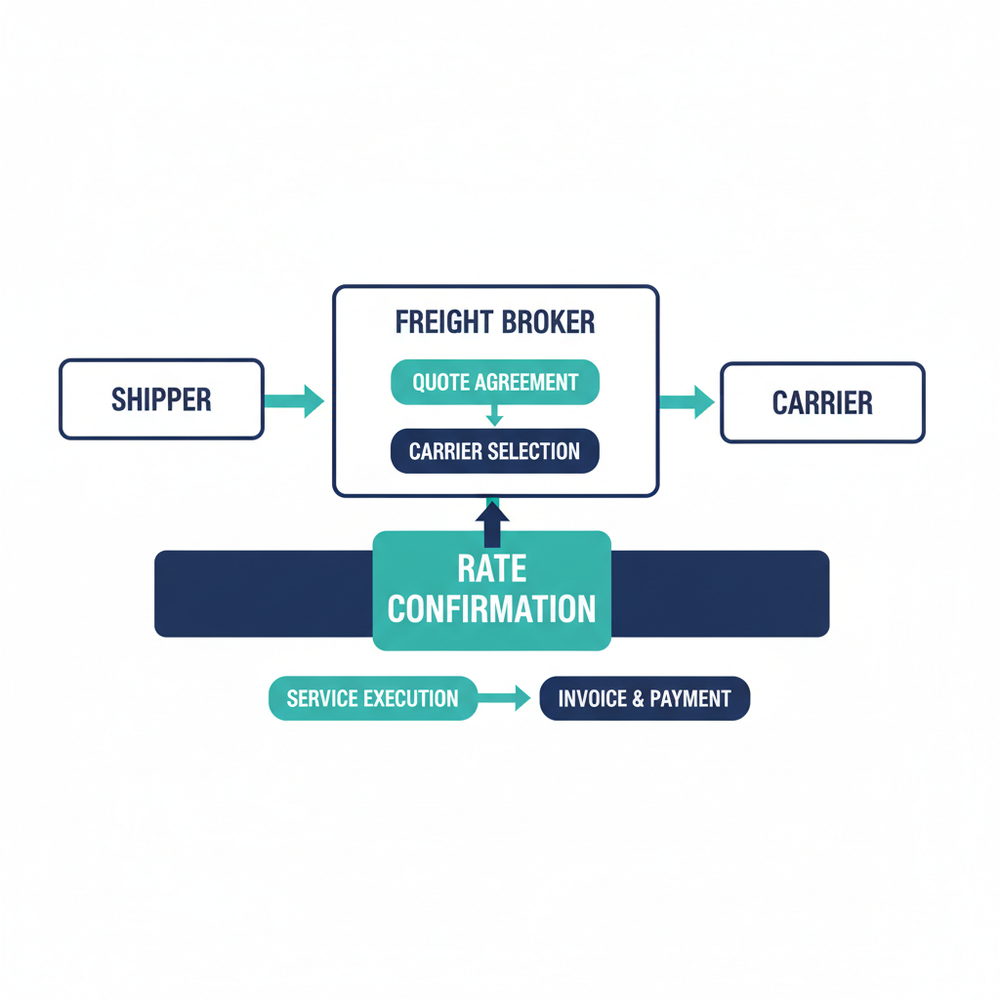
The unsigned rate con trap
Scenario: A broker sends a rate con via email for a spot load at $1,900. The carrier picks up and delivers the load but never signs or countersigns the document. After delivery, the carrier invoices $2,200, claiming the dispatcher verbally agreed to the higher rate. The broker pulls up the rate con showing $1,900, but it has no electronic signature, no timestamp of acceptance, and no reply confirmation from the carrier.
In this situation, the carrier's claim isn't automatically valid, but the broker's defense is weakened significantly. As DAT's rate confirmation documentation states, the broker must provide a rate confirmation to the carrier before the load is picked up for it to function as a binding agreement. Without proof of receipt and acceptance, you're in a gray area.
How to close the signature gap
Electronic rate confirmation platforms (most TMS systems offer this) allow you to track when a rate con was sent, opened, and accepted. If your current process involves emailing a PDF and hoping the carrier signs and returns it, you're exposed on every load where they don't.
Minimum proof-of-acceptance standards for any rate con:
- Timestamped electronic signature or click-to-accept confirmation
- Email delivery and open tracking (not sufficient alone, but supporting evidence)
- Carrier's reply email confirming terms (screenshot and archive)
- TMS log showing carrier accepted the load with the rate con attached
Any one of these is better than nothing. All four together make it extremely difficult for a carrier to dispute the agreed terms after the fact.
Spot loads vs. contract loads: different risks
Contract loads typically have master carrier agreements that backstop the rate con. Spot loads don't. Every spot rate con is a standalone contract, which means every field matters more.
Scenario: A broker books a spot load with a rate con at $1,600. The rate con has no expiration date or validity window. Sixty days later, the carrier re-invoices at $1,850, claiming a higher rate was verbally agreed and that the original rate con was a draft. Without an expiration clause (e.g., 'This rate confirmation is valid for this load only and expires upon delivery'), the broker has to fight the dispute using only the original document. An expiration clause eliminates this angle entirely.
According to Thompson Hine's legal analysis of the FMCSA broker transparency proposed rule, the proposed regulations would require brokers to maintain transaction records, including rate-related documents, in a standardized way. This means sloppy rate con management isn't just a margin risk today; it's a compliance risk tomorrow.
Rate Confirmation vs. BOL vs. Load Confirmation: They're Not the Same Document
Brokers and carriers sometimes use these terms interchangeably. They shouldn't. Each document serves a different legal and operational purpose, and confusing them during a billing dispute can cost you the argument.
Rate confirmation (rate con)
The financial agreement between broker and carrier. It specifies the rate, payment terms, accessorial provisions, and any special instructions. This is the document that governs what gets paid and when. It's between the broker and the carrier only. The shipper typically never sees it.
Bill of Lading (BOL)
The shipping document that travels with the freight. It records the shipper, consignee, commodity description, weight, and piece count. The BOL is a receipt of goods and a contract of carriage. It does not contain rate information. When a carrier points to the BOL to justify a charge, the response should be: 'The BOL confirms what was shipped. The rate con confirms what we agreed to pay.'
Load confirmation
This term is used loosely across the industry. Some brokers use 'load confirmation' as a synonym for rate confirmation. Others use it as an internal dispatch notification that doesn't include rate details. The danger: if a carrier receives a 'load confirmation' without rate terms and treats it as the rate con, you've created a gap. Make sure your rate confirmation is clearly labeled as such, includes the word 'rate confirmation' in the document title, and contains all financial terms. Never rely on a load confirmation alone as your billing backstop.
Understanding which document controls what is essential to resolving freight billing disputes quickly. If your team spends hours matching carrier invoices to multiple documents, the guide on freight invoice reconciliation processes covers how to reduce that time significantly.
Real-World Examples: How Rate Con Gaps Drain Margin
The scenarios below are composites based on common operational patterns. Each one shows a specific rate confirmation gap, the dollar impact, and the language fix.
Example 1: Missing detention cap ($450 single-load loss)
A broker books a dry van load at $1,800 linehaul. The rate con lists origin, destination, commodity, pickup and delivery dates, and the rate. It says nothing about detention.
- The carrier waits 4 hours at the receiver.
- Carrier invoices $450 detention ($150/hour, no free time).
- Broker's shipper rate was $2,100. Planned margin: $300 (14.3%).
- Actual margin after detention: negative $150.
Fix: Add to the rate con: '2 hours free time at each stop. Detention after free time: $75/hour. Maximum detention per load: $225. Detention requires broker pre-approval and timestamp documentation.'
Example 2: Uncontrolled lumper fee ($42,900 annual loss)
A brokerage moves 15 grocery/retail loads per week. On roughly 3 of those loads, carriers invoice lumper fees averaging $275. The rate con has no lumper clause.
- 3 loads × $275 = $825/week in uncontrolled lumper charges.
- $825 × 52 weeks = $42,900/year.
- At 12% average margin on a $2,000 average load, that's the profit equivalent of approximately 179 loads per year.
Fix: Add to the rate con: 'Lumper fees will be reimbursed only with prior written broker authorization and submission of original lumper receipt. Maximum reimbursement: $200 per occurrence. Unauthorized lumper charges will be deducted from carrier payment.'
Example 3: Untied fuel surcharge ($180 per-load overpayment)
Broker lists a $1,200 linehaul with 'fuel surcharge included.' Carrier invoices $1,380, citing the DAT fuel table at time of delivery as the FSC basis.
- Carrier's position: 'included' meant the linehaul was $1,200 plus whatever FSC applied at delivery.
- Broker's position: 'included' meant the $1,200 was all-in.
- Disputed amount: $180 per load.
- At 10 loads/week with this ambiguity: $180 × 10 × 52 = $93,600/year at risk.
Fix: Replace 'fuel surcharge included' with: 'Linehaul rate of $1,200 is all-inclusive of fuel. No separate fuel surcharge will be invoiced or paid.' Alternatively, if FSC is separate, tie it to a specific index: 'FSC per DOE national average diesel price as of [pickup date], applied per carrier's published FSC schedule on file with broker.'
Every vague field on a rate confirmation is an open invoice line. Carriers don't need to be dishonest to invoice more than you planned. They just need your rate con to leave room.
Frequently Asked Questions
What is the rate confirmation?
A rate confirmation is a legally binding document between a freight broker and a carrier that specifies the agreed linehaul rate, payment terms, accessorial provisions, and load details for a specific shipment. According to DAT's official documentation, a freight broker must provide a rate confirmation to the carrier before the load is picked up. It serves as the primary financial record for the transaction and the basis for resolving any billing disputes after delivery.
What does a rate confirmation look like?
A rate confirmation is typically a one-page or two-page document (PDF or electronic form) that includes the broker's name and MC number, carrier's name and MC number, load number, origin and destination, pickup and delivery dates, commodity, equipment type, linehaul rate, payment terms, accessorial clauses, and signature/acceptance fields. The format varies by TMS platform, but the essential fields are consistent across the industry.
Who receives the rate confirmation?
The carrier receives the rate confirmation from the broker. The shipper does not typically receive the rate con, as it contains the broker-to-carrier rate (which is different from the shipper-to-broker rate). However, under the FMCSA's proposed broker transparency rule, brokers may be required to provide transaction records, including rate-related documents, to both carriers and shippers upon request.
Can a carrier dispute a signed rate confirmation?
A carrier can dispute charges or terms on a signed rate confirmation, but their legal standing is weaker when the document is signed, timestamped, and specific. Disputes most commonly succeed when the rate con contains vague language (like 'additional charges may apply'), when the document was never actually signed, or when the broker cannot produce a copy with proof of carrier acceptance. The tighter and more specific your rate con language, the less room there is for a successful dispute.
What is the difference between a rate confirmation and a carrier agreement?
A carrier agreement (also called a broker-carrier agreement or master agreement) is a standing contract that governs the overall relationship between a broker and carrier, covering insurance requirements, liability, payment terms, and general operating rules. A rate confirmation is load-specific: it sets the rate and terms for a single shipment under the umbrella of that carrier agreement. Think of the carrier agreement as the rules of engagement and the rate con as the specific mission order for each load.
Sources
- FMCSA Proposed Rulemaking: Transparency in Property Broker Transactions (Docket No. FMCSA-2023-0257) — Federal Motor Carrier Safety Administration
- Rate Confirmation (Also Known as Ratecon) — DAT
- 5 Red Flags on a Rate Confirmation Sheet You Should Never Ignore — FreightWaves
- FMCSA Seeks Comments on Freight Broker Transparency Proposed Rule — Thompson Hine
- Here's Why You Should Watch Your Rate Con Language — CarrierAssure
Close the Gaps Before the Truck Rolls
Every rate confirmation your brokerage sends is either protecting your margin or leaving it exposed. The difference isn't in the linehaul field (everyone gets that right). It's in the detention caps, the accessorial pre-authorization clauses, the TONU provisions, and the fuel surcharge specifics that most brokers skip because they're rushing to dispatch.
Start with an audit of your current rate con template. Check every field against the examples in this guide. Add the missing clauses. Tighten the vague ones. Make sure every rate con goes out with a signature mechanism that gives you timestamped proof of acceptance.
If your team processes more than 50 carrier invoices a week, manually matching each one back to the rate con is where hours disappear and discrepancies slip through. Automated document extraction tools can pull the rate, accessorial terms, and detention clauses from every rate con and flag mismatches against the carrier invoice before your billing team ever sees them. That's where the time savings and margin protection compound.