Lumper Fees Explained: Who Pays, What to Document, How to Get Reimbursed
Researched and written with AI assistance. Reviewed by the Laneproof team.
A broker moving 300 loads per month where 15% involve a lumper fee averaging $280 each is looking at $12,600 per month in lumper exposure. That's $151,200 per year in charges that need a clean documentation chain, or they come straight out of your margin. According to Relay Payments, lumper fees typically range from $25 to $500 per job depending on load complexity, with an average around $300. Most brokerages treat lumper fees as a cost-of-doing-business nuisance. They are not. They are an accessorial charge with a specific billing chain, specific documentation requirements, and specific points where money disappears if you are not paying attention. This guide walks you through every step of that chain so you stop losing money on charges you should be recovering.
What a Lumper Fee Actually Is (And Why It Shows Up After the Load Is Already Moving)
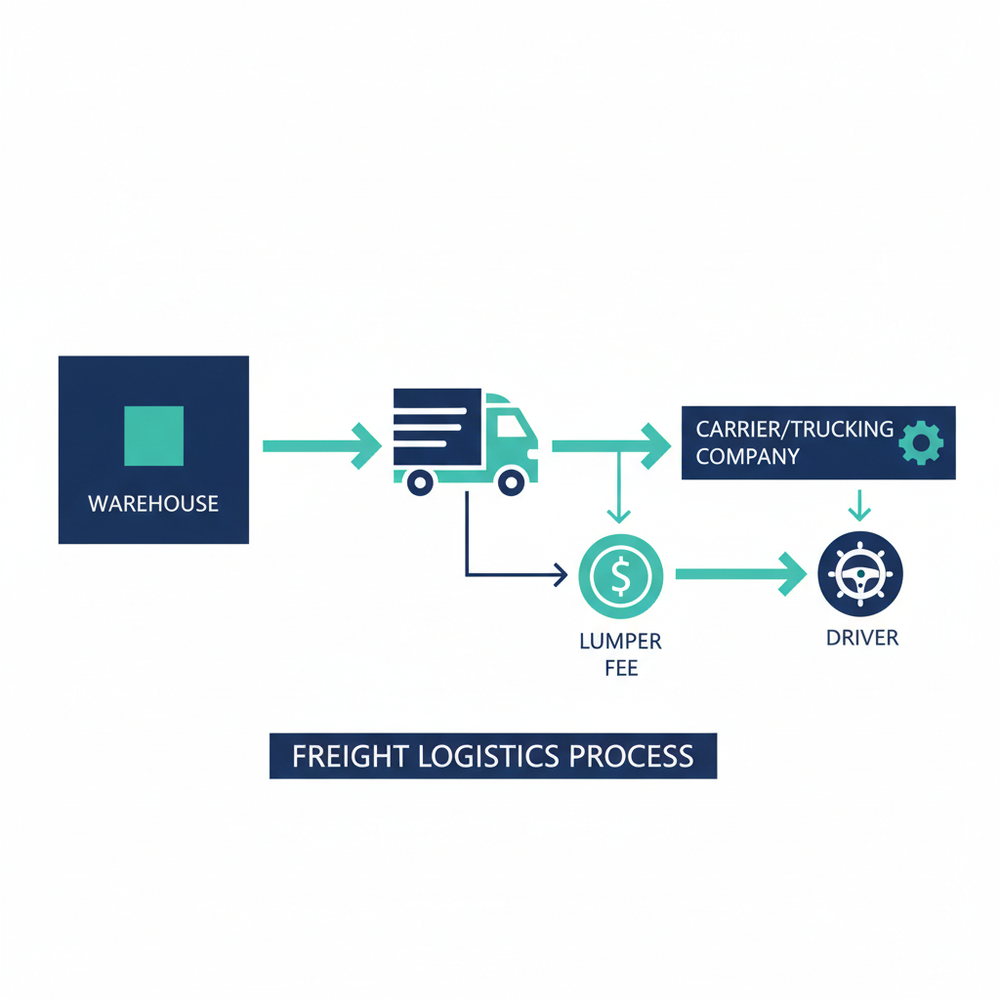
A lumper fee is a charge paid to a third-party labor service that physically unloads freight at the delivery point, typically a warehouse or distribution center. The driver does not perform the unloading. Instead, the receiving facility requires that a lumper crew handle the work, and someone has to pay for it. According to Apex Capital, these unloading fees typically range from $100 to $500 per job. For a dry goods load going into a major retailer DC, $250 to $350 is common.
Why the fee shows up late in the process
Here is what makes the lumper fee different from most accessorial charges: it usually is not confirmed until the driver arrives at the dock. The shipper may know that the receiving warehouse uses lumpers, but the exact amount depends on the load type, the pallet count, the facility's contracted lumper provider, and sometimes even the time of day. That means your carrier accepted the load, picked it up, drove it 600 miles, and only finds out at the delivery dock that they owe $300 cash out of pocket for unloading labor. By that point, the load is committed. The driver is at the dock. The freight needs to come off the trailer. No one is going to turn around. This timing gap is why lumper fee disputes are so common. The charge is real, the work happened, but the paperwork trail has to be built retroactively. And if the rate con was silent on lumper terms, the carrier is already in a weak position to get reimbursed.
The federal law behind lumper fees
Lumper fees are legal. What is not legal is coercing a driver into using a lumper service. Under 49 U.S.C. 14103, as enforced by the FMCSA, it is unlawful for any person to coerce or attempt to coerce a driver into employing loading or unloading assistance and paying for that assistance. In practice, most major retailer DCs require lumpers as a condition of receiving freight, and drivers comply because refusing would mean the load does not get delivered. The line between "required" and "coerced" is legally thin, but operationally, drivers almost always pay. The critical point for brokers: the fee's existence is not the problem. The problem is who pays and whether the documentation supports reimbursement.
Who Pays the Lumper Fee, and Who Gets Stuck With It When That's Not Clear
The driver usually pays the lumper fee at the dock, either in cash, by Comcheck, or through an EFS (Electronic Funds Source) code. That immediate, out-of-pocket payment is the first link in a reimbursement chain that often breaks. According to Laneproof analysis of lumper charges across small brokerages, a single unrecovered lumper charge costs between $150 and $400, and 20 unrecovered charges per month can cost a small brokerage $36,000 to $96,000 annually.
The intended payment chain
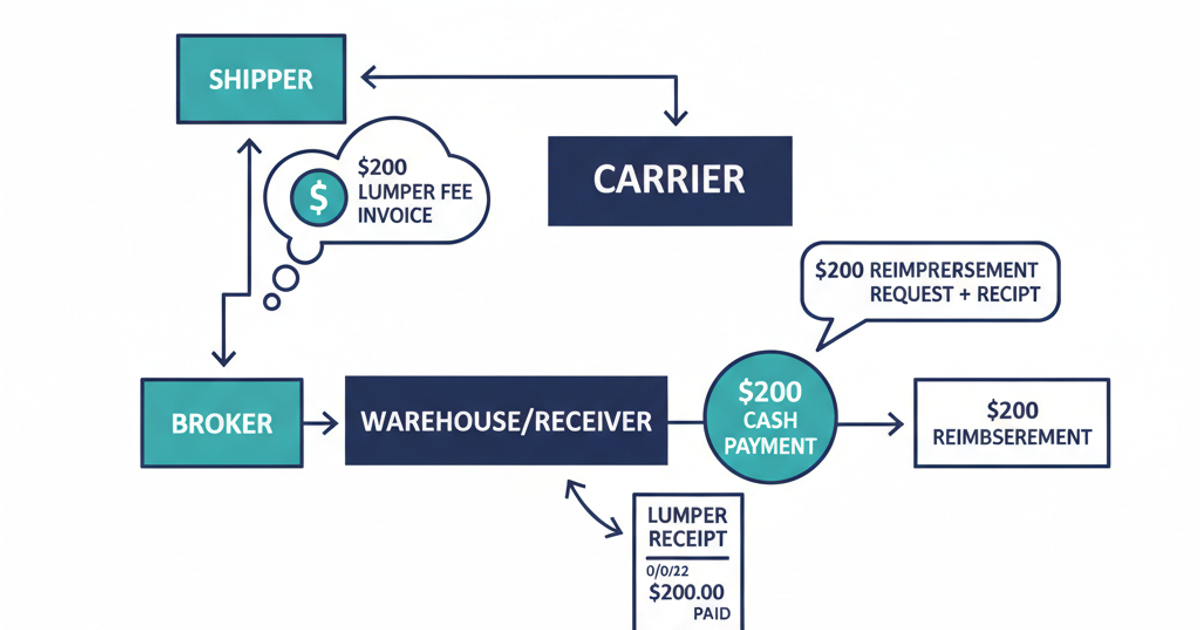
In most freight arrangements, the payment responsibility flows like this:
- The shipper is the party that ultimately bears the cost of the lumper fee, because their chosen receiver requires the service.
- The broker acts as the intermediary and is typically responsible for reimbursing the carrier, then billing the shipper.
- The carrier (or the driver directly) pays at the dock and submits documentation for reimbursement.
That is the intended flow. The actual flow depends entirely on what the rate con says. If the rate confirmation is silent on lumper fee responsibility, the carrier has no contractual basis to demand reimbursement from the broker. The broker has no documented basis to bill the shipper. And the driver just lost $300.
Where the breakdown happens
The most common dispute scenario is not a disagreement over whether the lumper fee is legitimate. It is a disagreement over whether the rate con covers it. Brokers deny reimbursement for three main reasons:
- The rate con had no lumper fee language, so the broker treats it as the carrier's cost.
- The lumper receipt is missing, handwritten without required detail, or submitted late.
- The lumper fee exceeds a cap stated in the rate con, and the carrier did not get pre-approval for the overage.
Every one of these problems is preventable with the right documentation at the right time. For a deeper look at the most common billing mistakes, see how lumper fee billing errors cost brokers thousands.
How Lumper Fees Are Supposed to Flow From Shipper to Carrier to Broker
The lumper fee billing chain has five steps. Miss one, and the reimbursement stalls or dies. Here is how it is supposed to work from load acceptance to final payment.
Step 1: Rate con establishes lumper terms before the load moves
Before the carrier dispatches, the rate confirmation should include explicit language about lumper fee responsibility. This is the single most important document in the chain. It should state whether lumper fees are reimbursable, what the cap is, what documentation is required, and the submission deadline. Without this, everything downstream is a negotiation.
Step 2: Driver confirms lumper requirement at load acceptance
Smart dispatchers confirm with the shipper or broker whether the delivery facility uses lumpers before the driver picks up. This is especially important for retailer DCs where lumper policies vary by location. Knowing in advance means the driver carries cash or has an EFS code ready, and the carrier is not caught off guard at the dock.
Step 3: Driver pays at the dock and collects the receipt
At the delivery point, the driver pays the lumper service directly. Payment methods vary: cash, Comcheck, or EFS code issued by the broker or shipper. Regardless of method, the driver must get a lumper receipt that documents the amount paid, the date, the facility, the load or BOL reference, and ideally the lumper company name. This receipt is the proof of payment. Without it, the reimbursement claim has no foundation. We will cover exactly what fields a valid lumper receipt must include in the next section.
Step 4: Carrier submits receipt with the delivery invoice
The carrier includes the lumper receipt as a line item on their invoice to the broker, typically as a separate accessorial charge alongside the linehaul. This is where timing matters. Most rate cons that include lumper terms also include a submission window, often 48 to 72 hours after delivery. Miss the window, and the broker has grounds to deny the charge.
Step 5: Broker verifies and passes the charge to the shipper
The broker reviews the lumper receipt against the rate con terms: Does the amount fall within the cap? Is the receipt valid? Was it submitted on time? If everything checks out, the broker reimburses the carrier and bills the shipper as a pass-through accessorial charge. If the shipper's contract does not allow lumper pass-throughs, the broker absorbs the cost. This is why broker-shipper contracts need lumper language just as much as rate cons do.
The Receipt Is Everything: What Lumper Documentation You Need to Get Paid
A lumper receipt is the single piece of documentation that determines whether a lumper fee gets reimbursed or becomes a loss. According to Capstone Logistics, lumper service providers range from large national companies with electronic receipt systems to single-person crews at smaller warehouses who write receipts by hand. The quality of that receipt directly affects your ability to recover the charge.
What a valid lumper receipt must include
Every lumper receipt submitted for reimbursement should contain these fields:
- Date of service matching the delivery date on the BOL or POD
- Facility name and location (the warehouse or DC where unloading occurred)
- Dollar amount paid for the unloading service
- Payment method (cash, Comcheck number, or EFS code)
- Load reference (BOL number, PRO number, or PO number)
- Lumper company name or individual name of the service provider
- Signature or stamp from the lumper service or dock personnel
Missing any of these fields gives the broker a reason to reject the receipt. For drivers paying cash, this is especially risky. A handwritten receipt with no facility name, no load reference, and no signature is essentially a piece of paper with a dollar amount on it. That will not survive a dispute.
Digital receipts vs. handwritten receipts
The payment method often determines the receipt quality. When a broker issues a Comcheck or EFS code, the transaction creates an automatic digital record with the amount, date, facility, and reference number. That receipt is clean and hard to dispute. Cash payments are the opposite. The driver pays the lumper crew, gets a handwritten receipt (if they remember to ask), and submits a photo or scan later. Per Relay Payments, digital payment adoption is growing across the industry partly because it solves this documentation problem. For brokers, the move is clear: wherever possible, issue Comchecks or EFS codes for lumper payments. You control the documentation, the amount is pre-approved, and the receipt is automatically generated. For loads where cash payment is unavoidable, train your carriers on exactly what the receipt must include. Send them a checklist. Make it part of your carrier packet.
How to Write Lumper Fee Language Into a Rate Con Before the Load Moves
The rate con is where you either protect yourself or create a billing dispute. If your rate confirmation says nothing about lumper fees, you have no agreed-upon terms when the carrier submits a $350 reimbursement request. And the carrier has no contractual guarantee of getting paid back. Both sides lose.
What your lumper language should include
Every rate con going to a delivery point that might use lumpers should include a clause covering these five elements:
- Reimbursement commitment: A clear statement that lumper fees will be reimbursed by the broker.
- Dollar cap: A maximum reimbursable amount (e.g., "lumper fees up to $400 will be reimbursed").
- Receipt requirement: "Valid lumper receipt required" with a brief description of what constitutes valid.
- Submission deadline: A specific window, such as "receipt must be submitted within 48 hours of delivery."
- Overage process: What happens if the actual lumper fee exceeds the cap (e.g., "amounts over $400 require pre-approval from broker dispatch").
Example rate con language: "Lumper fees up to $400 will be reimbursed with a valid receipt submitted within 48 hours of delivery. Amounts exceeding $400 require pre-approval. Receipts must include date, facility name, dollar amount, payment method, and load reference number."
The cost of saying nothing
Consider two brokerages, each moving 20 loads per month to facilities that require lumpers, with an average lumper fee of $250. Brokerage A includes lumper language in every rate con, verifies receipts, and bills the shipper. Their lumper exposure is documented and recovered. Brokerage B says nothing in their rate cons. Some carriers eat the cost and do not rebook with that broker. Others submit invoices with lumper charges that Brokerage B has no contractual obligation to pay, leading to disputes that take hours to resolve. Over 20 loads at $250 each, that is $5,000 per month, or $60,000 per year, either lost as unrecovered charges or spent on dispute resolution. According to Laneproof's analysis of small brokerage lumper costs, unrecovered lumper charges at this scale are one of the top margin killers for brokerages handling 100 to 500 loads per month.
Real Scenarios: How Lumper Fees Go Right and Go Wrong
The difference between a lumper fee that gets reimbursed in three days and one that turns into a 30-day dispute comes down to documentation and rate con language. Here are scenarios pulled from common brokerage operations.
Scenario 1: Cash payment, no rate con language, denied reimbursement
A carrier delivers a dry goods load to a Walmart DC. At the dock, the driver is told that unloading will be handled by a third-party lumper crew at a cost of $275. The driver pays cash out of pocket. The lumper crew hands the driver a handwritten receipt with the amount and date, but no facility name, no BOL reference, and no lumper company name. The carrier submits the $275 charge to the broker. The broker checks the rate con: no lumper language. The broker denies the reimbursement on the grounds that the rate con did not include lumper terms and the receipt is incomplete. The carrier loses $275. The driver, an owner-operator already operating on thin margins, absorbs the hit. This is preventable on both sides. The carrier should have confirmed lumper terms before accepting the load. The broker should have included lumper language if they knew the delivery point was a Walmart DC. Both failed.
Scenario 2: EFS code, clean documentation, smooth reimbursement
Same retailer DC, different load. This time, the broker's rate con includes the line: "Lumper fees up to $400 will be reimbursed with valid receipt submitted within 48 hours of delivery." Before the driver arrives, the broker issues a $300 EFS code for the lumper payment. The driver pays the lumper service using the code. The EFS system generates a digital receipt with the facility, amount, date, and transaction reference. The carrier includes the $300 lumper charge as an accessorial line on their invoice, attaches the digital receipt, and submits within 24 hours. The broker verifies the receipt matches the EFS transaction, confirms the amount is under the $400 cap, and approves reimbursement. Total dispute time: zero. Total documentation effort: minimal, because the EFS system did most of the work.
Scenario 3: Lumper fee exceeds rate con cap, creating a dispute
A carrier invoices $350 for a lumper on a load where the rate con cap was $200. The broker pays $200 and denies the remaining $150. The carrier disputes, saying the actual cost at the dock was $350 and they had no ability to negotiate with the lumper service on-site. To resolve this, the carrier needs to provide the full lumper receipt showing the $350 charge, plus any communication (text, email, dispatch notes) showing they notified the broker of the overage before or immediately after paying. If the carrier called dispatch from the dock and got verbal approval for the higher amount, that call log or message becomes critical evidence. Without it, the rate con cap governs, and the carrier absorbs the $150 gap. The lesson: if the lumper fee is going to exceed the rate con cap, the driver or dispatcher needs to call the broker before paying. Document that approval in writing, even if it is a quick text message.

Scenario 4: Factoring company holds lumper reimbursement
Many small carriers factor their invoices same-day to maintain cash flow. The factoring company advances payment on the linehaul, but the lumper reimbursement is billed as a separate accessorial line item. The factor holds the accessorial pending documentation review. If the lumper receipt is clean and the rate con supports the charge, the factor releases payment in a few days. But if documentation is missing or the rate con is ambiguous, the factor holds the charge for 7 to 14 days, or rejects it entirely. On a $250 to $400 lumper charge, that delay is real money for an owner-operator who paid cash out of pocket at the dock. This is another reason digital payment methods matter. A Comcheck or EFS receipt clears faster with factoring companies than a photo of a handwritten note.
Scenario 5: Retailer policy differences that catch drivers off guard
Not all receiving facilities handle lumper fees the same way. Understanding the differences before the driver arrives can save hours of confusion and hundreds of dollars.
- Walmart DCs typically use third-party lumper services with EFS payment. Drivers are expected to have an EFS code or cash ready. The process is standardized but the fee varies by load type.
- Amazon Fulfillment Centers often include unloading in their freight terms, meaning no lumper fee is charged to the carrier. But this varies by facility and shipment type, so confirm before dispatch.
- Costco receiving may require lumpers, but policies vary by location. Some Costco warehouses use in-house unloading teams, others contract third-party lumpers. Drivers should confirm at load acceptance, not at the dock.
A 2002 research paper published via SciSpace on the impact of lumper costs found that lumper costs were a measurable drag on carrier profitability alongside empty miles and shipment size. That was over two decades ago. The fee structure has not changed. What has changed is the availability of digital payment tools and the expectation that documentation should be faster. Brokers who still rely on drivers to figure out lumper logistics at the dock are operating with a 2002 process in a 2024 market.
Monthly exposure calculation for a mid-size brokerage
Here is the math for a broker moving 300 loads per month:
- 15% of loads involve a lumper fee: 300 × 0.15 = 45 loads
- Average lumper fee per load: $280 (per Apex Capital's reported range of $100 to $500)
- Total monthly lumper exposure: 45 × $280 = $12,600
- Annual lumper exposure: $12,600 × 12 = $151,200
If even 20% of those charges go unrecovered due to missing receipts, silent rate cons, or disputed amounts, that is $30,240 per year walking out of your margin. For a brokerage operating on 12 to 15% net margins, that can be the difference between a profitable quarter and a flat one.
Frequently Asked Questions About Lumper Fees
Who pays for the lumper fee?
The driver typically pays the lumper fee at the dock, either in cash, by Comcheck, or through an EFS code. The carrier then invoices the broker for reimbursement as an accessorial charge. The broker passes the cost to the shipper if the shipper contract allows it. Ultimately, the shipper bears the cost because their chosen receiver requires the lumper service. But if the rate con does not address lumper fees, the carrier may end up absorbing the charge. For a full breakdown of payment responsibility, see who pays lumper charges and how liability works.
Are lumper fees illegal?
Lumper fees themselves are legal. What is illegal is coercing a driver into using and paying for a lumper service against their will. Under 49 U.S.C. 14103, enforced by the FMCSA, no person may coerce a driver into employing or paying for unwanted loading or unloading assistance. In practice, most drivers comply with facility requirements because refusing would delay or prevent delivery. The legal protection exists, but it is rarely invoked on the dock.
Why do warehouses charge lumper fees?
Warehouses charge lumper fees because they outsource the physical unloading of freight to third-party labor providers rather than using their own employees. According to Trinity Logistics, lumper services exist because receiving facilities prefer specialized labor to handle unloading efficiently, especially for high-volume operations like grocery and retail DCs. It reduces the facility's labor costs and liability while keeping dock throughput consistent.
What is a lumper in trucking?
A lumper is a third-party laborer or crew hired to physically load or unload freight at a warehouse, distribution center, or dock. The term dates back decades in the freight industry. Per RoadSync, the average lumper fee is approximately $300, and the service is most common at large retail distribution centers where high-volume receiving demands specialized unloading teams.
How do I dispute a denied lumper fee reimbursement?
To dispute a denied lumper fee, start with the rate con. If it includes lumper reimbursement language and a cap, confirm that your charge falls within those terms. Then verify that your lumper receipt includes every required field: date, facility, amount, payment method, load reference, and service provider name. If both the rate con and the receipt support your claim, submit them together to the broker with a clear written request referencing the specific rate con clause. If the broker still denies, escalate in writing. Document everything. For loads processed through a factoring company, provide the factor with the same documentation package to avoid further payment delays.
Stop Losing Money on Lumper Fees You Should Be Recovering
Lumper fees are not going away. Warehouses will keep using third-party unloading crews. Drivers will keep paying at the dock. The only variable you control is whether the documentation chain holds together from rate con to receipt to reimbursement. Write lumper terms into every rate con going to a facility that might use lumpers. Push for Comcheck or EFS payments over cash. Train your carriers on what a valid lumper receipt must include. Build a submission deadline into your process and enforce it. Verify every lumper accessorial line against the rate con cap before you pay it. If your team processes more than 50 invoices a week, automated document extraction tools can match lumper receipts to rate con terms and flag discrepancies before they become disputes. The math is simple. Fix the documentation chain, and the money stays where it belongs.
Sources
- May drivers be coerced into employing loading or unloading assistance (lumpers)? — FMCSA
- What is a lumper and lumper payment? — Relay Payments
- Lumper Fees in Trucking: What Are They and Who Pays Them? — Apex Capital
- Freight FAQs: What is a Lumper? — RoadSync
- Lumper Fees: What are They and Why are They Needed? — Trinity Logistics
- The Impact of Lumper Costs, Empty Miles, and Shipment Size — SciSpace
- What Is a Lumper? Costs, Risks & Unloading Alternatives — Capstone Logistics
- Lumper Charges Explained: Who Pays & How to Get Reimbursed — Laneproof